Using the ScanSnap in Various Ways (for Mac OS Users)
293
■ Creating Searchable PDF Files
The ScanSnap is able to text-recognize the scanned image data automatically and create a
searchable PDF file.
To create searchable PDF files, change the settings by following the procedure below.
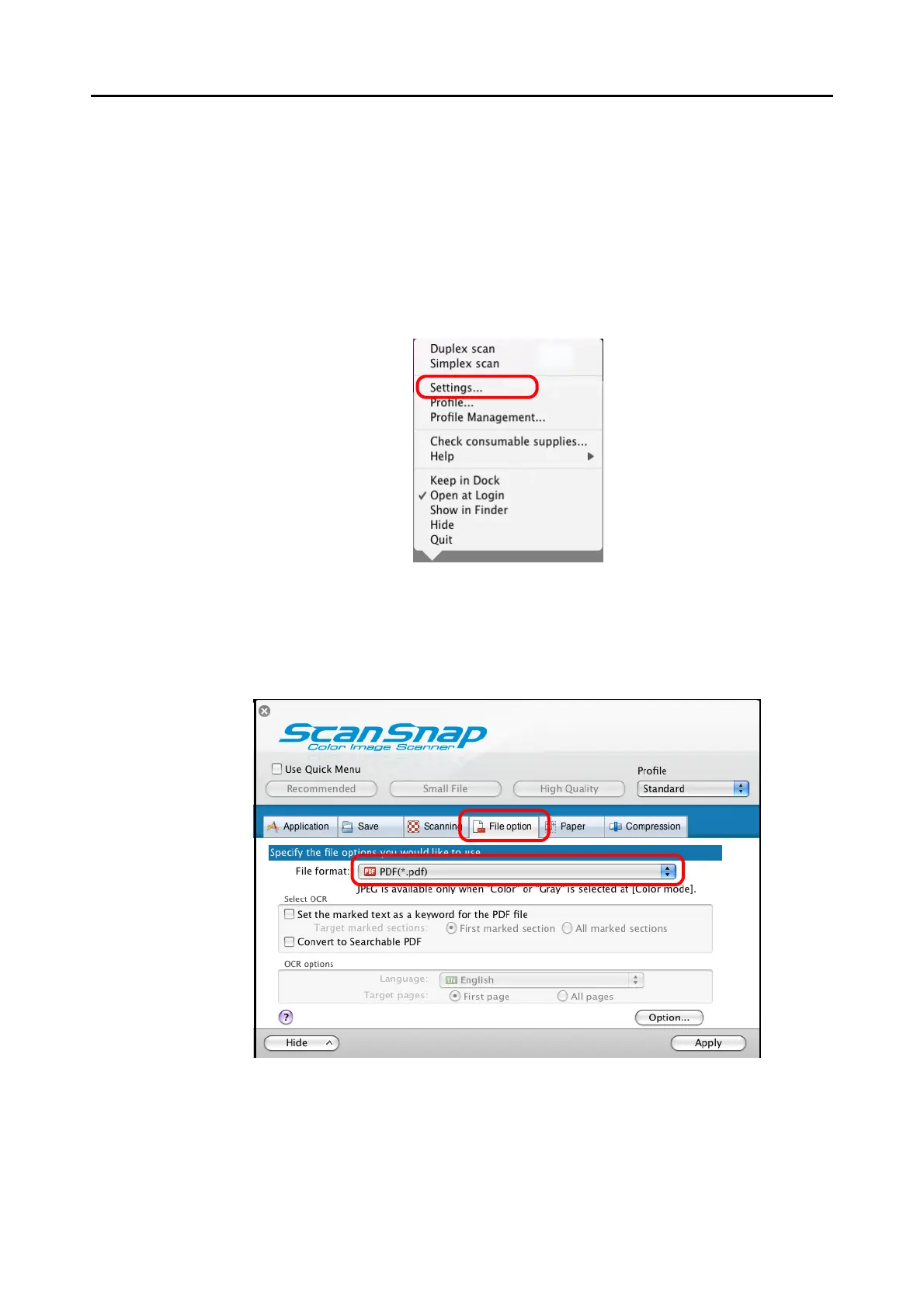
1. From the ScanSnap Manager menu, select [Settings].
⇒ The ScanSnap setup window appears.
2. In the [File format] pop-up menu on the [File option] tab, select
[PDF(*.pdf)].



 To Next Page
 Loading...










