Replacing the Pad Assembly
335
Replacing the Pad Assembly
Replace the pad assembly following the procedure below.
1. Remove the documents on the ADF paper chute (cover).
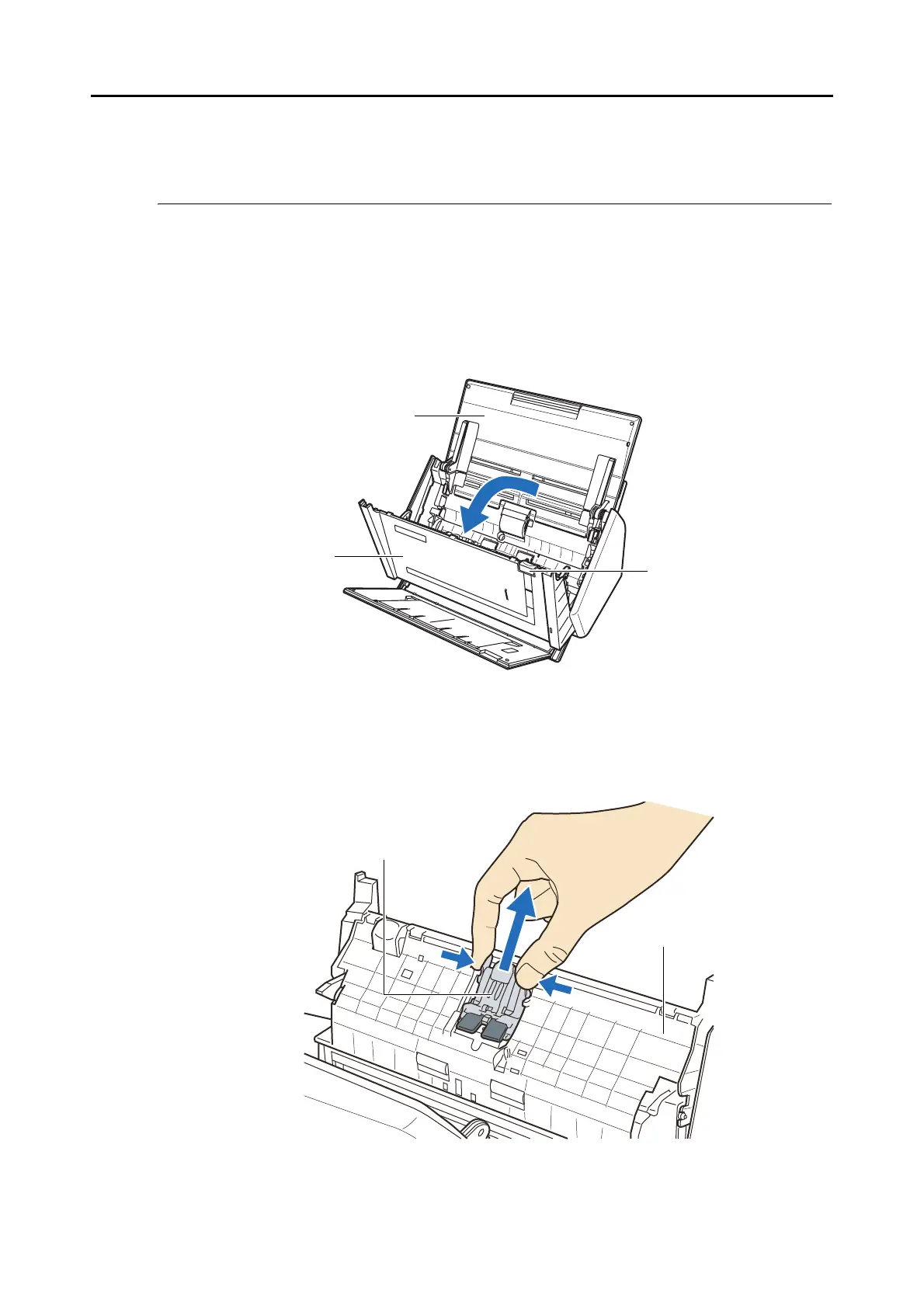
2. Pull the ADF release catch to open the ADF top section.
3. Remove the pad assembly.
Pull out the pad assembly in the direction of the arrow while pinching both ends of the
pad assembly.
ADF release catch
ADF top section
ADF paper chute (cover)
ADF top section
Pad assembly



 To Next Page
 Loading...










