Using the ScanSnap in Various Ways (for Mac OS Users)
291
■ Saving Scanned Images in Multiple PDF Files
The ScanSnap is able to save scanned image data in multiple PDF files based on the selected
number of pages. For example, you can scan a batch of slips, and save each slip as a PDF
file.
To save image data in multiple PDF files, change the settings by following the procedure
below.
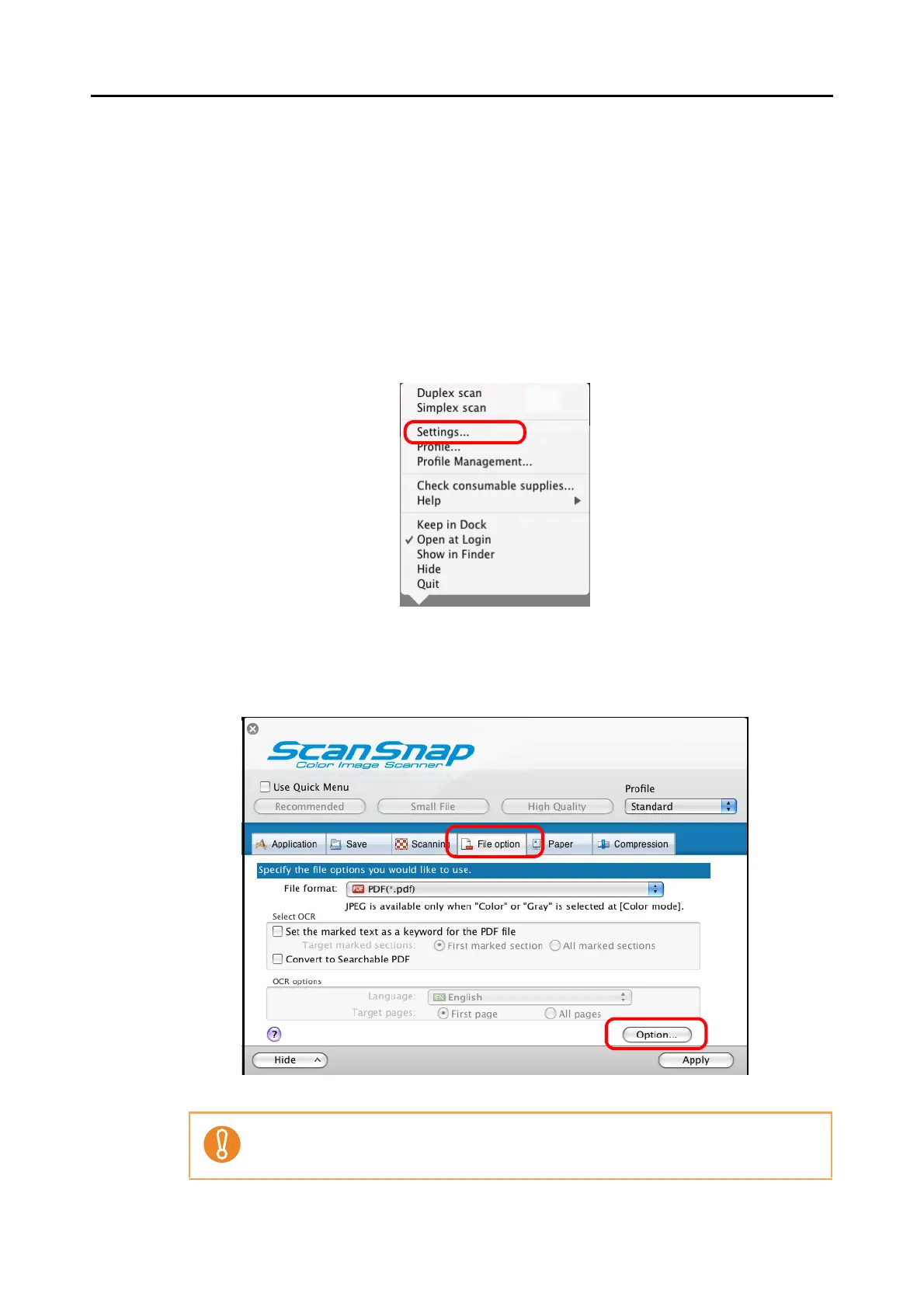
1. From the ScanSnap Manager menu, select [Settings].
⇒ The ScanSnap setup window appears.
2. Click the [Option] button on the [File option] tab.
⇒ The [PDF file format option] window appears.
Check that [PDF(*.pdf)] is selected in the [File format] pop-up menu.



 To Next Page
 Loading...










