Using the ScanSnap in Various Ways (for Mac OS Users)
265
■ Scanning Color Documents in Black and White or
Gray Mode
By default, the ScanSnap automatically recognizes whether scanned documents are color,
gray or black-and-white, and outputs color documents in color mode, gray documents in gray
mode, and black-and-white documents in black-and-white mode.
If you wish to scan color documents in gray or black-and-white mode, change the settings by
following the procedure below.
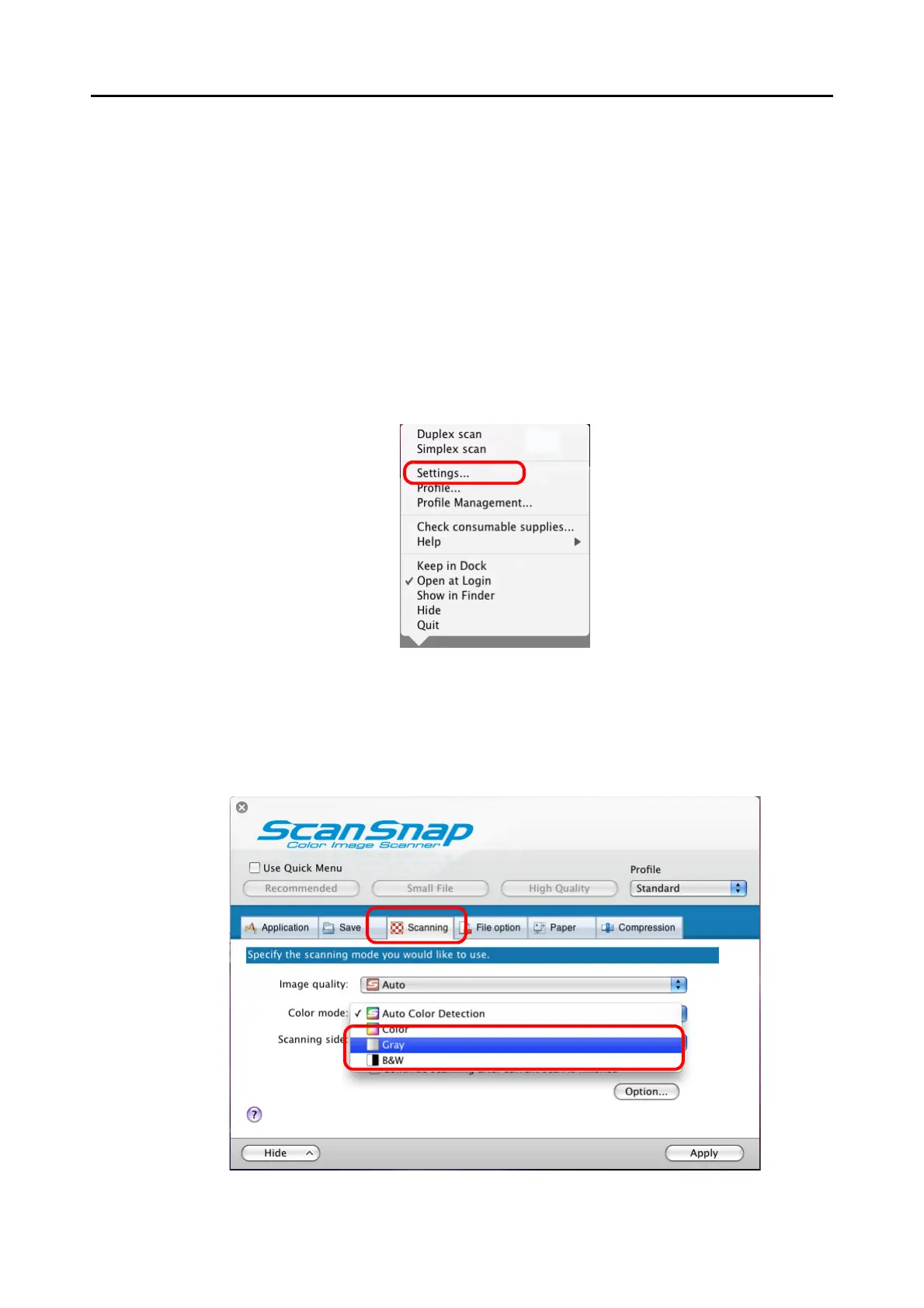
1. From the ScanSnap Manager menu, select [Settings].
⇒ The ScanSnap setup window appears.
2. In the [Color mode] pop-up menu on the [Scanning] tab, select [Gray] or
[B&W].



 To Next Page
 Loading...










