Updating ScanSnap Manager
352
■ Updating on a Mac OS
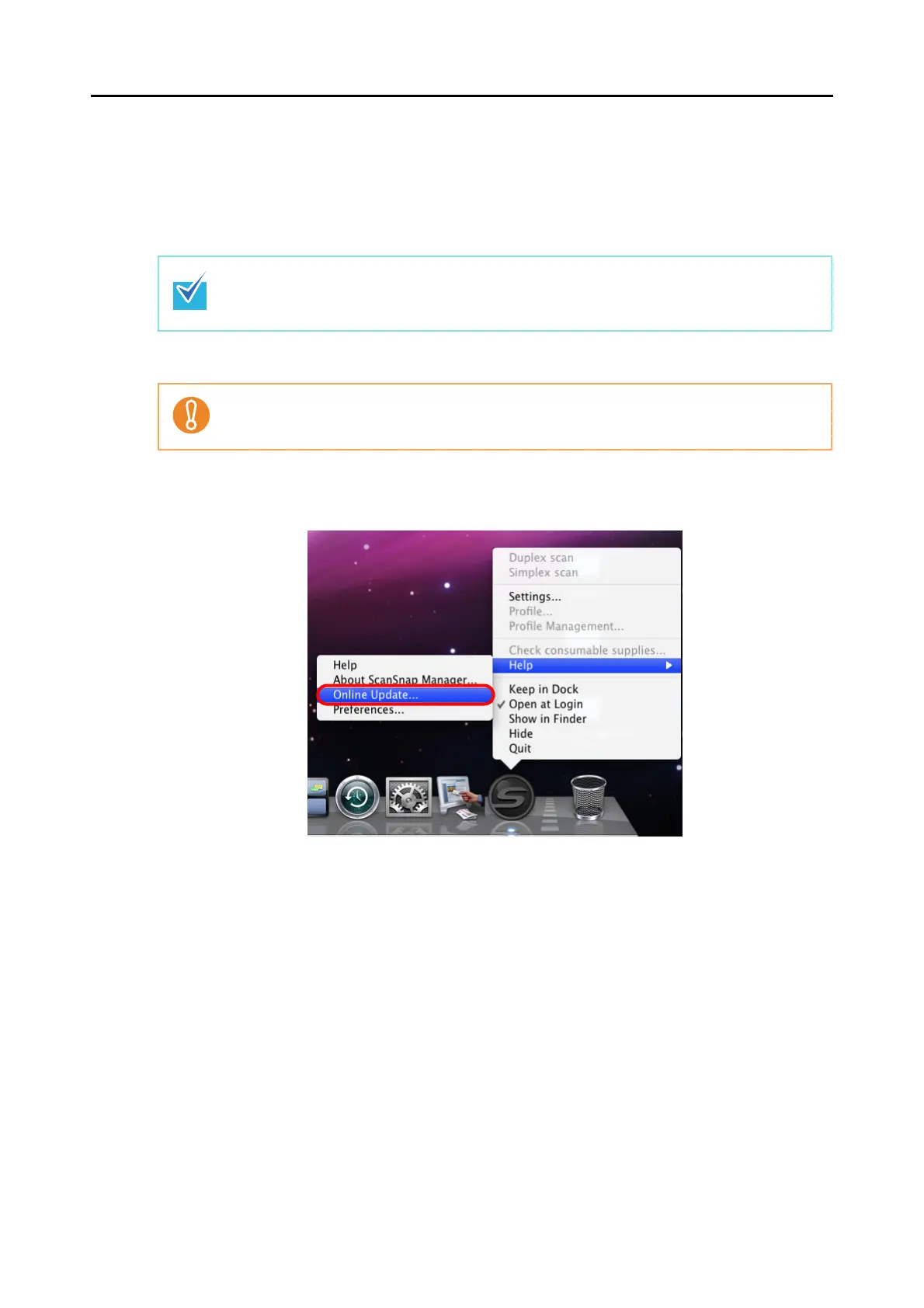
By selecting and performing [Help] → [Online Update] from the ScanSnap Manager menu,
ScanSnap Manager can automatically detect whether the latest update pack is available and
perform the update.
When updating ScanSnap Manager, follow the instructions below.
1. From the ScanSnap Manager menu, select [Help] → [Online Update].
⇒
A confirmation message appears.
• You can also update by selecting [Help] → [Online Update] from the menu bar.
• Update Packs are made available without notice. We recommend that you update your pro-
gram regularly.
When updating, it is essential that a browser is installed in a system which can access the Inter-
net.



 To Next Page
 Loading...










