Troubleshooting for Multifeed
306
■ When a Multifeed Is Detected
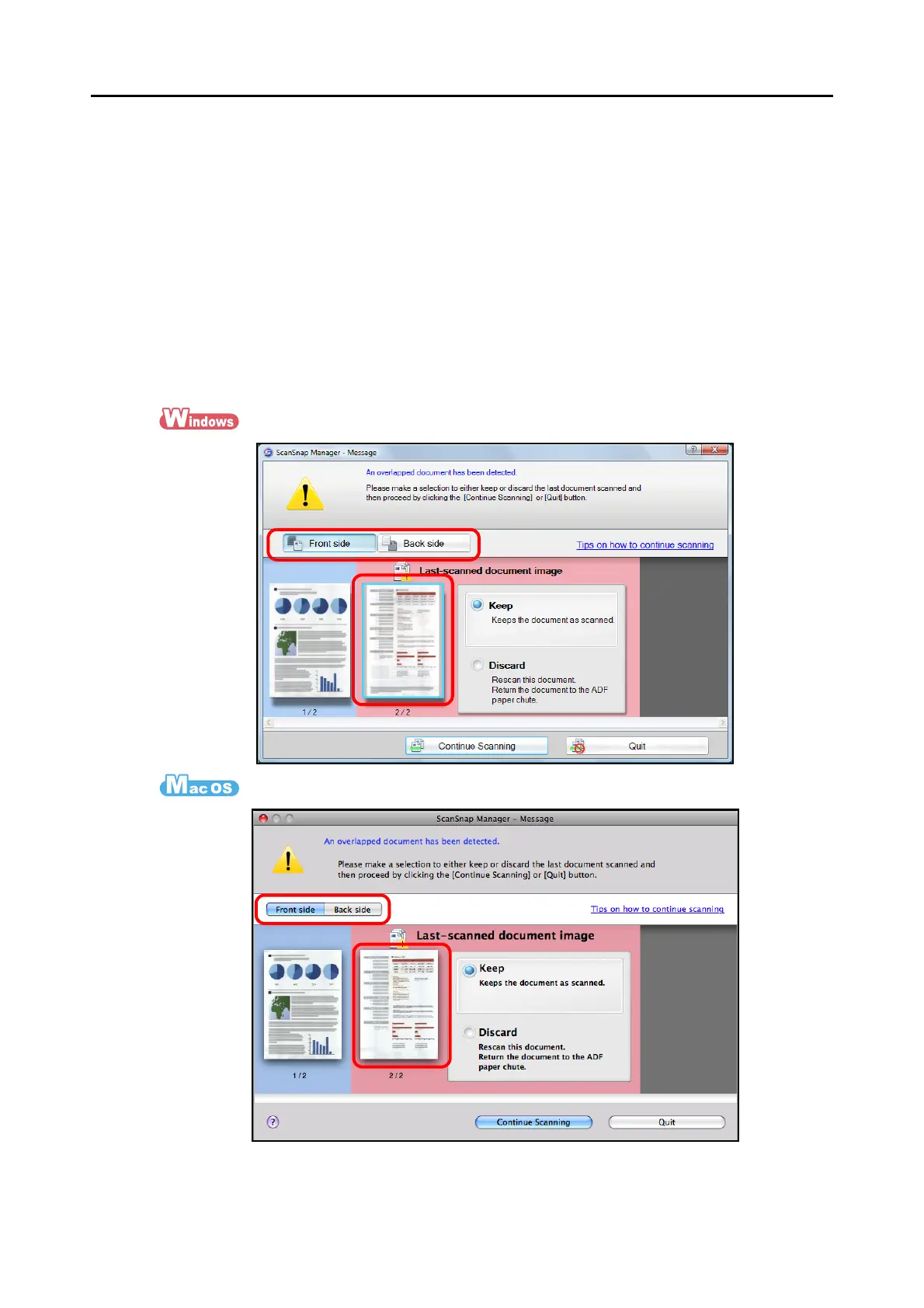
When a multifeed is detected during scanning, scanning operation is paused and the multi-
feed detection window appears.
The following describes the multifeed detection window operation procedure.
1. Check that the front and back images are scanned in the same way as
the original document.
Check the front and back of a thumbnail by pressing the [Front side] and [Back side]
buttons to switch between sides.


 To Next Page
 Loading...










