Using the ScanSnap in Various Ways (for Windows Users)
168
■ Scanning Photographs and Irregular-shaped
Documents
When you do not want to get scratches on a photograph, or want to scan an irregular-shaped
document such as a clipping of an article that is difficult to scan as it is, you can use the Car-
rier Sheet to scan with the ScanSnap.
To scan photographs and irregular-shaped documents, change the settings by following the
procedure below.
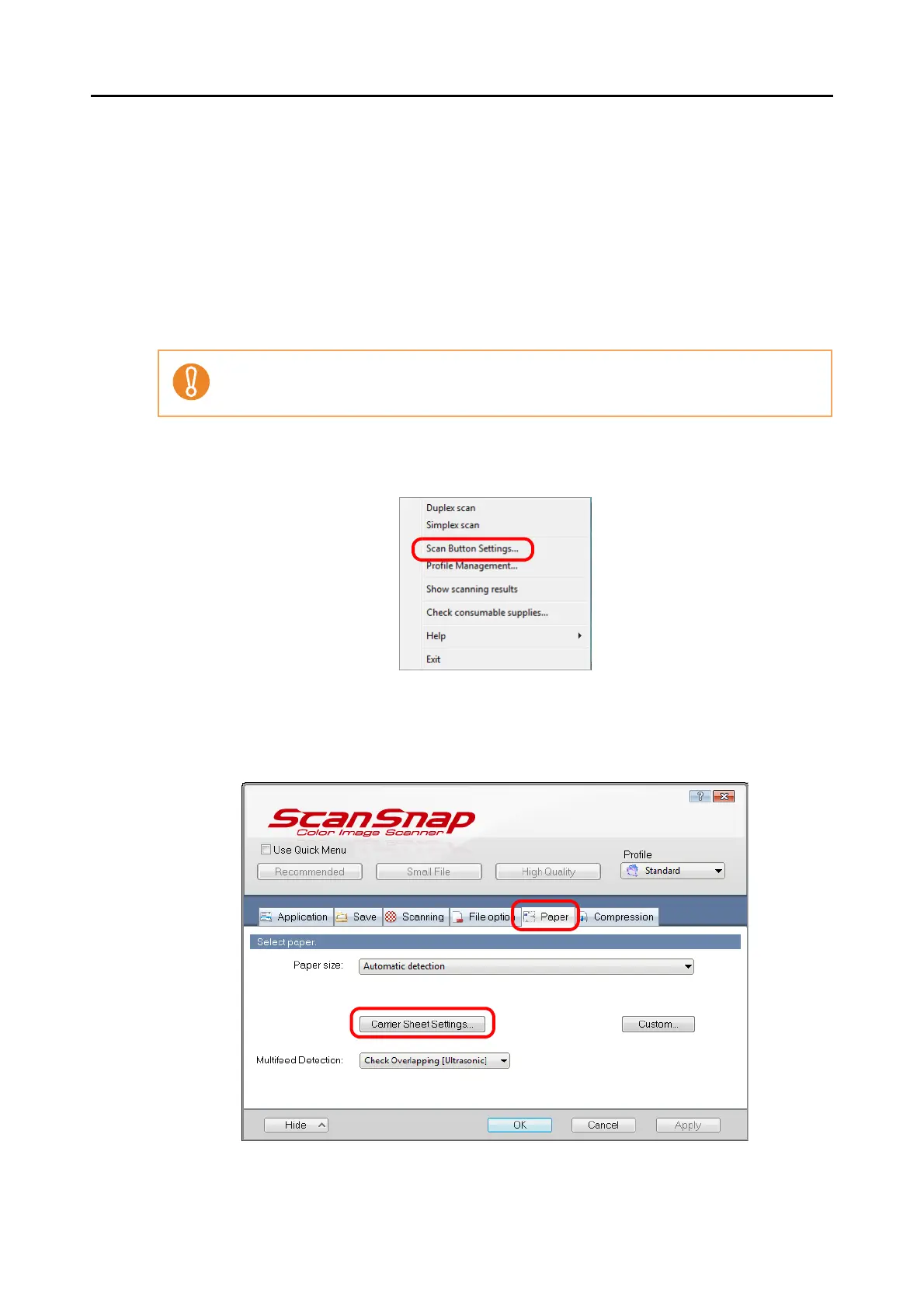
1. Select [Scan Button Settings] from the Right-Click Menu.
⇒ The ScanSnap setup dialog box appears.
2. Click the [Carrier Sheet Settings] button on the [Paper] tab.
⇒ The [Carrier Sheet Settings] dialog box appears.
The [Correct skewed character strings automatically] check box in the [Read mode option]
dialog box displayed by pressing the [Option] button on the [Scanning] tab, is disabled.



 To Next Page
 Loading...










