Using the ScanSnap in Various Ways (for Mac OS Users)
275
■ Scanning Documents of Differing Widths or Sizes at
the Same Time
The ScanSnap is able to scan documents of different widths or sizes in one batch.
To scan documents of different widths or sizes in one batch, change the settings by following
the procedure below.
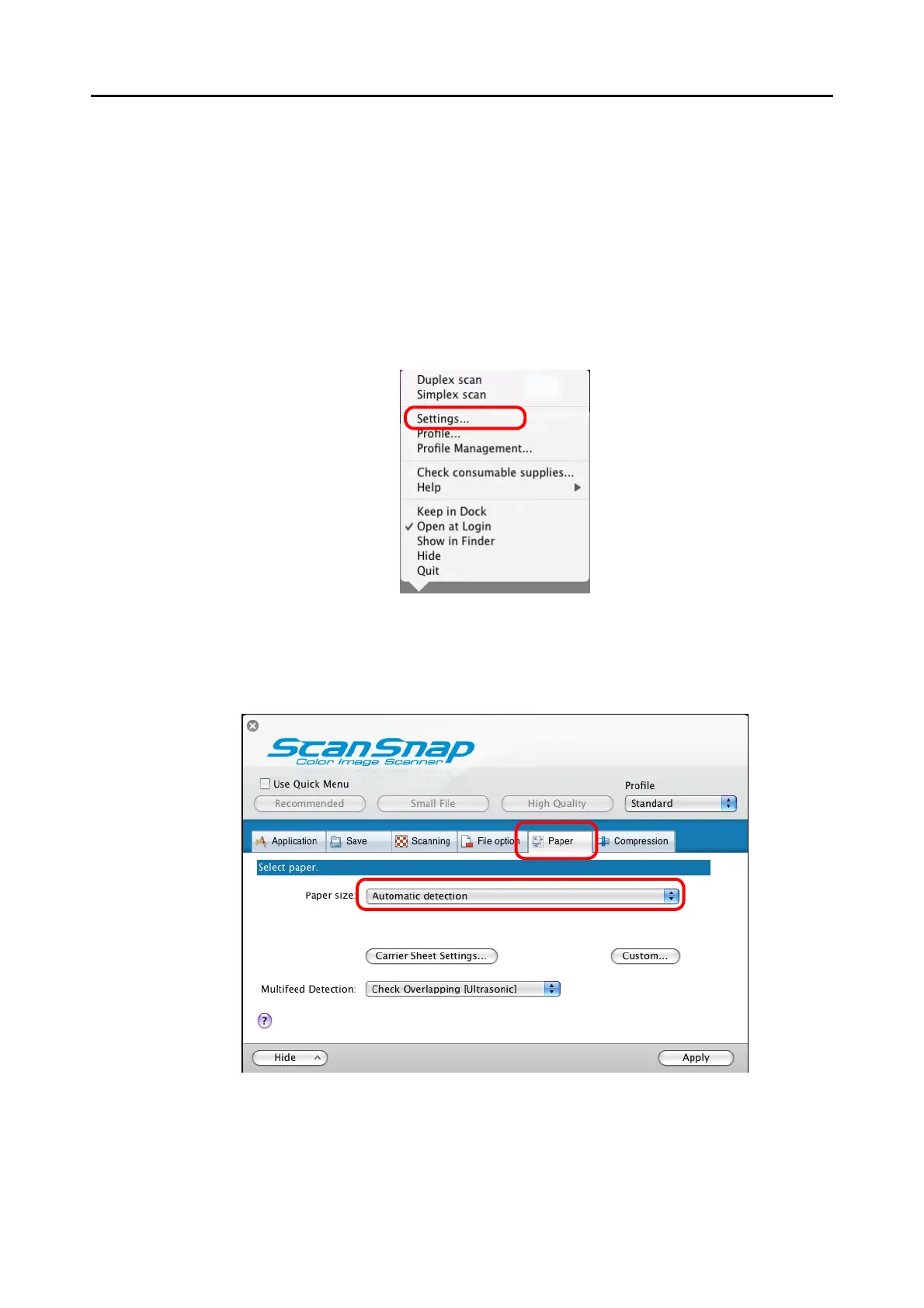
1. From the ScanSnap Manager menu, select [Settings].
⇒ The ScanSnap setup window appears.
2. On the [Paper] tab, select [Automatic detection] in [Paper size].



 To Next Page
 Loading...










