For S1500M
47
■ Installing ScanSnap Manager on Windows
Follow the procedure to install ScanSnap Manager from the Setup DVD-ROM supplied with
the ScanSnap. For details about system requirements, refer to "System Requirements" (page
21).
1. Check that the ScanSnap is not connected to your computer.
2. Turn your computer on, and log on as a user with "Administrators" privi-
leges.
3. Insert the Setup DVD-ROM into the DVD-ROM drive.
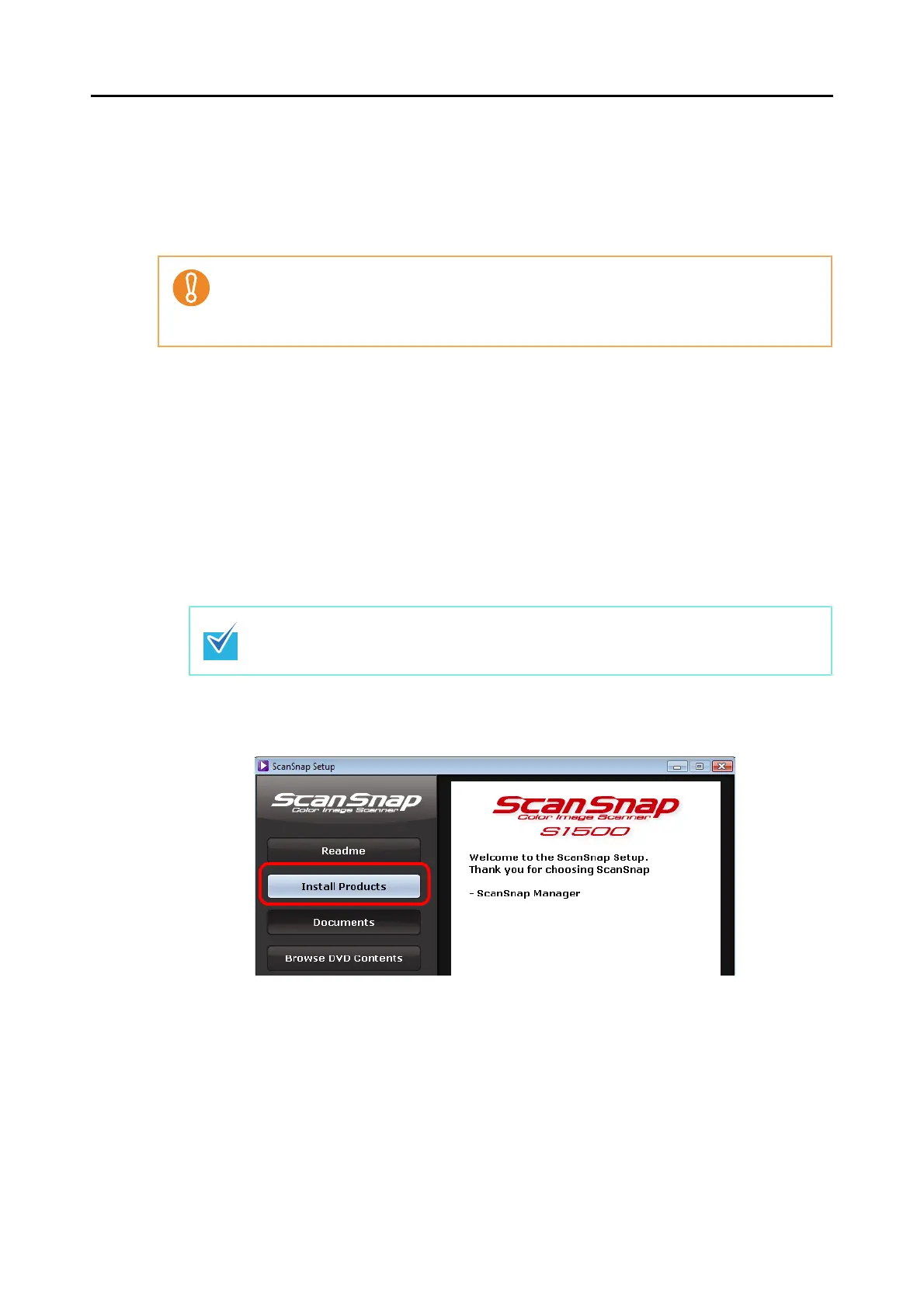
⇒ The [ScanSnap Setup] dialog box appears.
4. Click the [Install Products] button.
⇒ The [Welcome to the InstallShield Wizard for ScanSnap] dialog box appears.
5. Click the [Next] button.
⇒ The [Select Features] dialog box appears.
• After installing ScanSnap Manager, connect the ScanSnap to the computer. If you connect
the ScanSnap to your computer before installing ScanSnap Manager, ScanSnap Manager
may not running properly.
• Only one ScanSnap can be connected to a computer at a time.
If the [ScanSnap Setup] dialog box is not displayed, find "Setup.exe" in the DVD-ROM
drive by using "Explore" or "My Computer", and then double-click "Setup.exe".



 To Next Page
 Loading...










