Using the ScanSnap in Various Ways (for Windows Users)
160
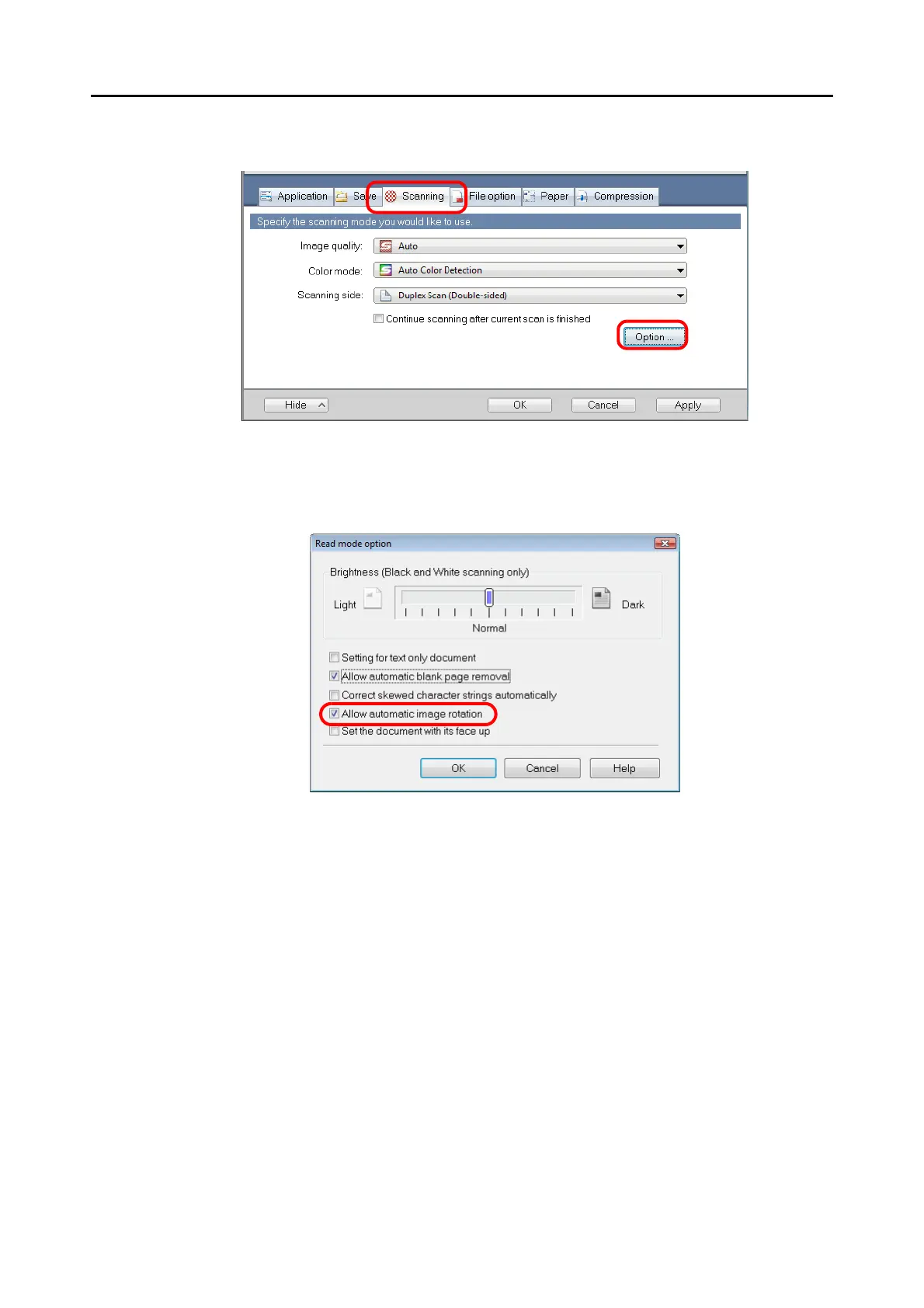
2. Click the [Option] button on the [Scanning] tab.
⇒ The [Read mode option] dialog box appears.
3. Select the [Allow automatic image rotation] check box.
4. Click the [OK] button to close all the open dialog boxes.
5. Load the document into the ScanSnap.
For details, refer to "Paper Sizes of Documents to Be Scanned" (page 26) and "Loading
Documents" (page 28).
6. Press the [Scan] button on the ScanSnap.
⇒ All image data are output in the same orientation.



 To Next Page
 Loading...










