Setting the ScanSnap (for Mac OS Users)
212
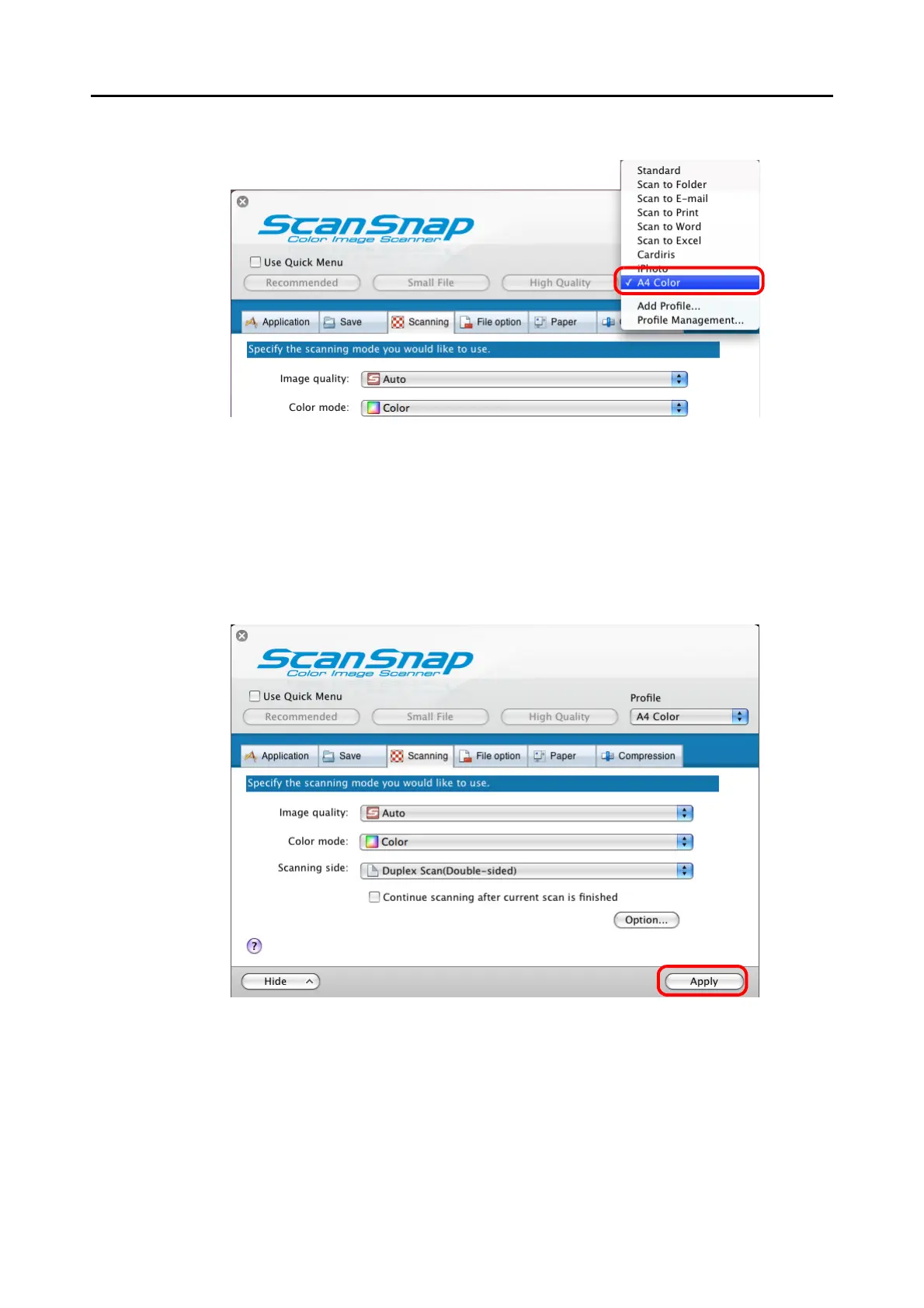
3. Select the profile you want to change from the [Profile] pop-up menu.
4. Change scanning settings on each tab on the ScanSnap setup window.
For details about each tab, refer to ScanSnap Manager Help.
5. When you finish changing the settings for the selected profile, click the
[Apply] button.
⇒ Now, you have finished changing the scanning settings.



 To Next Page
 Loading...










