Using the ScanSnap in Various Ways (for Mac OS Users)
277
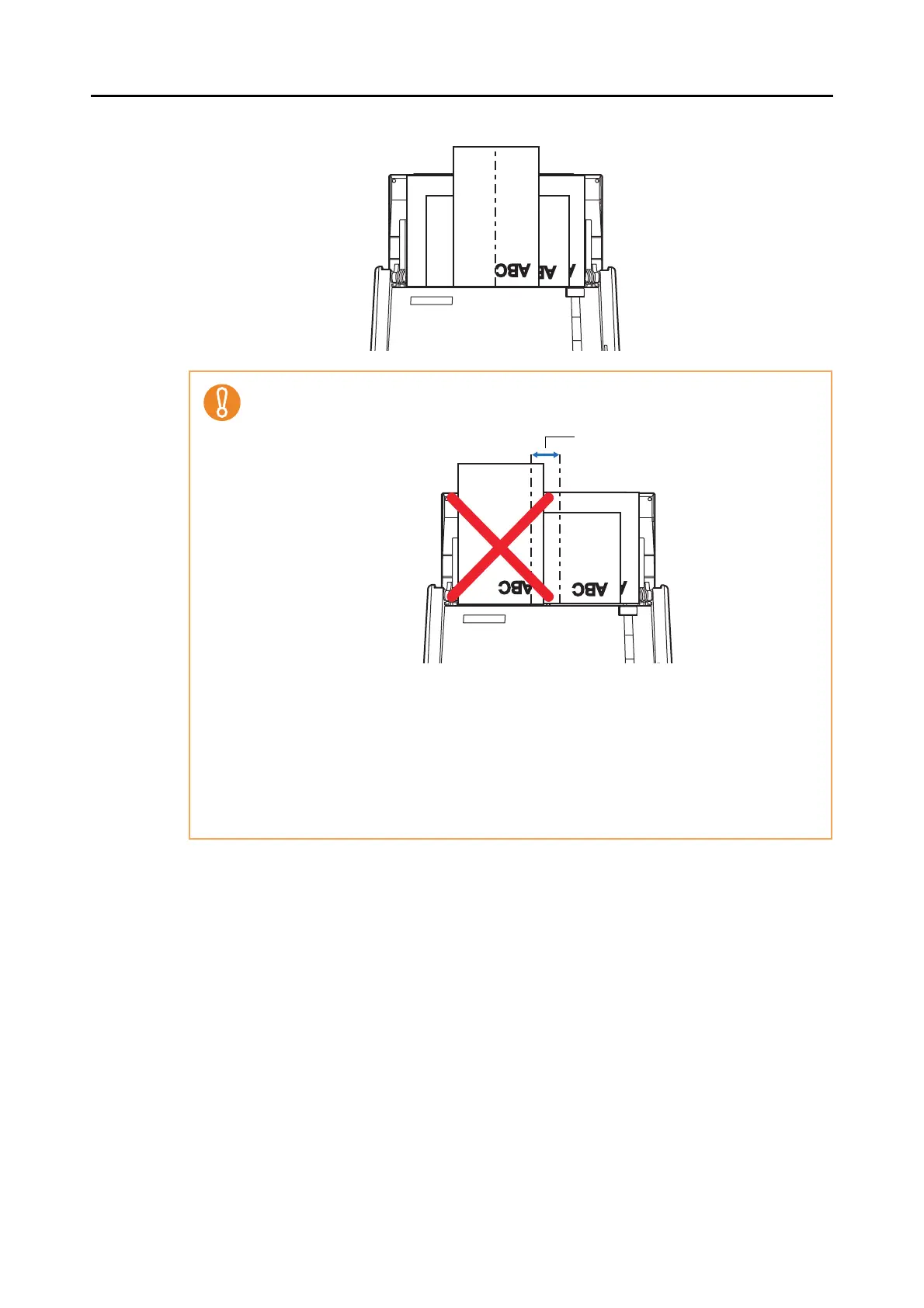
2. Place the document on the center of the ADF paper chute (cover).
• Place all documents under the pick roller (center).
Documents that are not under the pick roller cannot be fed.
• Adjust the side guides to the widest document to be scanned.
• For smaller documents which cannot contact the side guide, carefully load them straight
into the ADF paper chute (cover). If the documents are skewed during a scan, the qual-
ity of scanned image data may be degraded (partly lost image data/slant lines produced)
or scanned image data may be output in different size from the original. If you have diffi-
culties in feeding documents straight, it is recommended to scan documents in several
batches and enable continuous scanning; scan documents of about the same width in
one batch.
Note that smaller documents that cannot be guided by the side guide may cause a jam.
Width of the pick roller



 To Next Page
 Loading...










