Using the ScanSnap in Various Ways (for Mac OS Users)
287
7. Load the document into the ScanSnap.
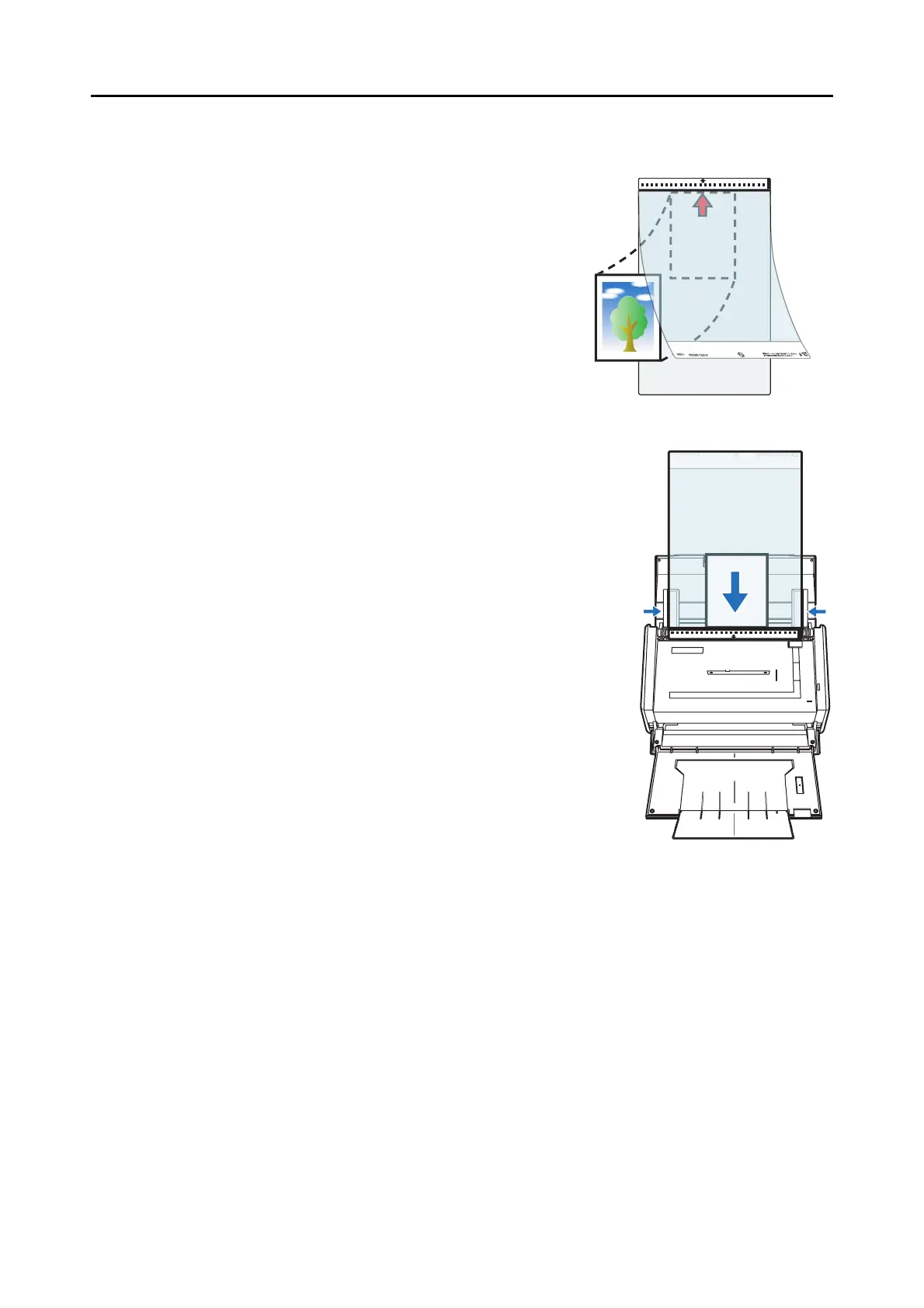
1. Open the Carrier Sheet and insert the docu-
ment.
Neatly align the top of the document with the
top of the Carrier Sheet.
Center the material so that it is entirely con-
tained in the Carrier Sheet.
2. Load the Carrier Sheet into the ScanSnap.
− Load the Carrier Sheet with the portion striped in
black and white as the top edge.
− Place the document so that the back of it faces up.
− Adjust the side guides to the width of the Carrier
Sheet to avoid skewing.
− When scanning the Carrier Sheet mixed with regular
size and shape documents, select an option other
than [Check Length] in the [Multifeed Detection] pop-
up menu on the [Paper] tab in the ScanSnap setup
window.
For details on how to set, refer to "Scanning Docu-
ments of Differing Widths or Sizes at the Same Time"
(page 275).
Bac



 To Next Page
 Loading...










