Using the ScanSnap in Various Ways (for Mac OS Users)
297
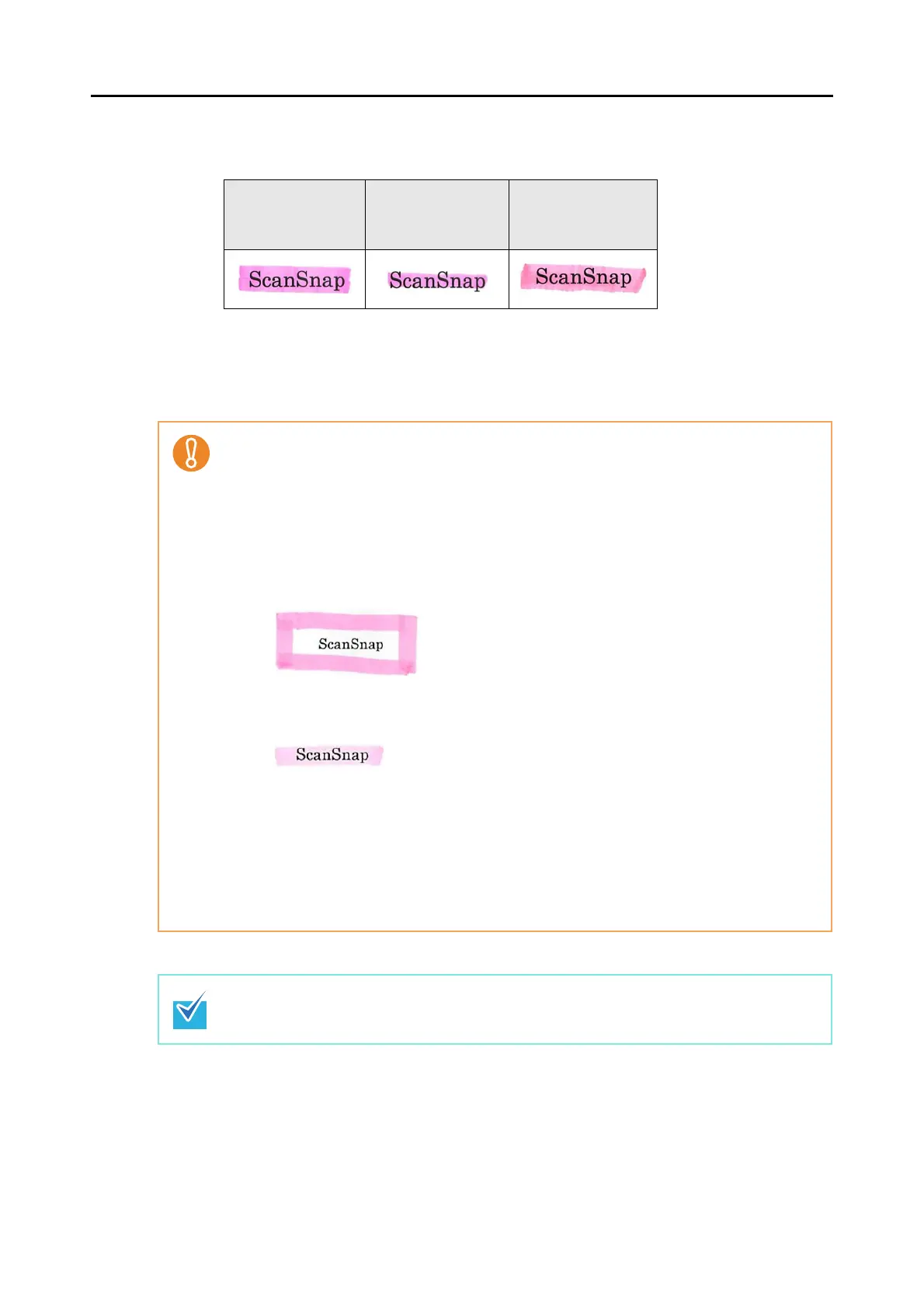
• Mark a character string to be set as a keyword so that the entire string is covered.
Mark sections so that the entire section is the same color.
• Mark up to ten sections on a page.
• When you mark multiple character strings, make sure to leave a gap between the
marked sections as follows.
5 mm or more (width), 1 mm or more (length)
Good example
Bad example 1
(entire section is
not covered)
Bad example 2
(color is uneven)
• For the following types of documents, marked sections cannot be recognized and set as key-
words.
- Color documents such as catalogues or pamphlets
- Documents in which two or more colors are used for marking
- Documents containing colors other than for marking (pens other than highlight pens are
used, or the document is stained)
- Documents containing too many marked sections
• The following types of marked character strings cannot be set as keywords.
- The size of marked sections is outside the supported range
- Character strings framed by highlight pen
- The marking is irregular (for example, skewed)
- Multiple marked sections are too close to each other
- The color of the highlight pen is too pale
• In the following cases, character strings surrounding marked sections may be set as key-
words.
- Lines of marked sections cross
• In the following cases, unmarked character strings may be set as keywords.
- Color documents such as catalogues or pamphlets
- Documents on which character strings other than those to be set as keywords are marked
with a color (sections framed by highlight pen exist, the document is stained, or the char-
acter string or its underline is colored)
Keywords set for a PDF file can be checked in Adobe Acrobat [Document Properties] or
Preview [Inspector].



 To Next Page
 Loading...










