How to Perform a Scan (for Windows Users)
61
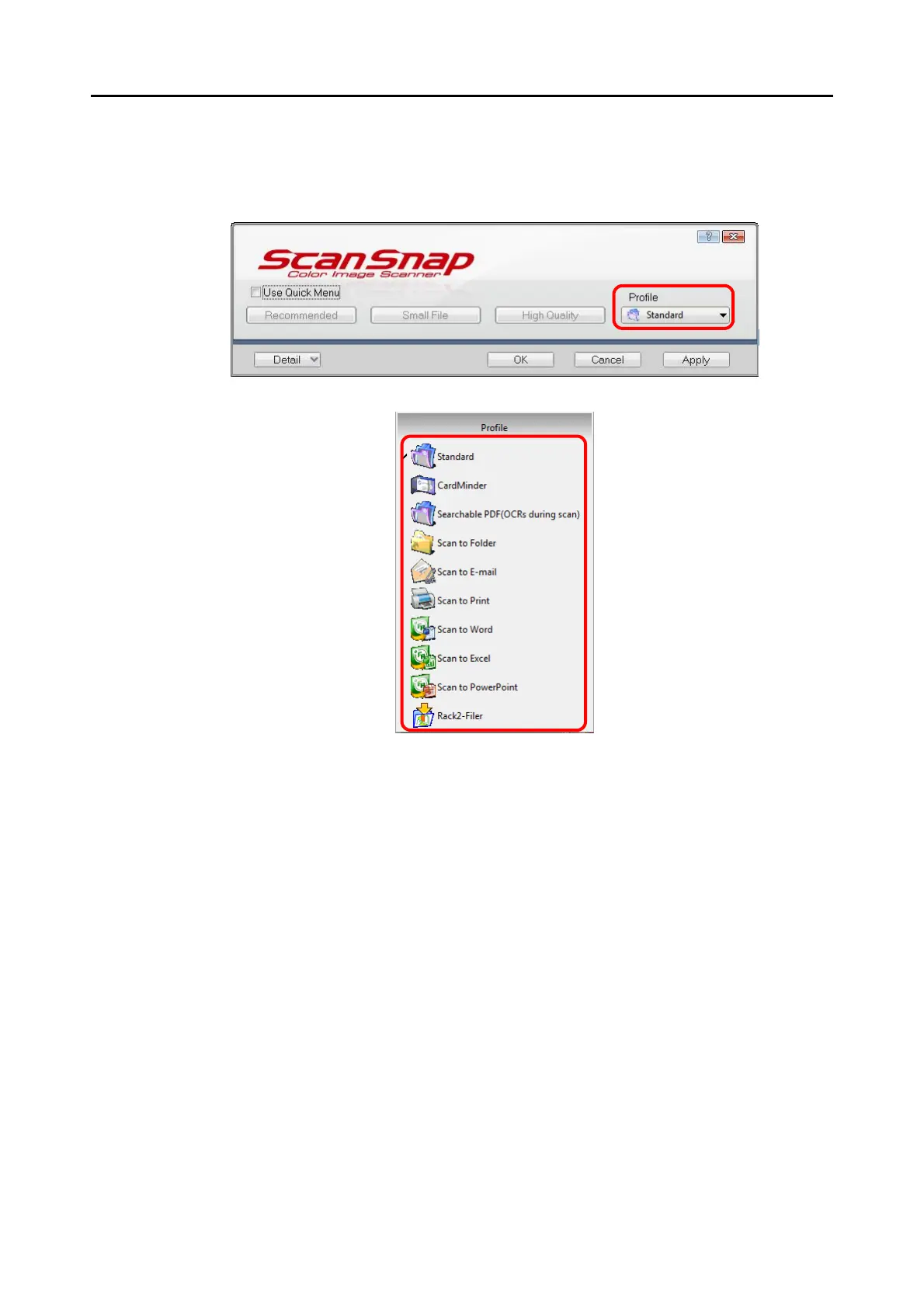
4. Select a profile to be executed after scanning.
Select a profile using either of the following:
• [Profile] drop-down list in the ScanSnap setup dialog box
• Left-Click menu
5. Load the document into the ScanSnap.
For details about how to load the document into the ScanSnap, refer to "Loading Docu-
ments" (page 28).


 To Next Page
 Loading...











