Setting the ScanSnap (for Windows Users)
76
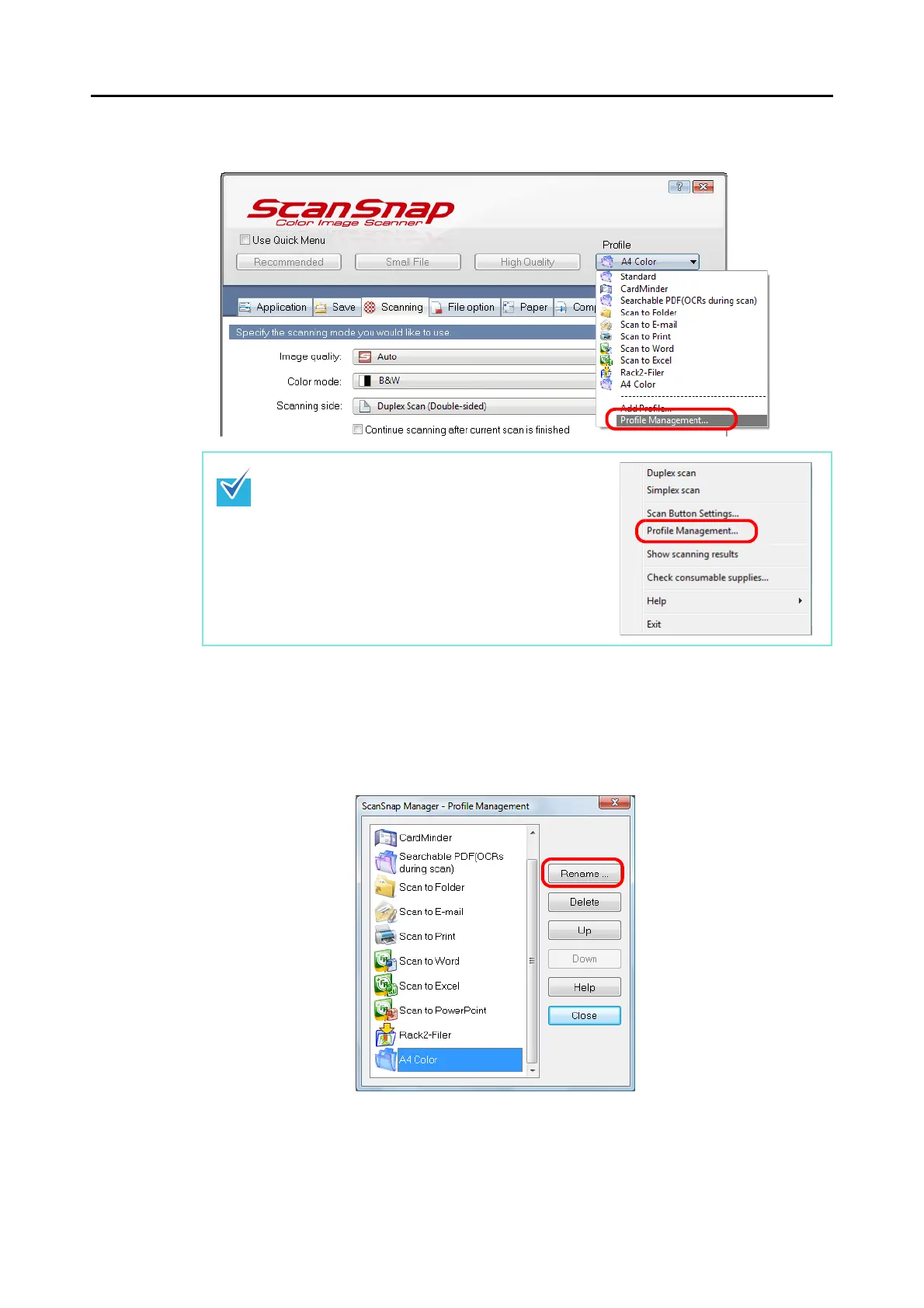
3. Select [Profile Management] from the [Profile] drop-down list.
⇒ The [ScanSnap Manager - Profile Management] dialog box appears.
4. Select the profile you want to rename, and then click the [Rename] but-
ton.
⇒ The [Rename] dialog box appears.
You can also select [Profile Management] from the
Right-Click Menu to open the [ScanSnap Manager -
Profile Management] dialog box.



 To Next Page
 Loading...










