Setting the ScanSnap (for Windows Users)
82
• The ScanSnap always interacts with the application that is running and
has higher priority.
When ScanSnap Organizer, CardMinder, or Rack2-Filer is running, an application
selected in the [Application] drop-down list on the [Application] tab on the ScanSnap
setup dialog box is automatically switched to the running application. When you scan
documents by pressing the [Scan] button, the ScanSnap automatically interacts with the
active application, in which the scanned document image is displayed.
Even when the ScanSnap is in Quick Menu mode, the Quick Menu does not appear
after scanning; the ScanSnap automatically interacts with the active application, in
which the scanned document image is displayed.
The ScanSnap interacts with the application until you exit the application.
When more than one application is running, priority will be given in the following order:
CardMinder, ScanSnap Organizer, and Rack2-Filer.
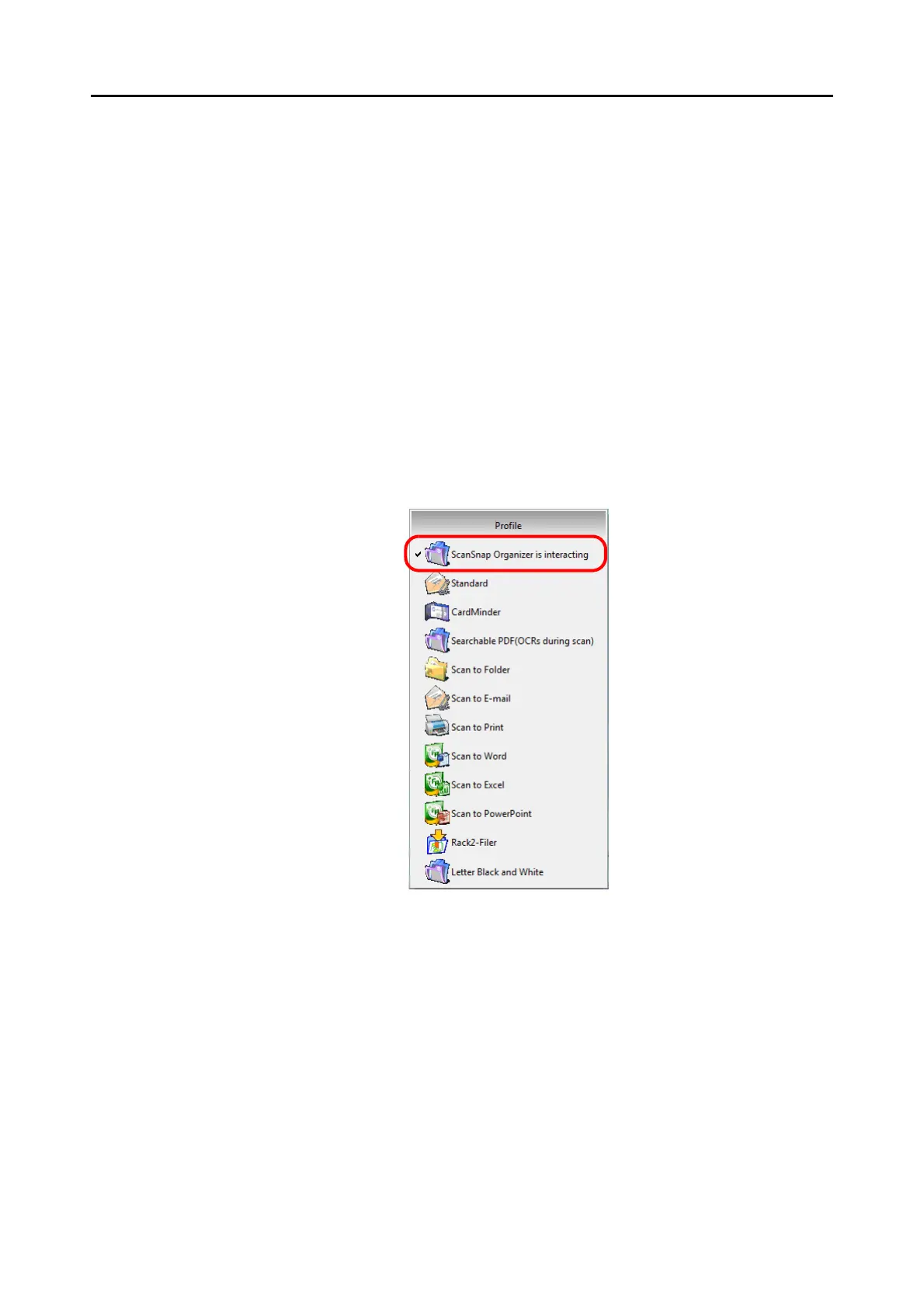
When the Quick Menu is disabled, the interacting application name on the Left-Click
Menu is followed by "is interacting".
When ScanSnap Organizer is automatically interacting with the ScanSnap



 To Next Page
 Loading...










