ActionStep
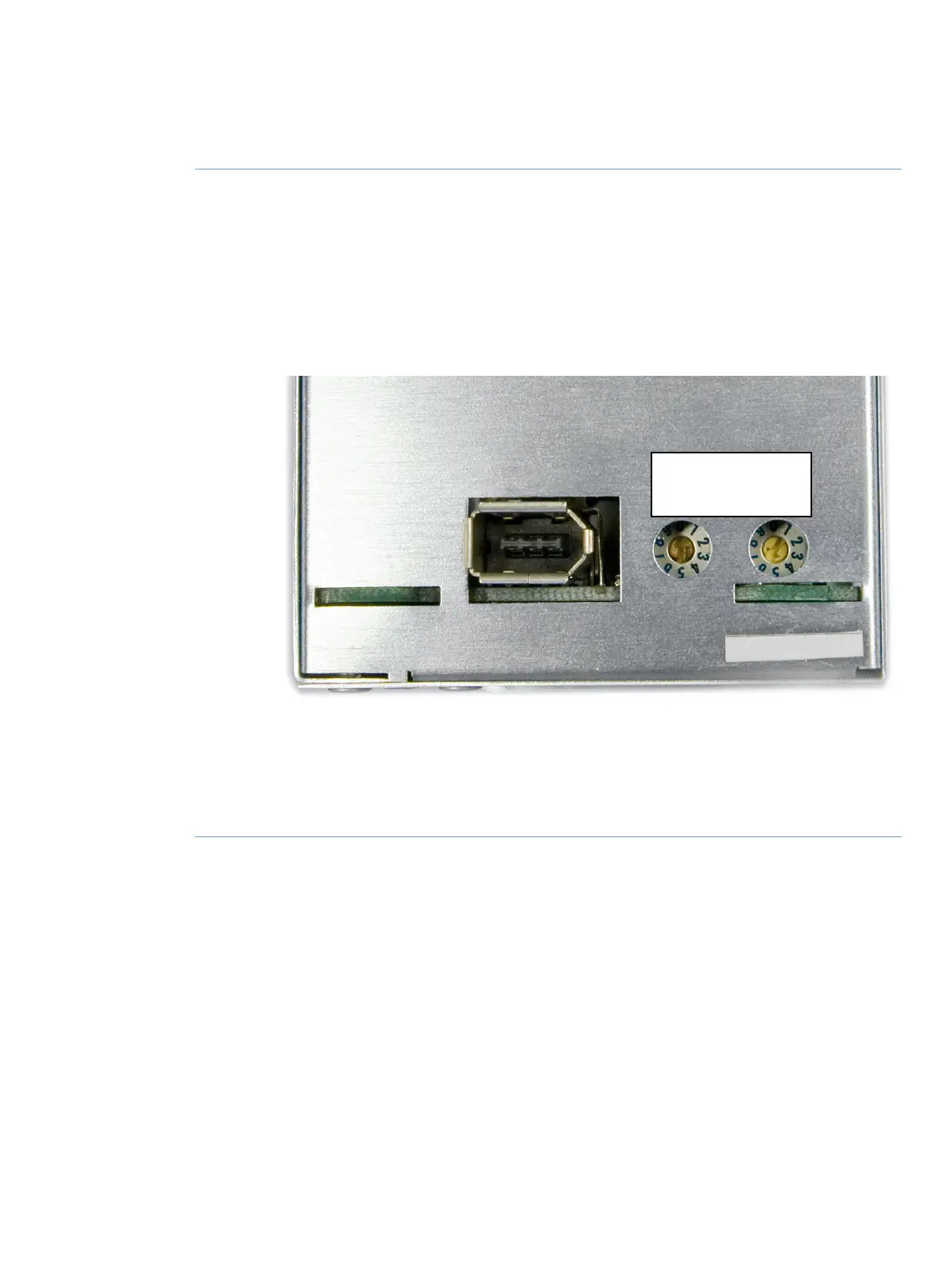
The Node ID of a module is set by the position of an arrow on a rotating switch at the
back of the module.
2
Valve modules have two rotating switches, as shown in the image below:
•
the first switch, labeled A, sets the tens and
•
the second switch, labeled B, sets the units.
For example, to set the Node ID to 6 for a valve module,
switch A is set to 0 and switch B is set to 6.
Check the Node ID and compare it with the listed Node IDs in the tables above.3
To change the Node ID, use a screw driver to set the arrows of the switches to the desired
number.
4
Re-install the module in the instrument, if applicable.5
ÄKTA pure User Manual 29119969 AB 505
9 Reference information
9.16 Node IDs


 To Next Page