Operation
8.10 Text Entry
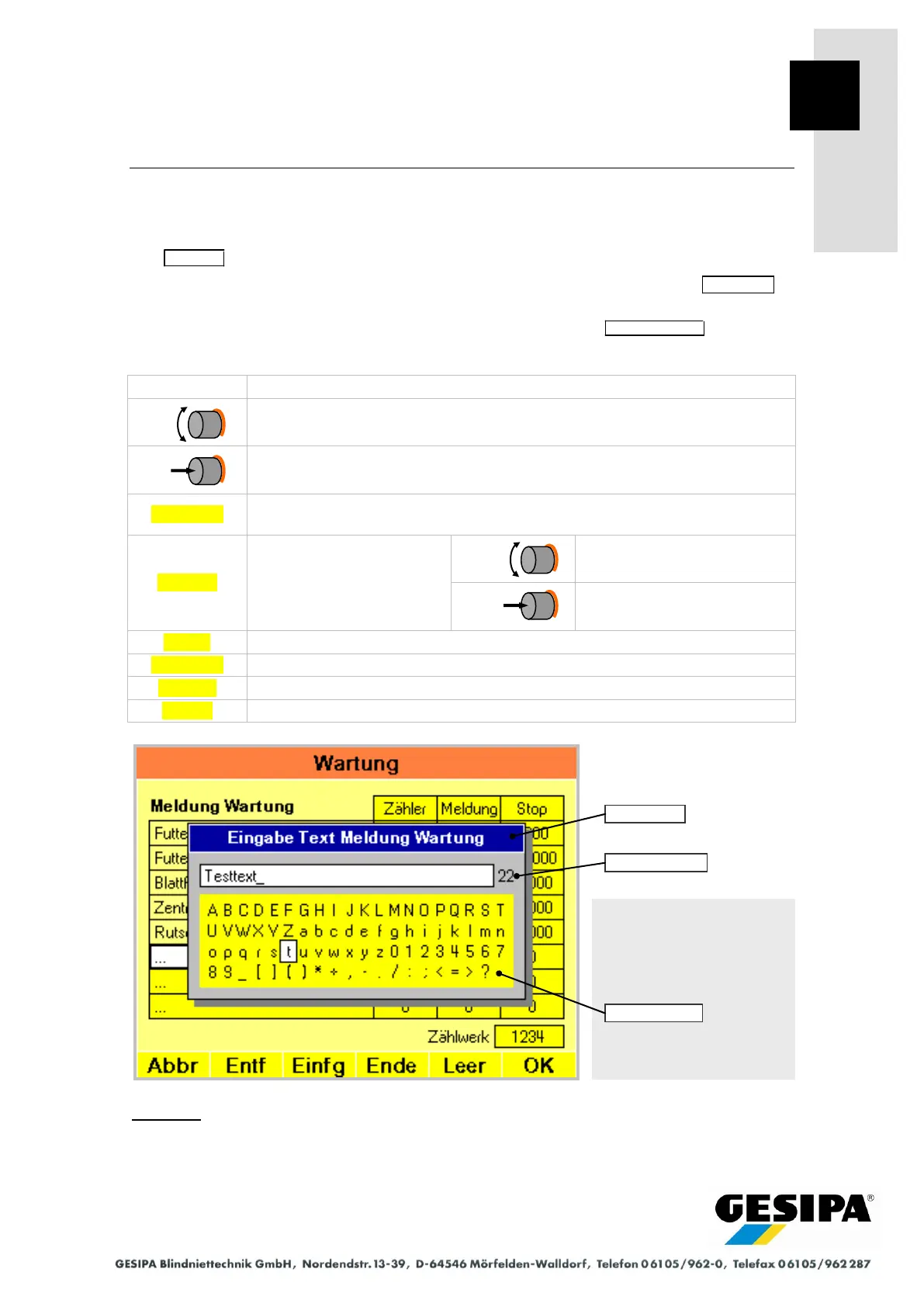
It is necessary to enter text in various menus. An additional window appears for Text entries,
the navigation bar changes accordingly.
The title bar of the window shows the expected text entry.
The entered text with the number of text characters still available is shown in the entry line in
the window. The flashing cursor "_" indicates the entry position.
The number of characters available for the text entry is shown in the selection field .
Select text character in selection field.
Adopt selected text character in entry line.
Deletes character before the cursor.
Hold for 2 seconds to delete the entire text line.
End insert mode, place cursor at end of text line.
Cancel entry without change.
Example:
The example shows the text entry for one of the freely definable maintenance texts.
Navigation:
AUTO
►MAN
► Menu
► Maintenance



 To Next Page