Operation
8.9 Data Selection
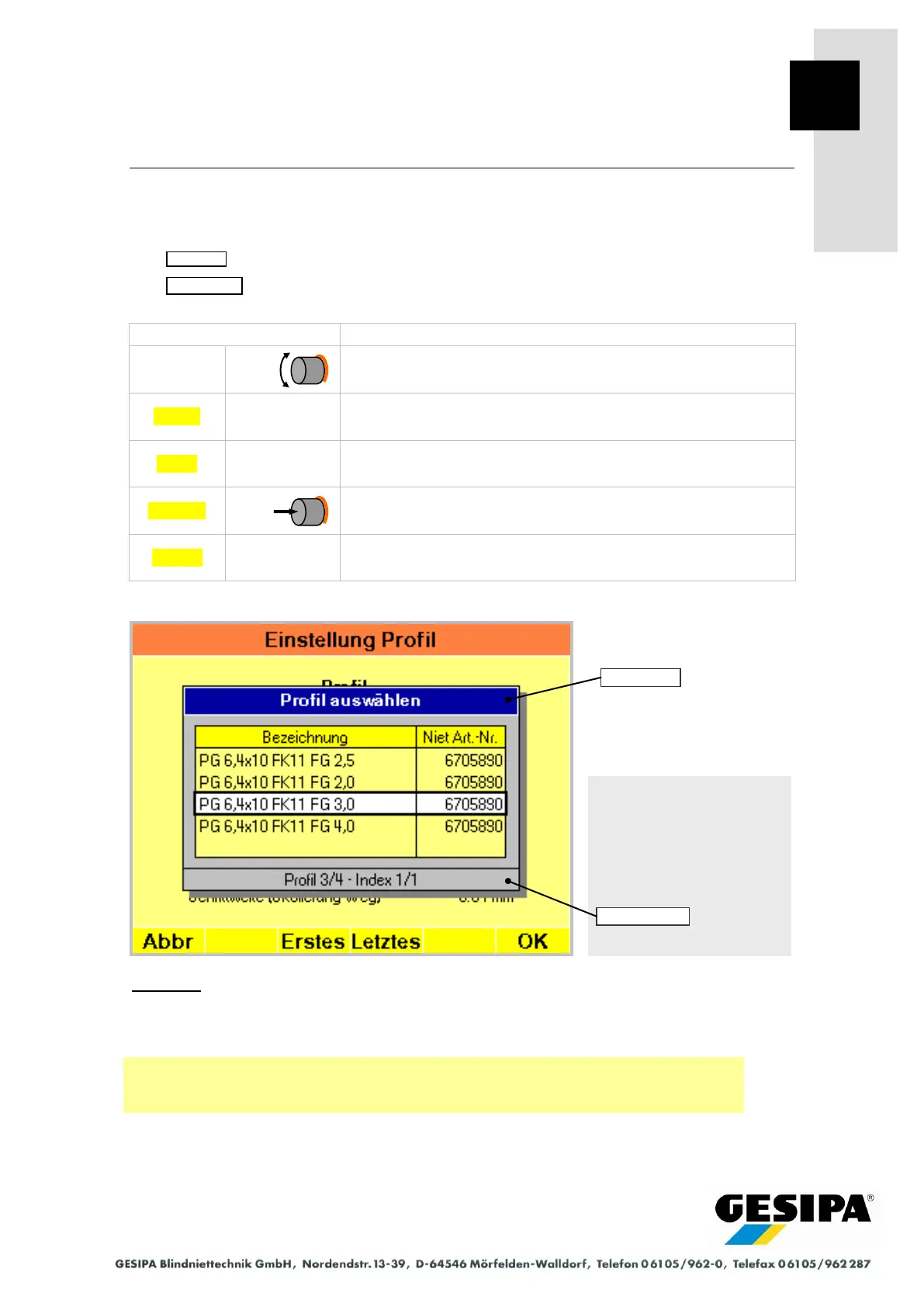
It is necessary to select data in various menus. An additional window appears for data selection,
the navigation bar changes accordingly.
The title bar of the window shows the selected data.
The status bar shows information on the currently selected dataset.
Select dataset in white highlighted field.
Select first dataset in table.
Select last dataset in table.
Cancel without selection.
Example:
In the illustrated example, a profile from the profile database is to be loaded in the "Profile
Settings" menu. The profile to be loaded can be selected in the displayed window. The number
of the selected profile and its change index are shown in the status bar.
Navigation:
AUTO
►MAN
► Menu
► Process monitoring
► Profile
► Load
The example is from the setting process monitoring area and does not apply to
the GAV-8000 eco



 To Next Page