Operation
8.8 Parameter Settings
Set parameters are represented and set in the same way in all menus.
Setting ranges and step width can be limited depending on the parameter and type of data.
Parameters requiring a high degree of accuracy are set in multiple stages. Whole numbers and
decimal places can be set in two steps, large values initially in steps of hundred and then of
one.
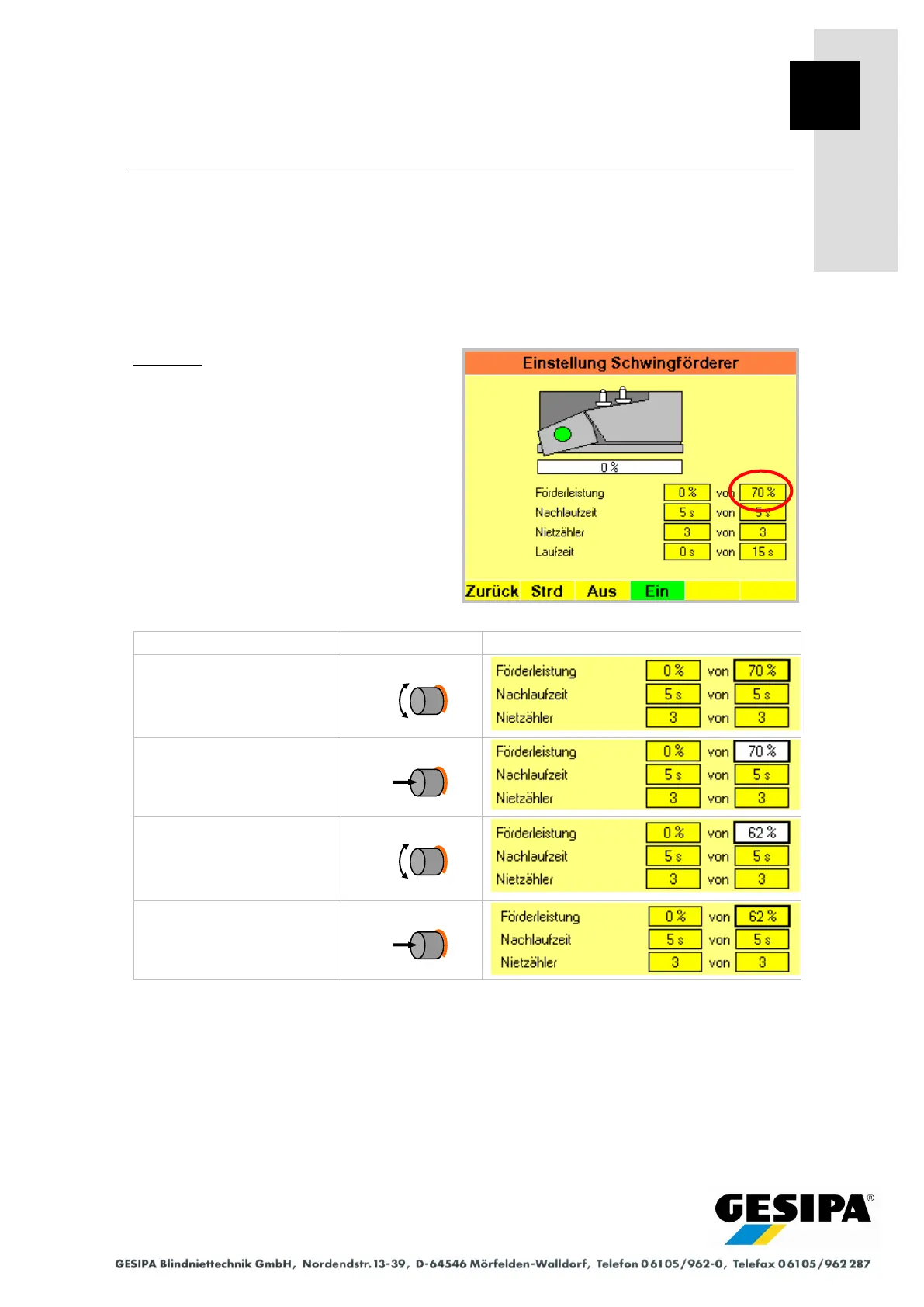
Example:
Setting the feed rate of the vibration feed
unit in the "Vibration Feed Unit Settings"
menu
Step 3 is repeated as often as required for multi-stage setting.
Function buttons F1..F6 are disabled during step 3 "Set parameter".



 To Next Page