Process Monitoring
11.4 Loading Profile
The "Profile Settings" menu is
accessed from the AUTO
main menu with:
►MAN
► Menu
► Process monitoring
► Profile
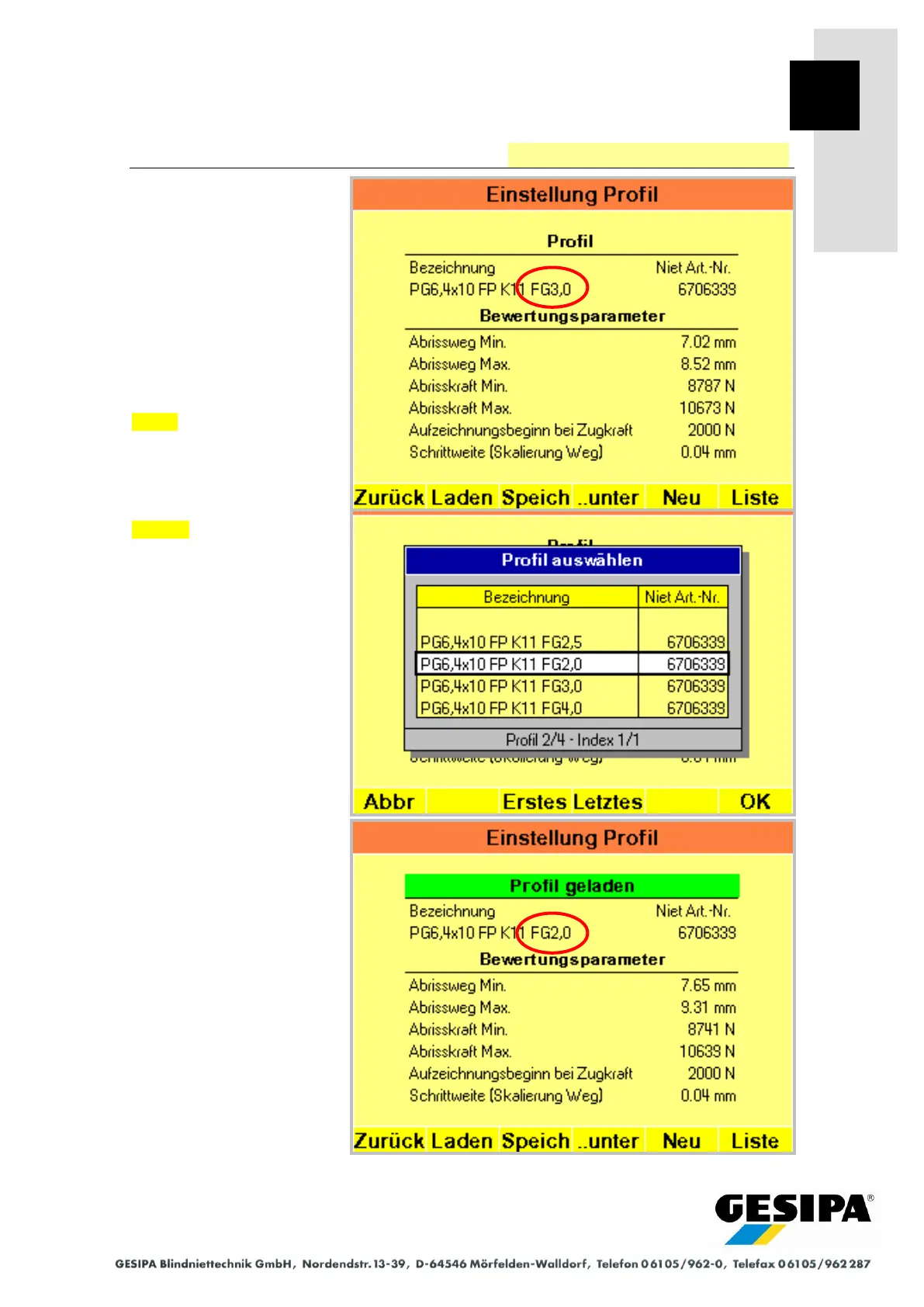
The evaluation parameters of
the current profile are shown.
Load opens the window for
selecting a profile.
The required profile can now
be selected and loaded with
OK .
In the example, a profile of
the same blind rivet was
loaded for a smaller material
thickness.
On returning to the main
menu, the loaded profile is
activated automatically as a
single profile.



 To Next Page