GS MARKET
The GXV3275 supports extensive amount of 3rd party Android applications. Users could install those
applications from the built-in GS Market. If Google Play application is installed from GS market, users could
log in and download all kinds of applications there as well.
Tap on at the phone's menu or desktop to launch the GS Market. Users could browse, search,
download and install the apps from there for tools, games and other applications.
VIEW APPS
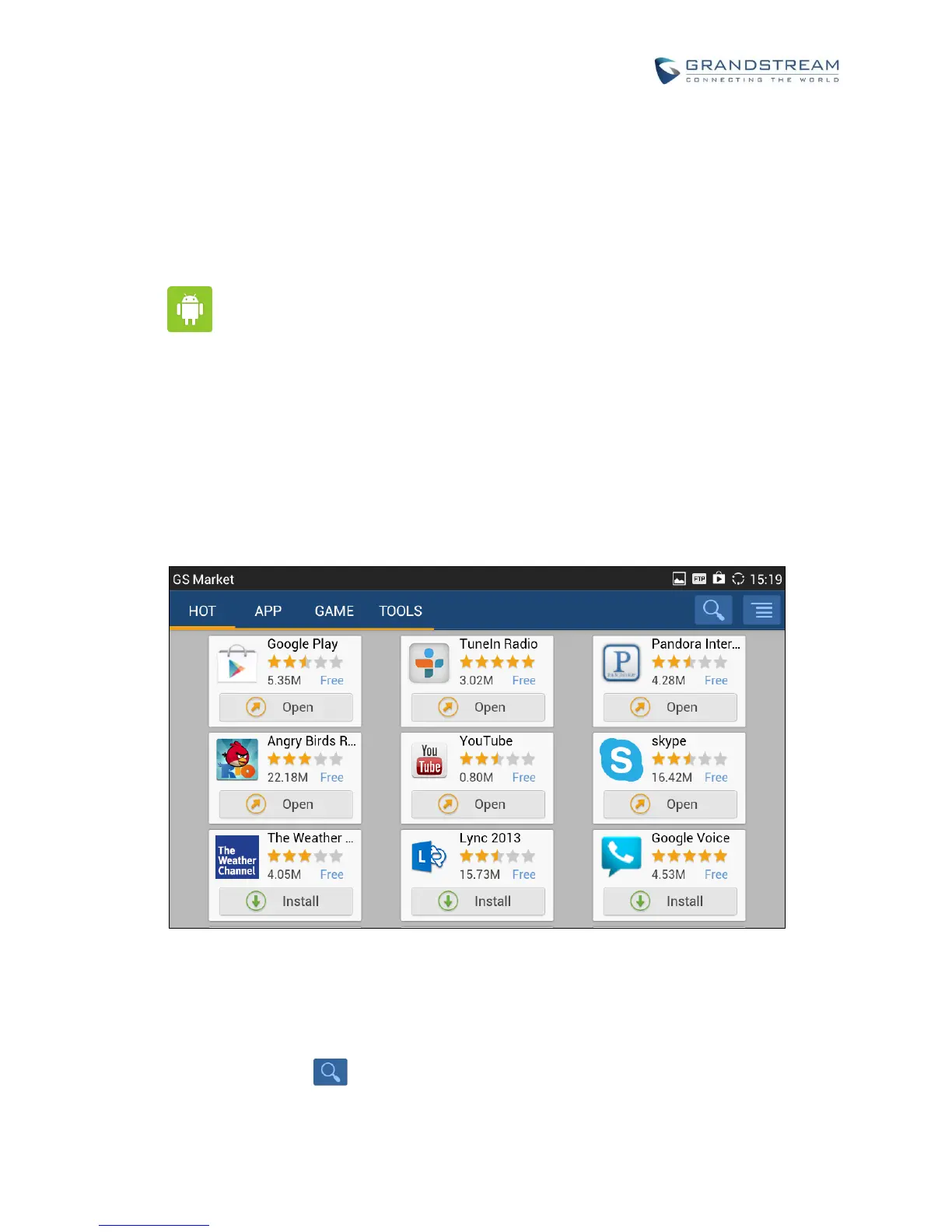
Open GS market and there are four different categories "HOT", "APP", "GAME" and "TOOLS". In the
displayed applications, tap on one of the application and users will be able to see the details such as
descriptions, publish date, version, rate, comments and etc.
Figure 108: GXV3275 GS Market
SEARCH APPS
Open GS market and tap on . to input the key words for the app you are looking for.


 To Next Page
 Loading...