MOVE FILES
The steps to move a file is similar to copy/paste a file. The difference is once the file is moved, the file will
not be kept in the source folder. Follow the steps below to move a file on the GXV3275.
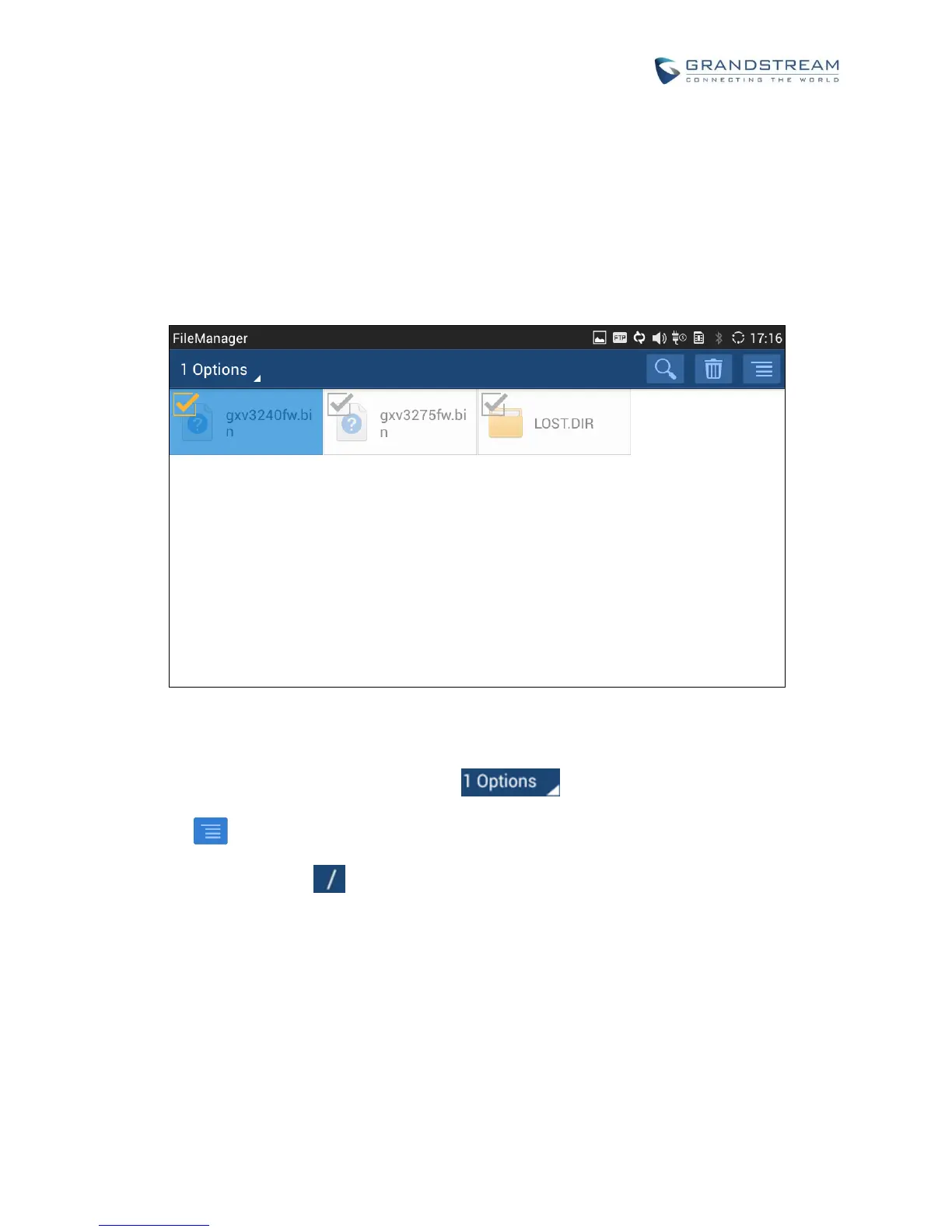
1. Open file manager and navigate to the directory of the file to be copied. Touch and press on the file for
about 2 seconds until the checkbox shows up.
Figure 115: GXV3275 File Manager - Select File
2. Select the files or folders to be moved. Tap on to select all files or unselect all files.
3. Tap on and select "Move". The file will be copied.
4. Tap on the root directory to go back to the root directory. Navigate to the destination folder where
you would like to move the file to.


 To Next Page
 Loading...