DND (DO NOT DISTURB)
When DND is on, the incoming calls to the GXV3275 will be blocked for all registered accounts with a
reminder ring produced.
To turn on/off DND:
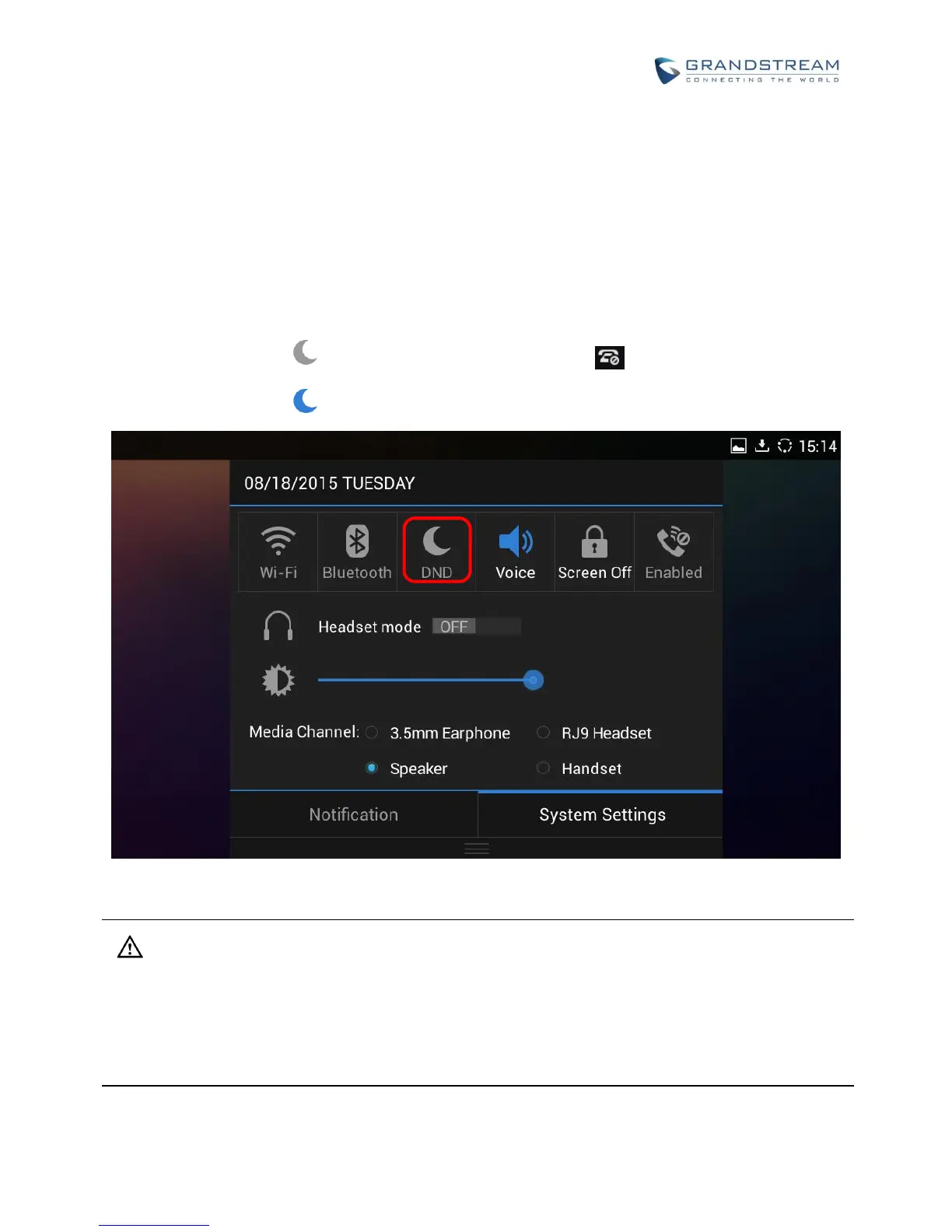
1. Touch and drag the status bar down on the GXV3275 idle screen. Then tap on "System Settings".
2. Tap on the DND icon to turn it on. The status bar shows icon indicating DND is on.
3. Tap on the DND icon to turn if off.
Figure 59: Enable/Disable DND
Note:
When the phone is in an active call, turning on/off DND won't affect the current active call. It will take
effect starting from the next incoming call.
When the DND is on, all the incoming call logs will be saved in Blacklist. They won't be saved in Call
History.



 To Next Page
 Loading...