Part 3: FlexColor for Scanners
Scanning with 3F
Part 3:
FlexColor for Scanners
This part provides information about how FlexColor works when connected to a
scanner and/or when working with scanned images. If you never use FlexColor with a
scanner or scanned images, then you can ignore this part.
Scanning with 3F
The procedure for scanning images to 3F files is approximately the same in FlexColor
4.5 as it was in FlexColor 4.0. However, the feature has been revised and expanded
somewhat. See the FlexColor 4.0 User’s Guide for a general discussion about using
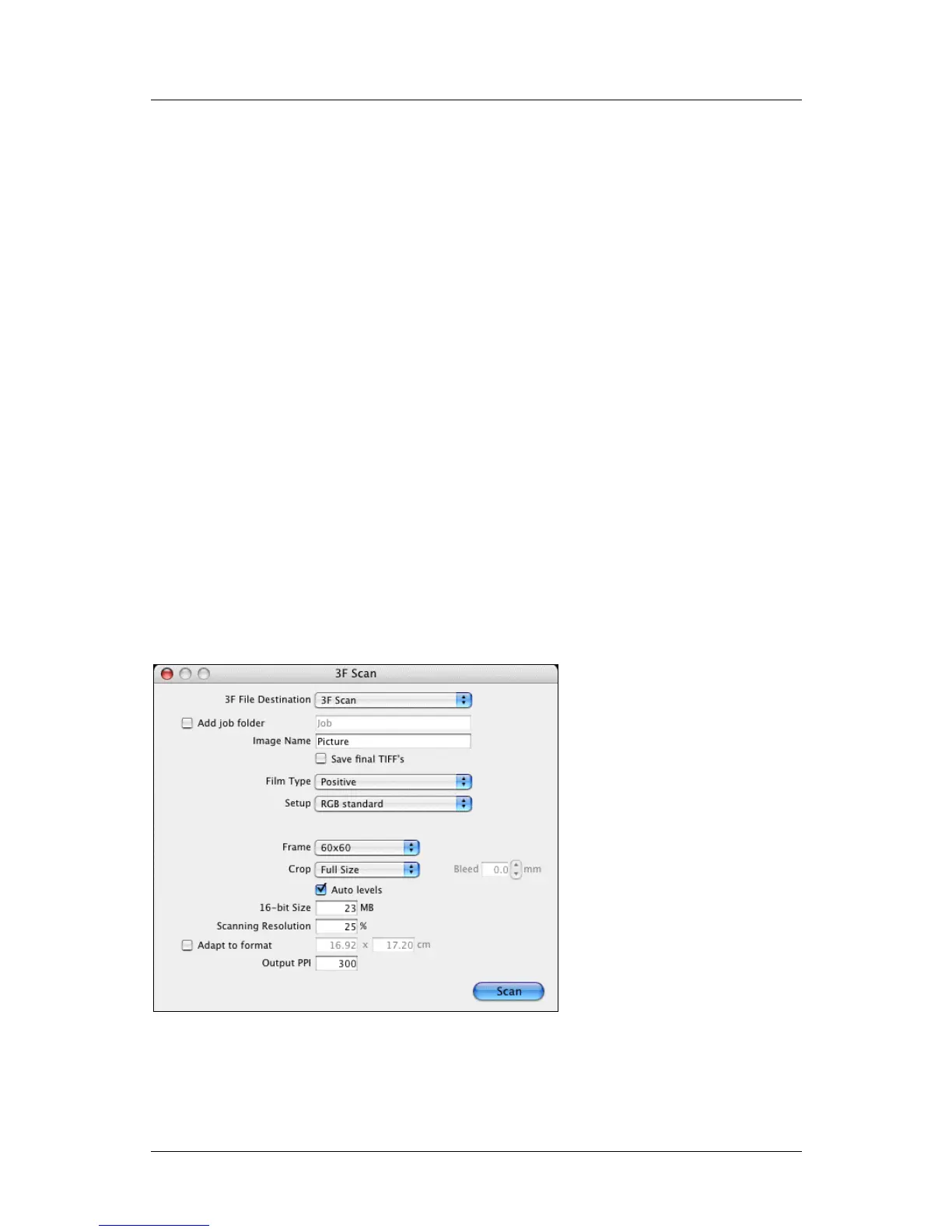
3F, but refer to the sub-sections below for details about the various settings available
in the new Scan 3F window.
Opening the Scan 3F Window
To scan to 3F, you must use the Scan 3F window, which is only available when you
have a scanner connected to your computer.
FlexColor 4.5 Documentation Addendum 29



 To Next Page