Surfaces
Progressa® Bed Instructions for Use (171528 REV 9) 63
Sleep
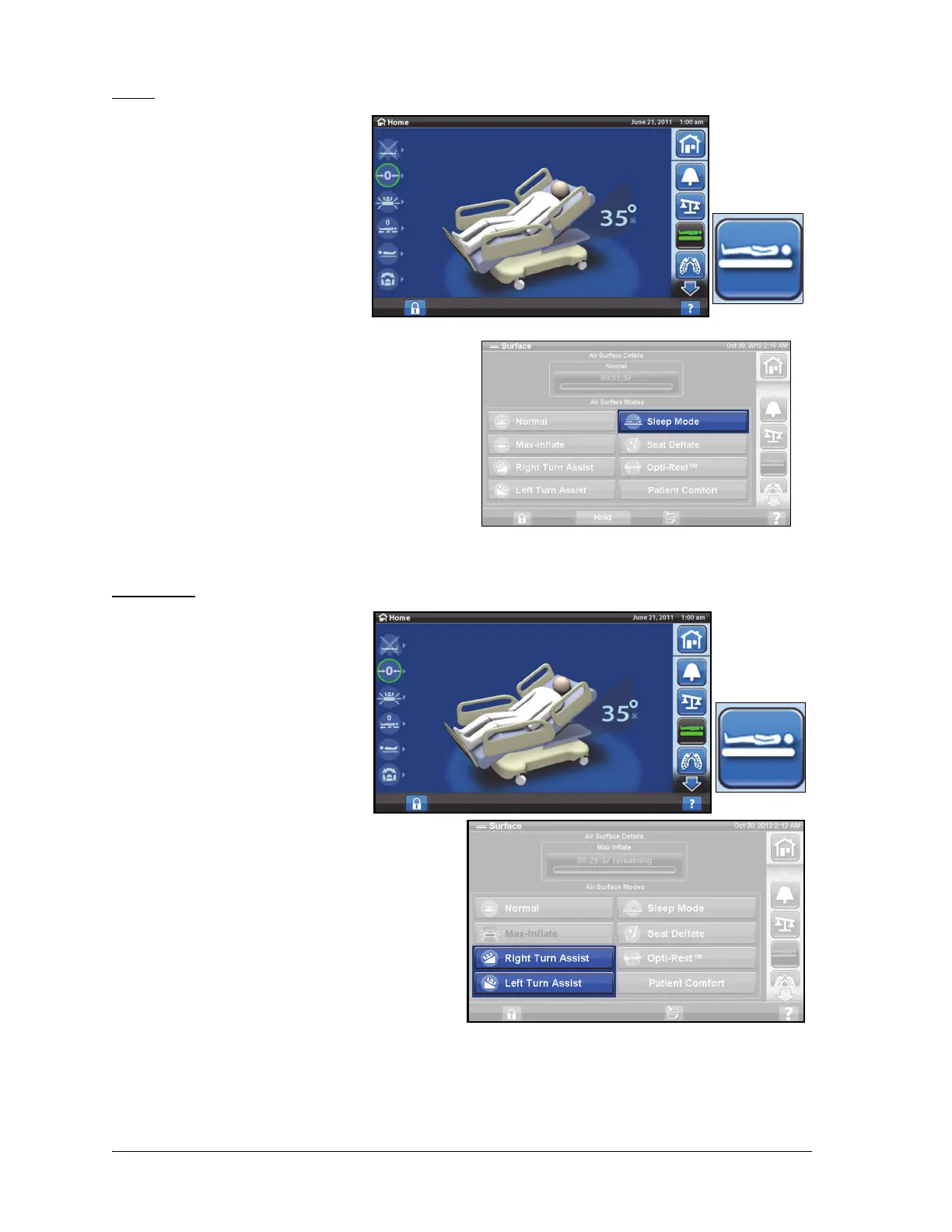
The Sleep Mode is used to reduce
frequency of air system
adjustments for patients who are
sensitive to air surface movements.
Pressure redistribution is active
during Sleep mode. The air
pressure in the mattress is
monitored, but the air pump does
not run unless the air pressure falls
below or raises above a preset level.
After eight hours the Normal mode
reactivates.
To turn on the Sleep Mode
1. Press the Surface control on
the GCI.
2. Press the Sleep Mode control.
To turn off the Sleep Mode
1. Press the Surface control on
the GCI.
2. Press the Normal control.
Turn Assist
The Turn Assist mode will inflate the
mattress assisting the caregiver to
turn the patient for linen changes,
dressing changes, bed pan
placement, back care, and other
nursing procedures. Pressing Right
Turn Assist will turn the patient to
the patient's right side.
For enhanced posterior patient
access, Max-Inflate may be used
once the patient has been turned to
the desired side.
The siderail the patient is turning
towards MUST be in the up position
to activate turn assist. If the siderail
is down, a triple beep will sound
and a message will appear on the
GCI indicating the rail must be up to
initiate. Once the patient has started
to turn, the siderail the patient is
turning away from can be lowered
for easier patient access. Three
beeps will sound as a safety alert,
and a message will appear on the GCI when the siderail is lowered.












 To Next Page