EasyManua.ls Logo

HITEC OPTIC 6 - Airplane Frequencies; Radio Installation Notes; Notes on Servos; Mounting

HITEC OPTIC 6
60 pages
Print Icon
To Next Page IconTo Next Page
To Previous Page IconTo Previous Page
Loading...
For more information - www.modelflight.com.au
A
irplane
Frequencies
The
following
frequencies
and
channel
numbers
may
be
use
d
for
flying
aircraft
in
the
U.S.
(this
information
specific
to
Nort
h
A
merican
versions
of
the
Optic):
72
MHz
band
Ch.No.
MHz
Ch.No.
MHz
Ch.No.
MHz
Ch.No. MHz
11
72.010
12
72.030
13
72.050
14
72.070
15
72.090
16
72.110
17
72.130
18
72.150
19
72.170
20
72.190
21
72.210
22
72.230
23
72.250
24
72.270
25
72.290
26
72.310
27
72.330
28
72.350
29
72.370
30
72.390
31
72.410
32
72.430
33
72.450
34
72.470
35
72.490
36
72.510
37
72.530
38
72.550
39
72.570
40
72.590
41
72.610
42
72.630
43
72.650
44
72.670
45
72.690
46
72.710
47
72.730
48
72.750
49
72.770
50
72.790
51
72.810
52
72.830
53
72.850
54
72.870
55
72.890
56
72.910
57
72.930
58
72.950
59
72.970
60
72.990
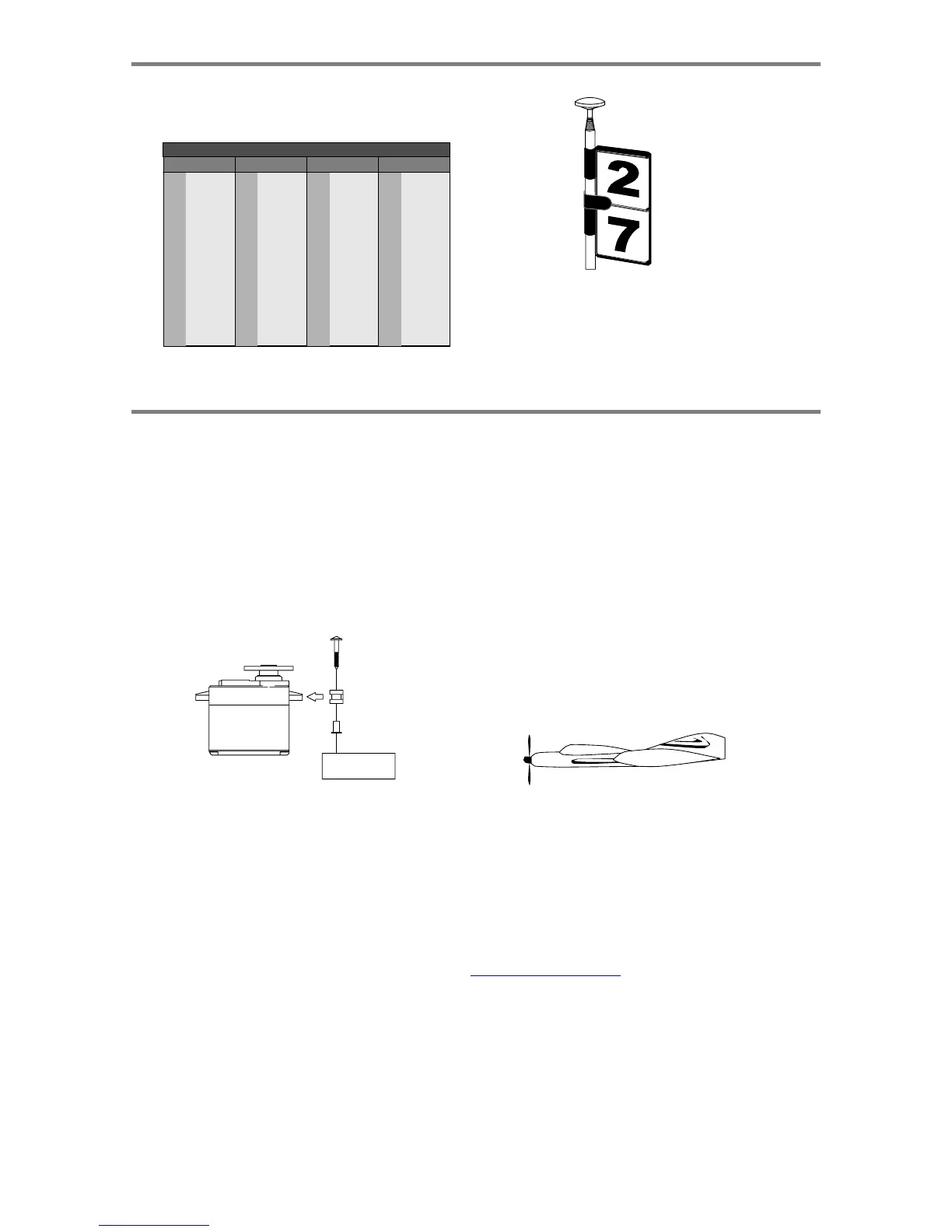
It
is
very
important
to
display
your
transmitters
channel
number
at
all
times.
To
install
your
frequency
flag
device
on
your
transmitters
antenna,
slide
the
appropriate
paper
numbers
into
the
slots
and
slip
the
device
onto
the
transmitters
antenna.
Radio
Installation
Notes
While
you
are
installing
the
battery,
receiver,
and
servos
into
your
model's
fuselage,
please
pay
attention
to
the
following
guidelines:
Notes
on
Servos
Mounting
When
you
mount
each
servo,
use
the
supplied
rubber
grommets
and
insert
an
eyelet
up
through
the
bottom.
Be
sure
not
to
over
tighten
the
screws.
If
any
portion
of
the
servo
case
directly
contacts
the
fuselage
or
the
servo
rails,
the
rubber
grommets
will
not
be
able
to
attenuate
vibration,
which
can
lead
to
mechanical
wear
and
servo
failure.
Switch Harness Installation
When
you
are
ready
to
install
the
switch
harness,
remove
the
switch
cover
and
use
it
as
a
template
to
cut
screw
holes
and
a
rectangular
hole
slightly
larger
than
the
full
stroke
of
the
switch.
Choose
a
switch
location
on
the
opposite
side
of
the
fuselage
from
the
engine
exhaust,
and
choose
a
location
where
it
can't
be
inadvertently
turned
on
or
off
during
handling
or
storage.
Install
the
switch
so
that
it
moves
without
restriction
and
"snaps"
from
ON
to
OFF
and
vice
versa.
Receiver
Notes
DO
NOT
cut
or
coil
the
receiver
antenna
wire.
It
is
normal
for
the
receiver
antenna
to
be
longer
than
the
fuselage.
DO
NOT
cut
it
or
fold
it
back
on
itself
-
cutting
or
folding
changes
the
electrical
length
of
the
antenna
and
may
reduce
range.
Secure
the
antenna
to
the
top
of
the
vertical
fin
or
the
tail
boom,
and
let
the
excess
length
trail
behind
the
aircraft
(be
sure
it
cannot
tangle
with
the
tail
rotor
on
a
helicopter).
Servo
Throw
Once
you
have
installed
the
servos,
operate
each
one
over
its
full
travel
and
check
that
the
pushrod
and
output
arms
do
not
bind
or
collide
with
each
other,
even
at
extreme
trim
settings.
Check
to
see
that
each
control
linkage
does
not
require
undue
force
to
move
(if
you
hear
a
servo
buzzing
when
there
is
no
transmitter
control
motion,
most
likely
there
is
too
much
friction
in
the
control
or
pushrod).
Even
though
the
servo
will
tolerate
loads
like
this,
they
will
drain
the
battery
pack
much
more
rapidly.
You
may
run
the
antenna
inside
of
a
non-metallic
housing
within
the
fuselage
(a
plastic
outer
pushrod
housing
works
well
for
this),
but
range
may
suffer
if
the
antenna
is
located
near
metal
pushrods
or
cables.
Be
sure
to
perform
a
range
check
before
flying.
With
the
antenna
collapsed,
you
should
be
able
to
walk
20
-
30
paces
from
the
model
without
losing
control
or
seeing
"jitter"
in
the
servos.
The
range
check
should
be
done
with
the
motor
running
and
the
model
should
be
securely
restrained
in
case
of
loss
of
control.
A
ir
p
lane
Fre
q
uencies,
Radio
Installation
Note
s
-
Pa
g
e
5

Table of Contents

Other manuals for HITEC OPTIC 6

Related product manuals