EasyManua.ls Logo

HITEC OPTIC 6 - Transmitter Input Buttons; Receiver - Servo Connection List; Transmitter Displays and Messages

HITEC OPTIC 6
60 pages
Print Icon
To Next Page IconTo Next Page
To Previous Page IconTo Previous Page
Loading...
For more information - www.modelflight.com.au
Transmitte
r
In
p
ut
Buttons
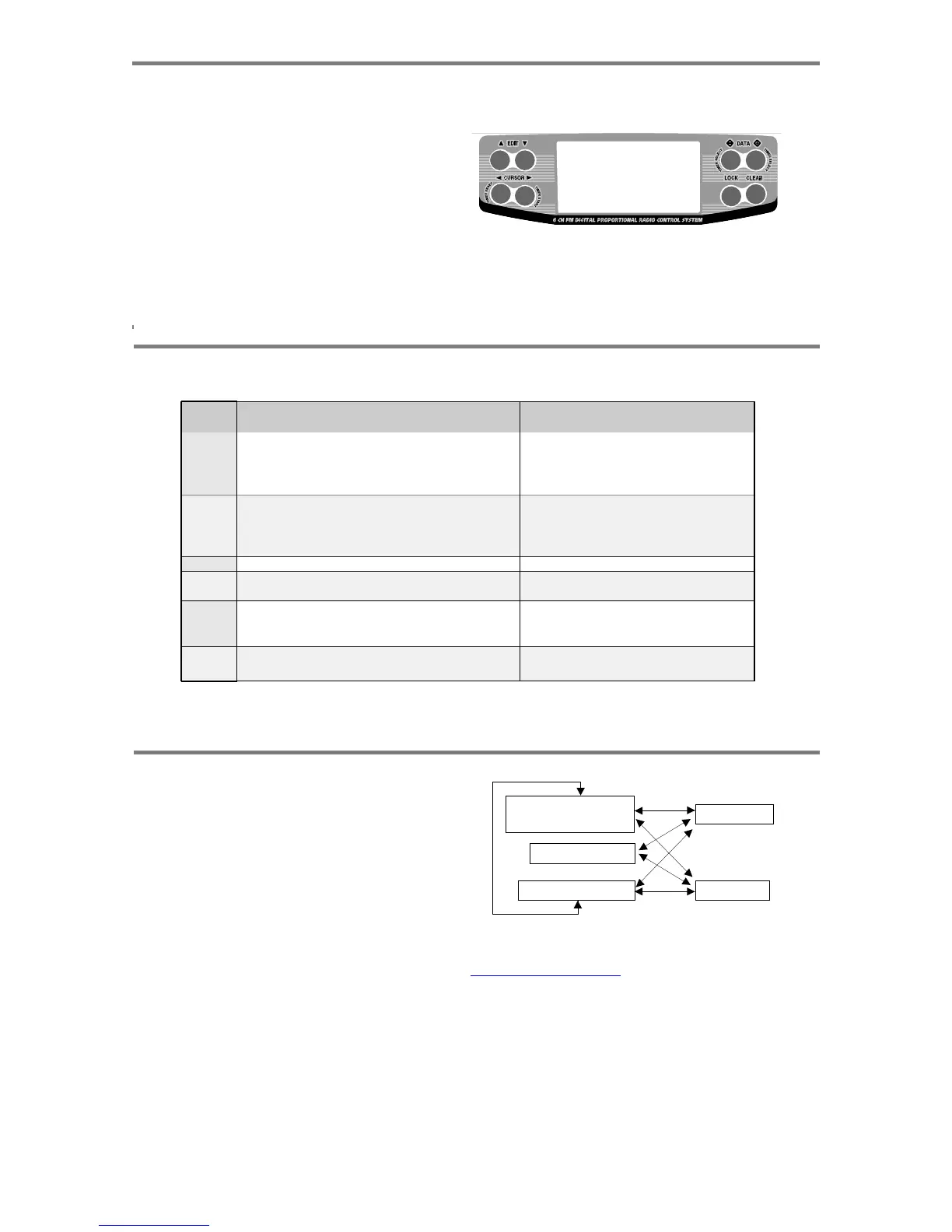
The
buttons
are
used
fo
r
different
things
as
follows:
1.
The
Edit
buttons
allow
you
to
move
up
and
down
within
the
model
menus,
and
move
within
the
regular
display.
2.
The
Cursor
Left/Right
buttons
allow
you
to
select
options
within
a
particular
function,
and
control
the
timer
function.
3.
The
Data
+Increase
&
-Decrease
buttons
allow
you
to
1 1
3 3
increase
o
r
decrease
the
numerical
settings
fo
r
a function
4.
The
Clear
Active/Inhibit
button
resets
numbers,
and
turns
functions
on
and
off.
5.
The
Lock
button
holds
the
throttle
channel
fixed
while
other
channels
still
respond
to
the
transmitter.
You'll
learn
how
to
use
these
buttons
in
the
setup
sections
that
follow.
2
2
5
4
Receiver
-
Servo Connection
List
The
table
below
shows
the
hookups
that
should
be
used
for
each
of
the
model
types.
Note
that
some
functions
shown
will
not
operate
until
they
are
activated
in
the
transmitter.
Receiver
channel
1
2
3
4
5
6
Aircraft
Glider
(ACGL)
Aileron
or
Right
flaperon
(FLPN
on)
or
Right
elevon
(ELVN
on)
or
Right
aileron
(ADIF
on)
Elevator
or
V-tail
right
side
(VTAL
on)
or
Left
Elevon
(ELVN
on) or
Right
elevator
(AILV
on)
Throttle
(controlled
by
throttle
stick
or
Switch
01)
Rudder
or
V-tail
left
side
(VTAL
on)
Landing
gear
(controlled
by
Gear/Aux
switch)
or
Left
aileron
(ADIF
on)
or
Left
elevator
(AILV
on)
Flap
(travel
controlled
by
VR-L
and
neutral
set
by
VR-R)
or
Left
flaperon
(FLPN
on)
Helicopter
(HELI)
Aileron
(or
Roll
Cyclic)
or
Swash
servo
1
(120')
Elevator
(or
Pitch
Cyclic)
or
Swash
servo
2
(120')
Throttle
Rudder
(Or
Yaw
control
through
the
gyro)
Gyro
sensitivity
(values
set
in
GYRO
menu)
Pitch
(or
Collective)
o
r
Swash servo
3
(120')
The
servo
res
p
onse
varies
with
the
selected
function. Standard o
p
tions are shown first.
Transmitte
r
Dis
p
la
y
s
an
d
Messa
g
es
When
you
first
turn
on
your
transmitter,
the
first
screen
shown
below
appears
on
the
LCD
display.
Before
flying,
or
even
Edit
ke
y
s
- D
A
T
A
ke
y
+
D
A
T
A
ke
y
starting
the
engine,
BE
SURE
that
the
model
number
appearing
in
the
upper
right
of
the
display
matches
the
model
that
you
are
about
to
fly!
If
you
don't,
reversed
servos
and
incorrect
trims
will
lead
to
an
immediate
crash.
You
can
scroll
up
and
down
through
the
startup
screen
by
V
oltage/Timer Display
Normal
Display
Mode
T
rim Menu [TRIM]
T
imer Display
Lock
ke
y
pressing
one
of
the
two
Edit
keys
(the
two
keys
on
the
far
left)
.
If
you
press
timer
or
engine
cut
or
lock
keys,
you
go
directly
t
o
those
functions
regardless
of
the
display.
Model Name Display
Throttle Lock
Edit
ke
y
s
Transmitter
Inpu
t
Buttons,
Receive
r
-
Servo
Connection List,
Receive
r
-
Servo
Connection
List
-
Pa
g
e
9

Table of Contents

Other manuals for HITEC OPTIC 6

Related product manuals