EasyManua.ls Logo

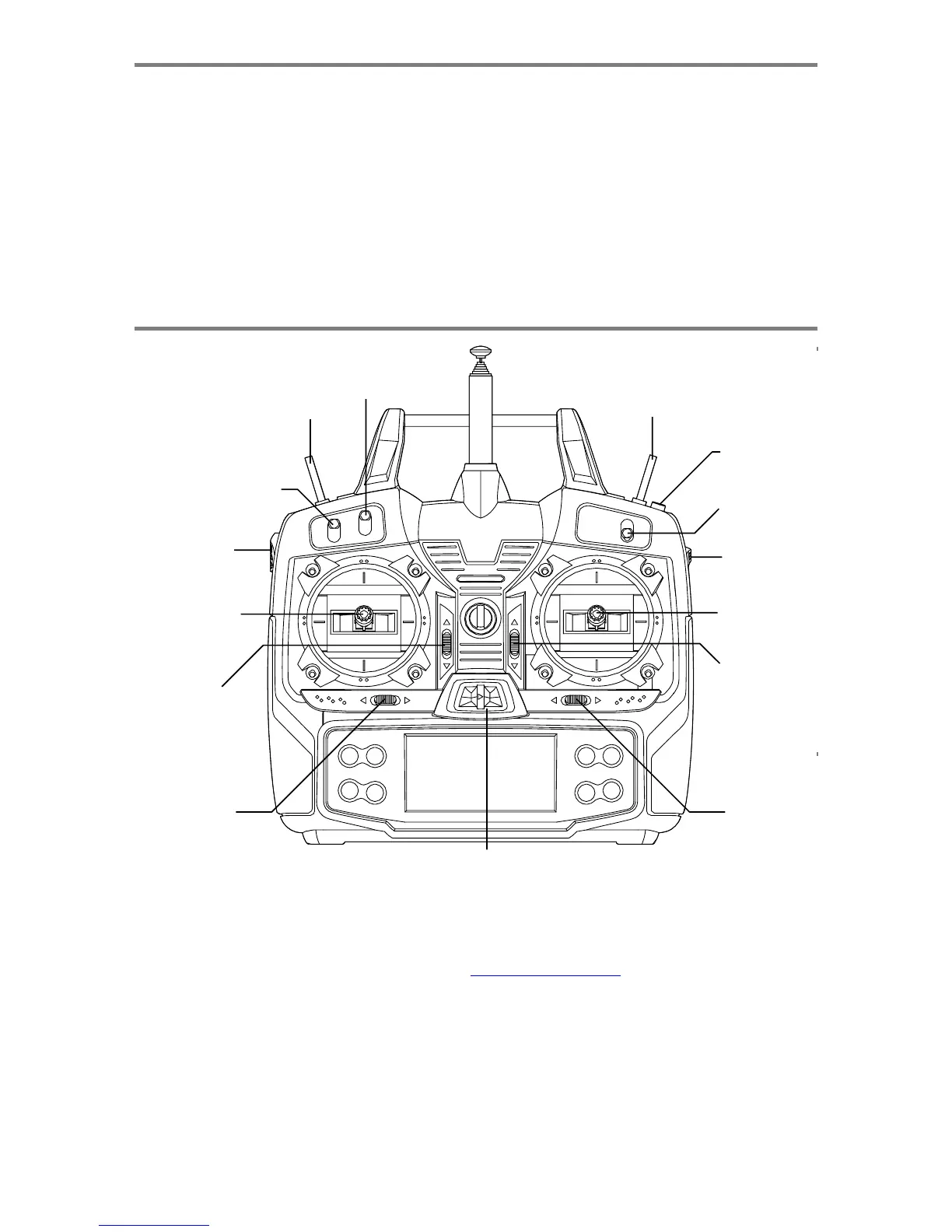
HITEC OPTIC 6 - Optic Controls and Switch Assignments

HITEC OPTIC 6
60 pages
Print Icon
To Next Page IconTo Next Page
To Previous Page IconTo Previous Page
Loading...
For more information - www.modelflight.com.au
Factor
y
Re
p
air
Service
Information
Please
read
the
warranty
card
supplied
with
your
system
and
return
it.
Before
you
decide
to
have
your
system
repaired,
if
there
is
no
apparent
physical
damage,
read
this
instruction
manual
again
and
check
to
be
sure
that
you
are
operating
the
system
as
it
was
designed
to
be
operated.
If
you
are
still
having
trouble,
pack
up
your
system
in
its
original
shipping
materials
and
send
it
to
the
nearest
authorized
Hitec
R/C
Service
Center.
Be
sure
to
include
a
note
in
your
package
that
describes
the
trouble
in
as
much
detail
as
possible,
including:
-
Symptoms
of
the
problem
in
as
much
detail
as
you
can
provide,
including
any
unusual
mounting
conditions
or
equipment
orientation
-
A
list
of
items
you
are
sending,
and
what
you
want
to
be
repaired.
-
Your
name,
address,
and
telephone
number.
Hitec-RCD,
Inc.
12115
Paine
St.
Poway,
CA
92064
Telephone:
1-858-748-6948
FAX
1-858-748-1767
Web
site:
http://www.hitecrcd.com
O
p
tic
Controls
an
d
Switch
Assi
g
nments
SW
2
Gear
or
A
uxiliary
Switch
SW
4
Fli
g
ht
Mode
Traine
r
Switch
Switch
SW
1
Elevator-Rudder
Dual
Rate
Switch
Engine Cut
Switch
SW
3
A
ileron
Dual
Rate Switch
Left
Leve
r
Ri
g
ht Leve
r
Rudder
-
Throttle
Stick
A
ileron
&
Elevato
r
Stick
Throttle
Trim
Switch
Elevato
r
Trim Switch
Rudde
r
Trim
Switch
A
ileron
Trim Switch
Powe
r
Switch
This
figure
shows
the
assignments
for
a
Mode
2
system
as
supplied
by
the
factory
in
North
America.
Note
that
some
of
the
functions
will
not
operate
until
activated
in
the
mixing
menus.
Factor
y
Re
p
air
Service
Information,
O
p
tic
Control
s
an
d
Switch
A
ssi
g
nment
s
-
Pa
g
e
8

Table of Contents

Other manuals for HITEC OPTIC 6

Related product manuals