EasyManua.ls Logo

HITEC OPTIC 6 - RVMX - Revolution Mixing; SWAH - Swashplate Adjust (120° Swash Only)

HITEC OPTIC 6
60 pages
Print Icon
To Next Page IconTo Next Page
To Previous Page IconTo Previous Page
Loading...
For more information - www.modelflight.com.au
Menu
Descri
p
tions
-
Helico
p
ter
RVMX
-
Revolution
mixing
The
revolution
mixing
function
mixes
pitch
commands
into
rudder
(pitch
rudder)
in
order
to
suppress
the
torque
generated
by
changes
in
the
main
rotor's
pitch
angle
and
rotational
speed.
You
can
input
independent
values
for
revolution
mixing
above
and
below
one-half
throttle
for
each
of
the
NOR,
ST1,
and
ST2
flight
conditions.
Revolution
mixing
is
disabled
whenever
throttle
hold
(
ST3
,
operated
by
switch
SW
-1
)ison.
For
a
clockwise-turning
rotor,
revolution
mixing
should
apply
right
rudder
when
pitch
is
increased;
for
a
counterclockwise-
turning
rotor,
the
opposite
should
occur.
Remember
to
set
the
value
for
both
sides
of
the
throttle
stick's
motion.
Revolution
mixing
has
no
preprogrammed
values
input
at
the
start.
You
will
need
to
input
values
for
your
helicopter
as
described
in
the
setup
example.
Note:
A
procedure
for
adjusting
revolution
mixing
is
given
in
a
table
on
page
56.
Revolution
Mixing
Programming
1.
Call
up
the
revolution
mixing
screen
by
repeatedly
pressing
one
of
the
Up
Down
Edit
buttons
until
the
RVMX
window
appears.
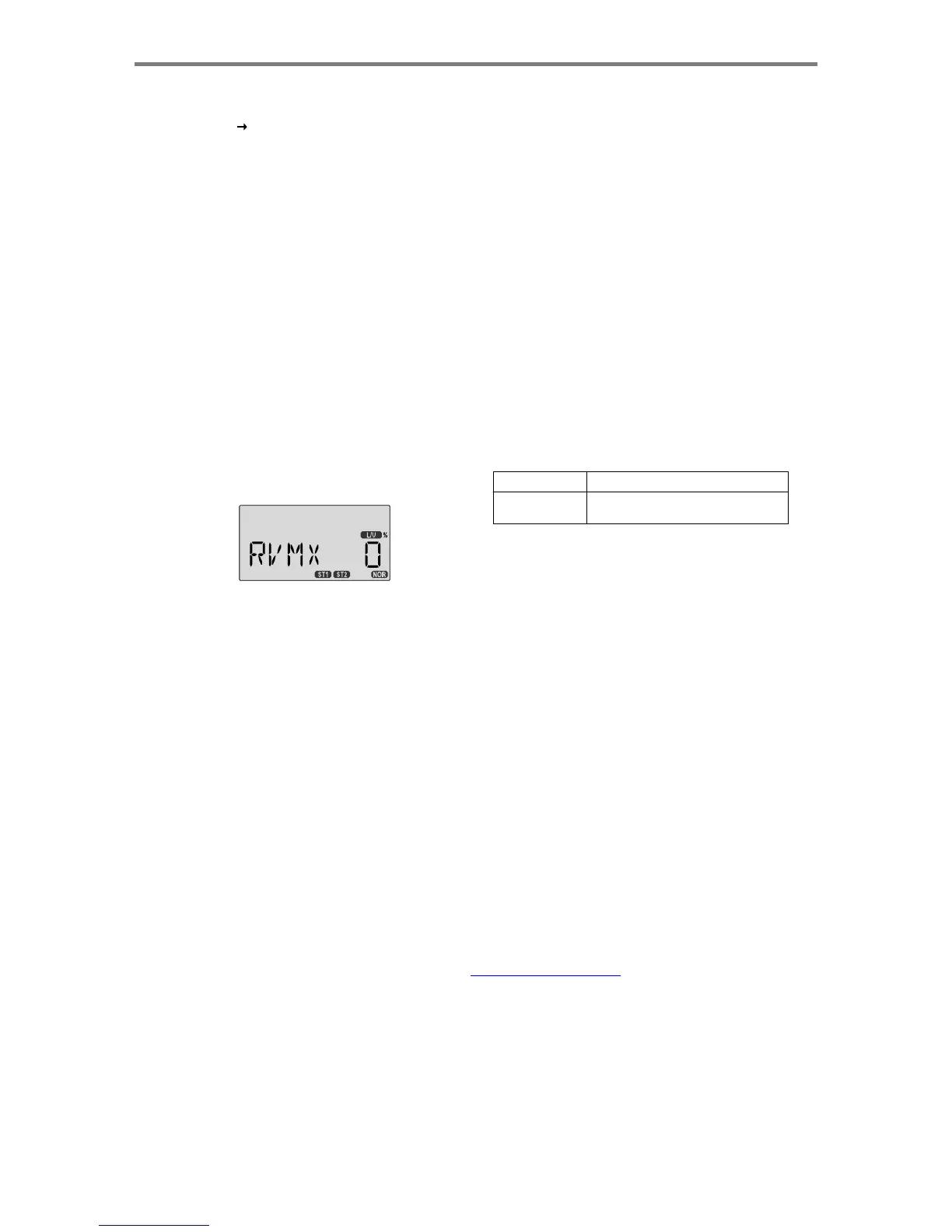
The
function
is
active
with
0%
mixing
turned
on.
SW
AH
-
Swashplate
adjust
(120
°
swash
only)
The
swashplate
menu
is
intended
only
for
helicopters
whose
collective
pitch
is
controlled
by
more
than
a
single
servo
at
a
time,
and
is
sometimes
referred
to
as
CCPM
(Collective
&
Cyclic
Pitch
Mixing).
The
Optic
contains
settings
for
120
°
swashplates.
Consult
your
model's
setup
instructions
to
find
out
whether
you
need
special
swash
settings.
The
swashplate
menu
is
used
to
control
the
response
of
all
three
collective
servos
as
a
group.
It
should
NOT
be
used
for
reversing
or
individual
servo
travel
adjustment.
Perform
these
settings
in
the
REV
and
EPA
menus
respectively.
When
you
move
the
collective
stick,
all
swashplate
servos
should
move
in
the
same
direction
and
the
same
amount
to
lift
or
drop
the
swashplate
without
tilting.
If
the
swashplate
should
tilt
to
one
side
when
you
command
collective,
one
or
more
servos
is
moving
the
wrong
direction
or
the
wrong
amount,
and
must
be
adjusted
in
the
SWAH
menu.
If
the
swashplate
moves
down
when
pitch
should
be
increasing
or
vice
versa,
change
the
sign
in
front
of
all
three
servos
from
(+)
to
(-)
or
vice
versa.
Note
that
there
is
no
SWAH
menu
when
the
NOR
menu
is
selected,
but
the
120
°
swash
type
does
contain
the
SWAH
menu.
The
swash
default
settings
are
shown
below.
Put
the
throttle
stick
to
its
idle
p
osition.
NOR
No SWAH menu
120'
CH1
+70%,
CH2
+70%,CH6 +70%
2.
Now
press
the
Data
+Increase
key.
This
will
increase
the
percentage
of
RVMX
mixing
for
the
low
side
of
throttle.
You
may
set
a
value
of
0%
to
100%
for
this
side.
If
you
wish
to
return
the
mixing
percentage
to
the
default
0%
value,
press
the
Active/Inhibit
(Clear)
key.
3.
Move
the
throttle
stick
to
a
position
above
half-throttle,
and
change
the
percentage
number
to
suit.
4.
Now
verify
that
the
rudder
responds
both
the
correct
direction
and
amount
for
travel
on
both
sides
when
throttle
is
commanded.
5.
Set
up
the
RVMX
values
for
the
other
flight
conditions
(
ST1,
ST2
)
by
flipping
the
Flt.
Mode
(SW-3)
switch
and
repeating
these
procedures.
FAIL
-
Failsafe
See
the
instructions
on
page
41.
Swashplate Programming
1.
Consult
your
model's
setup
instructions.
If
three
servos
are
needed
to
move
the
swashplate
in
a
120
°
CCPM
set-up,
go
to
the
model
setup
instructions
(page
21)
and
select
the
120
°
swash
type.
2.
With
all
the
servos
hooked
up,
and
the
transmitter
and
receiver
turned
on,
move
the
throttle/collective
stick
up
and
down.
The
swash
should
move
up
and
down
with
no
rotations.
Move
the
aileron
stick
left
and
right.
The
swash
should
tilt
left
and
right
without
pitching
or
rising.
Move
the
elevator
stick.
The
swash
should
tilt
fore
and
aft
with
no
rotations.
If
there
are
rotations
when
collective
is
moved,
or
the
swash
moves
up
and
down
with
aileron
or
elevator,
you
need
to
adjust
the
settings
in
the
swash
menu.
3.
If
the
servos
do
not
all
respond
in
the
same
direction
for
collective
or
opposite
directions
for
aileron
and
elevator,
you
will
need
to
reverse
one
or
more
of
them
in
the
reversing
menu
(
REV
).
It
may
take
a
little
trial
and
error
trying
different
combinations
of
normal
and
reverse
rotation
to
get
the
servos
to
respond
properly.
Don't
worry
about
the
direction
they
respond,
just
that
they
all
move
the
same
for
collective
and
tilt
for
aileron
and
elevator.
Men
u
Description
s
-
Helicopter
-
Pa
g
e
54

Table of Contents

Other manuals for HITEC OPTIC 6

Related product manuals