EasyManua.ls Logo

HITEC OPTIC 6 - GYRO - Gyro Settings; HOLD - Throttle Hold

HITEC OPTIC 6
60 pages
Print Icon
To Next Page IconTo Next Page
To Previous Page IconTo Previous Page
Loading...
For more information - www.modelflight.com.au
Menu
Descriptions
-
Helicopte
r
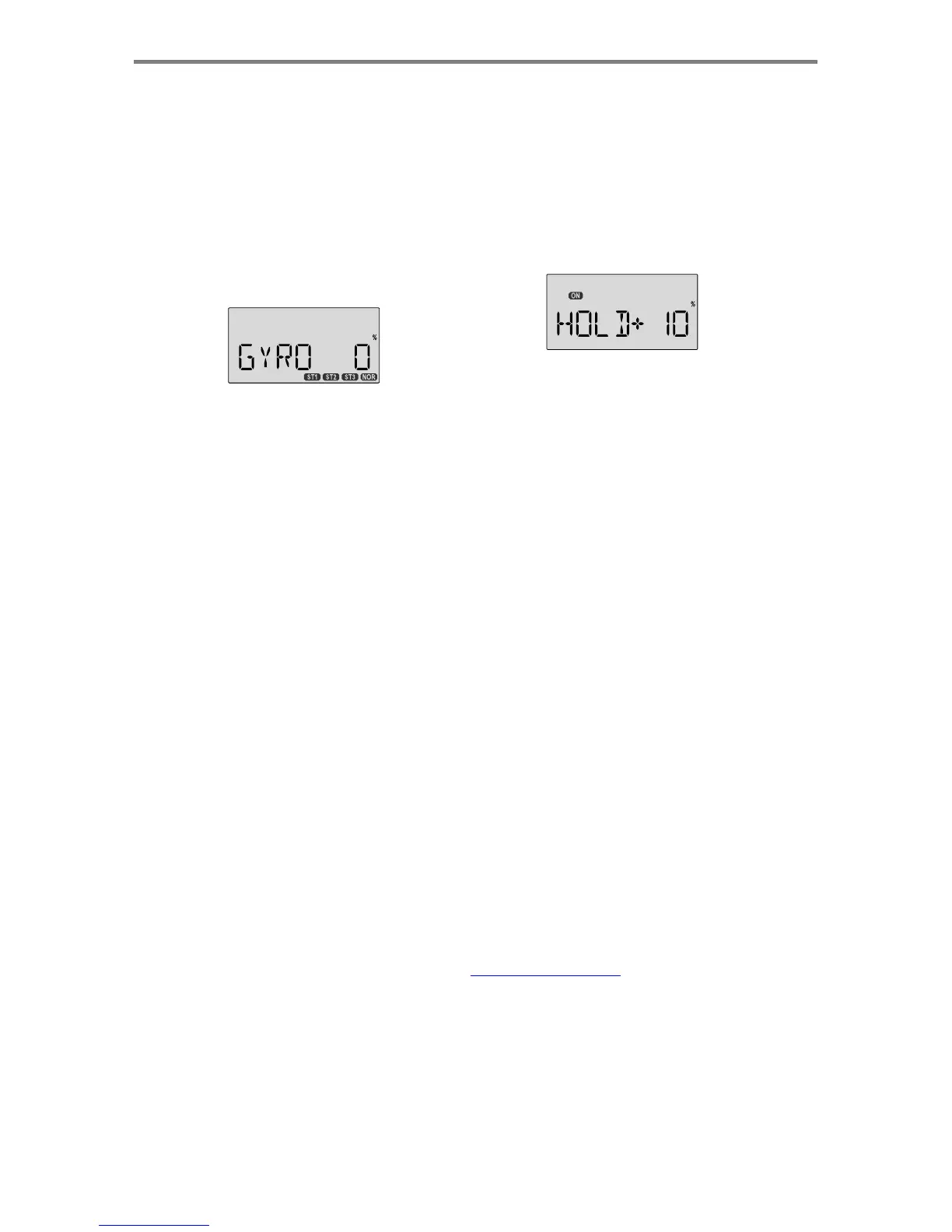
GYRO
-
Gyro
settings
Gyro
settings
are
used
to
automatically
control
the
gyro's
gain
in
different
flight
modes.
It
may
be
set
to
different
values
in
NOR,
ST1,
ST2,
and
ST3
flight
modes,
allowing
you
to
pick
the
gain
you
need
for
each
circumstance.
The
Gyro
settings
Control
the
output
at
receiver
CH5.
You
cannot
independently
control
this
channel
with
a
switch
or
slider.
Using
Gyro
Settings
1.
Press
one
of
the
Up
Down
Edit
buttons
repeatedly
to
get
to
the
GYRO
menu.
To
begin
with,
the
function
is
inhibited. Press
one
of
the
Cursor
keys
to
activate
it.
Once
activated,
it's
set
to
50%
in
all
fou
r
fli
g
ht
modes.
Setting Up Throttle Hold
1.
Press
one
of
the
Up
Down
Edit
buttons
until
the
H0LD
window
appears.
The
default
is
for
the
function
to
be
inhibited.
To
activate
the
throttle
hold
function,
press
the
down
Data
-Decrease
key.
This
will
cause
the
flashing
INH
display
to
change
to
a
-6%
value
with
an
ON
or
OFF
display,
depending
on
the
SW-1
switch's
position.
2.
Now
you
can
adjust
the
throttle
hold
position
with
the
Data
+Increase
or
-Decrease
keys,
anywhere
between
-50
and
+50%
(to
return
to
the
default
0%,
press
the
Active/Inhibit
(Clear)
key).
2.
To
set
the
mixing
amount
for
the
normal
(
NOR
)
flight
mode,
flip
the
Flt.
Mode
(SW-4)
switch
all
the
way
forward.
NOR
will
be
flashing
on
and
off.
Set
the
percentage
to
yield
the
desired
gyro
gain
(this
is
usually
a
high-gain
setting).
If
for
some
reason
you
want
a
0%
setting,
press
the
Active/
Inhibit
(Clear)
key.
3.
Flip
the
Flt.
Mode
(SW-4)
switch
to
its
center
position.
ST1
will
be
flashing
on
and
off.
Set
the
percentage
to
yield
the
desired
gyro
gain
in
this
flight
mode
(this
will
usually
be
a
lower-gain
setting
for
reduced
damping
in
stunts).
4.
Flip
the
Flt.
Mode
(SW-4)
switch
all
the
way
aft
.
ST2
will
b
e
Flashing
on
and
off.
Set
the
percentage
to
yield
the
desire
d
gyro
gain.
5.
Now
flip
the
SW-1
switch
fully
down.
You
may
now
input
a
setting
for
ST3.
6.
Make
some
test
flights
to
try
these
settings
out.
Take
note
of
when
more
gain
is
need,
and
when
less
gain
is
needed.
You
can
adjust
all
of
the
gyro
settings
in
each
flight
mode
to
suit
your
machine.
3.
Check
that
your
throttle
goes
to
the
desired
hold
position
b
y
flipping
the
selected
on-off
switch
one
way
and
the
other
.
Adjust
the
number
as
needed.
Be
sure
to
choose
an
engin
e
speed
that's
fast
enough
to
keep
the
engine
from
accidentall
y
quitting
but
slow
enough
to
not
engage
the
main
rotor
clutch.
4.
You
may
select
which
ON-OFF
switch
turns
this
function
on.
See
the
Switch
Select
instructions
on
P.
53
for
information
on
how
to
select
the
ON-OFF
switch.
HOLD
-
Throttle
Hold
The
Throttle
Hold
function
moves
the
engine
throttle
servo
to
a
selected
position
near
idle,
and
disengages
it
from
the
throttle
stick.
It
is
commonly
used
during
autorotation,
and
activated
with
the
SW-1
switch
on
the
left
front
of
the
transmitter.
You can
set
the
throttle
position
to
be
held
over
a
-50
to
+50%
range
centered
about
the
throttle
idle
position.
Activating
throttle
hold
also
disables
revolution
mixing
(
RVMX
).
Men
u
Descri
p
tion
s
-
Helico
p
ter
-
Pa
g
e
51

Table of Contents

Other manuals for HITEC OPTIC 6

Related product manuals