EasyManua.ls Logo

HITEC OPTIC 6 - Menu Descriptions - Helicopter

HITEC OPTIC 6
60 pages
Print Icon
To Next Page IconTo Next Page
To Previous Page IconTo Previous Page
Loading...
For more information - www.modelflight.com.au
Menu
Descri
p
tions
-
Helico
p
ter
4.
Call
up
the
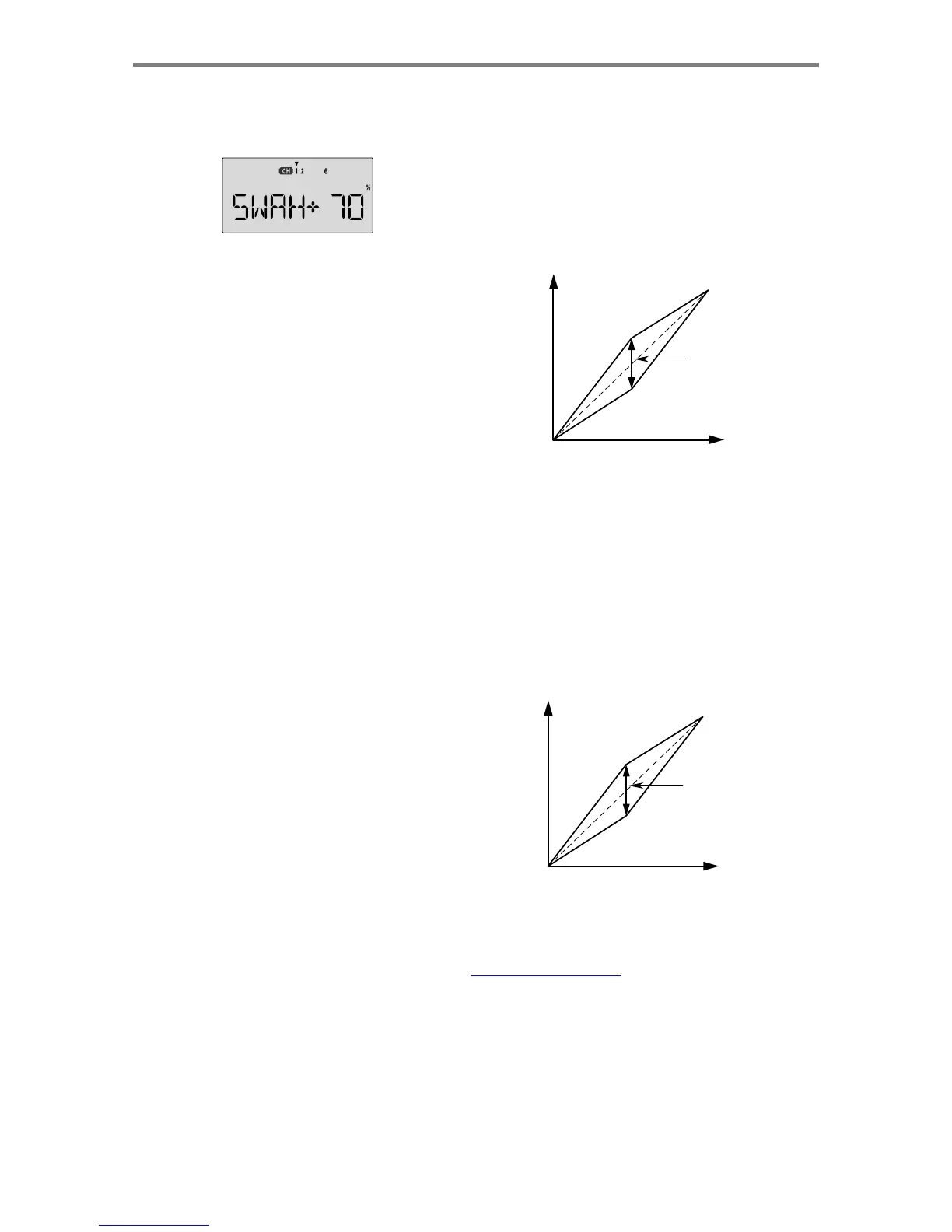
swash
screen
by
repeatedly
pressing
one
of
the
Up
Down
Edit
buttons
until
the
SWAH
window
appears.
The
function
is
automatically
active
when
you
select
120'
mixing
in
the
model
setup
menu.
5.
If
all
the
servos
raise
the
swash
with
increasing
collective,
go
to
the
next
step.
If
they
lower
the
swash,
press
the
Cursor
Right
key
twice
to
get
to
the
collective
setting
menu
(the
arrow
appears
over
the
number
6
).
Now
press
the
Data
-Decrease
key
until
the
sign
is
reversed
in
front
of
the
percentage
value.
Now
the
swash
should
properly
respond
to
collective.
If
you've
done
the
wrong
thing,
you
can
reset
the
percentage
by
pressing
the
Active/Inhibit
(Clear)
key.
6.
If
all
the
servos
tilt
the
swash
to
the
right
with
right
aileron
stick,
go
to
the
next
step.
If
they
tilt
the
swash
to
the
left
,
press
the
Cursor
Right
key
once
to
get
to
the
aileron
setting
Hovering Throttle
A
djustment
Lever
(Pilot
Control)
The
Hovering
Throttle
lever
may
be
used
to
adjust
the
throttle
servo's
position
around
hover
without
affecting
main
rotor
pitch.
It's
handy
to
make
up
for
changes
in
rotor
speed
caused
by
variations
in
temperature,
humidity,
or
other
conditions.
To
change
the
hovering
throttle
setting,
simply
move
the
Hovering
throttle
lever
(Left
Lever)
to
get
the
desired
setting.
As
shown
in
the
figure,
moving
the
lever
has
the
largest
effect
in
the
hovering
region
and
leaves
the
endpoints
alone.
Center
this
lever
before
you
set
neutrals
or
input
throttle
curves.
Full
Pwr
Changing
the
HV-T
value
moves
the
throttle
response
above
or
below
the
straight
line
menu
(the
arrow
appears
over
the
number
1
).
Reverse
the
sign
in
front
of
the
percentage
with
the
Data
-Decrease
key.
Now
the
swash
should
properly
respond
to
aileron.
7.
If
all
the
servos
tilt
the
swash
aft
with
up
elevator
stick,
go
to
Idle
Low Hove
r
Throttle Stick
Motion
Hi
g
h
the
next
step.
If
they
tilt
the
swash
forwards,
press the
Cursor
Right
key
once
to
get
to
the
elevator
setting
menu
(the
arrow
appears
over
the
number
2
).
Now
press
the
Data
-Decrease
key
until
the
sign
is
reversed
in
front
of
the
percentage
value.
Now
the
swash
should
properly
respond
to
elevator.
8.
Double
check
that
all
three
functions,
collective,
aileron,
and
elevator,
produce
the
desired
result
on
the
swashplate.
Do
not
set
any
SWAH
values
to
0%
or
you
will
disable
the
response
to
that
control!
Hovering Pitch
A
djustment
Lever
(Pilot
Control)
The
Hovering
Pitch
lever
may
be
used
to
trim
the
collective
pitch
servo(s)
near
hover
without
affecting
throttle.
Like
hovering
throttle,
it's
handy
to
make
up
for
changes
in
rotor
speed
caused
by
variations
in
temperature,
humidity,
or
other
conditions.
You
can
adjust
the
hovering
pitch
value
simply
by
moving
the
Hovering
pitch
lever
(
Right
Lever
).
Like
hovering
throttle,
this
lever
only
works
near
hover
and
tapers
off
at
either
end
of
throttle.
Center
this
lever
before
you
set
neutrals
or
input
throttle
curves.
Max
Pitch
Min
Pitch
Low Hove
r
Changing
the
Hovering
Pitch
value
moves
the
pitch
response
above
or
below
the
straight
line
Hi
g
h
Throttle Stick
Motion
Men
u
Descri
p
tion
s
-
Helico
p
ter
-
Pa
g
e
5
5

Table of Contents

Other manuals for HITEC OPTIC 6

Related product manuals