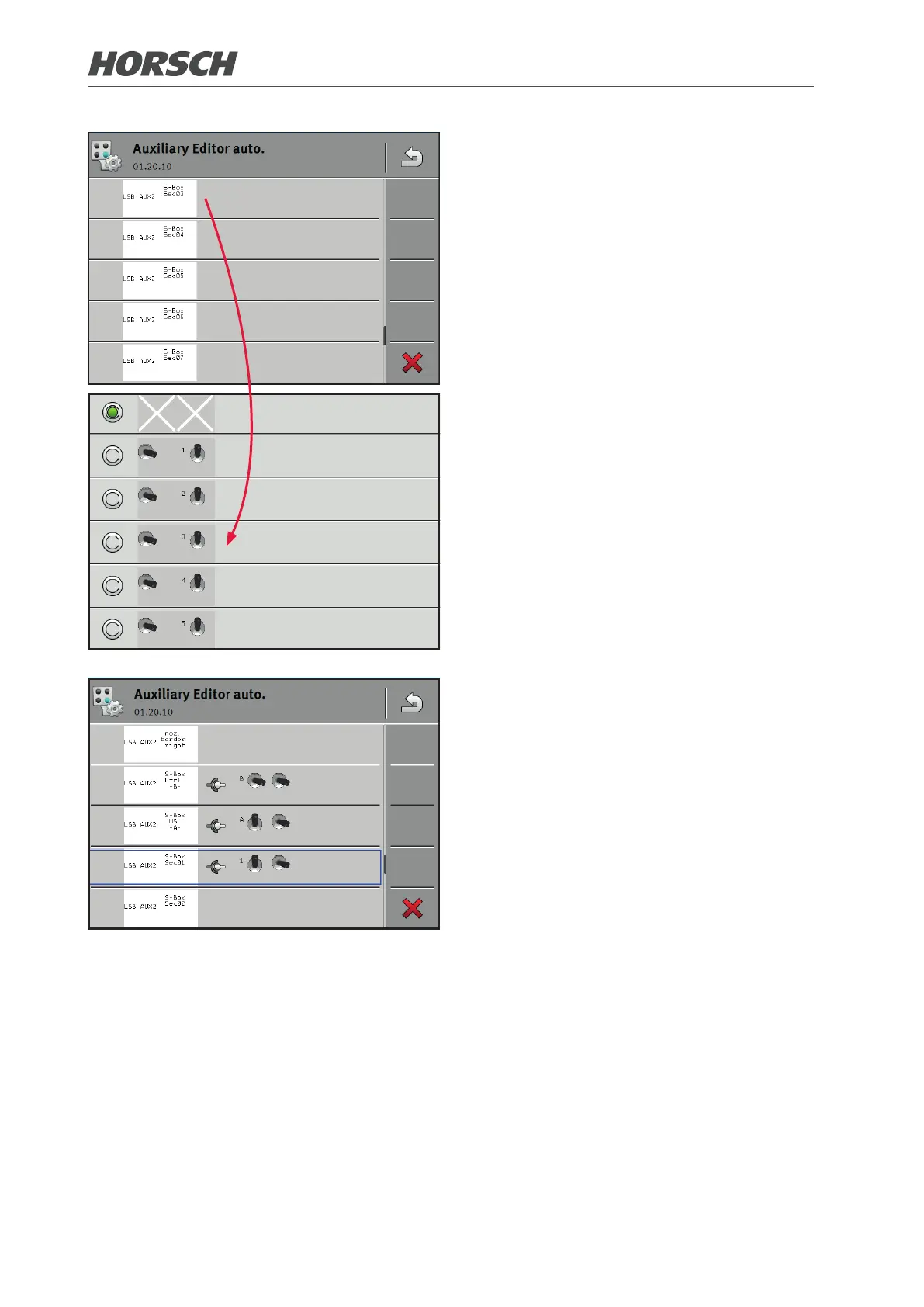
¾ Select the sections of switches A, B and
1-18, or 1-13 consecutively.
¾ A describes the nozzle main switch
¾ B describes the selection of the input device
(SectionBox or Multi-function handle)
¾ 1-18 or 1-13 describe the individual
switches for deactivating and activating
the sections.
¾ Assign the respective section to the desired
switch of the SectionBox.
¾ Not all switches need to be assigned. How-
ever, all actual sections must be assigned
to the virtual sections in the LSB software.
Only then can the SectionBox be used.
¾ The allocation is displayed in the pool of
the SectionBox.
¾ Repeat the setting until all sections are set.
50 51











 To Next Page