F
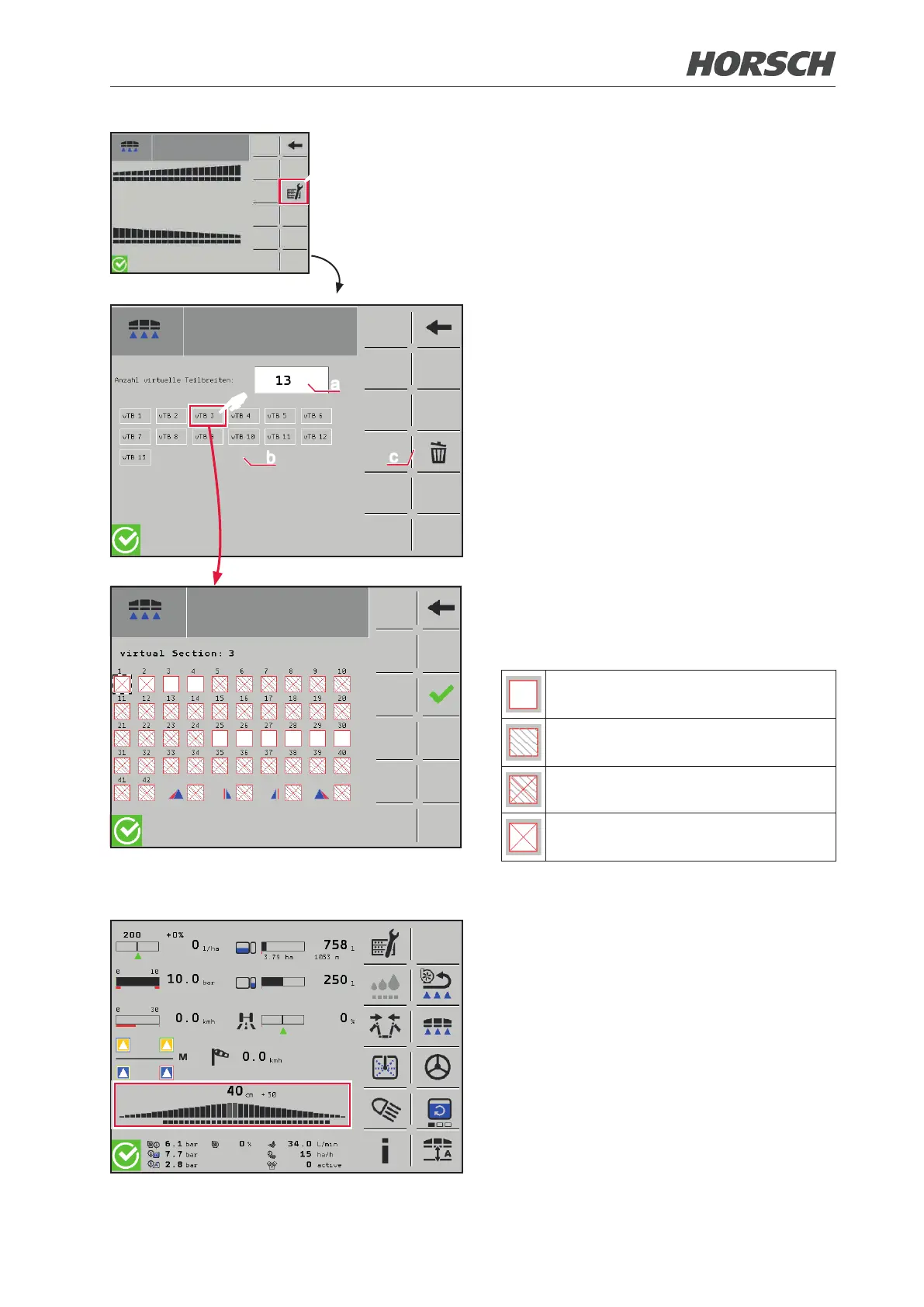
¾ Access the submenu for the conguration
of the sections.
a
b
c
F
(a) Number of virtual sections to be assigned
(currently, 13 or 18 sections can be oper-
ated via the SectionBox)
(b) Individual virtual sections
(c) Clearing sections
¾ A submenu where the actual sections as
well as the edge and border nozzles can be
allocated is provided for each virtual section
(switch on the SectionBox).
The actual sections can be allocated as
desired to a virtual section (currently max.
4 actual sections per virtual section).
white elds can be assigned
greyed out elds cannot be assigned
crossed-out elds are already as-
signed
Sections assigned to the respective
section
The selection is confirmed by the green
checkmark.
¾ After saving, check on the main overview
whether the correct switch shuts o the
correct section.
50 51











 To Next Page