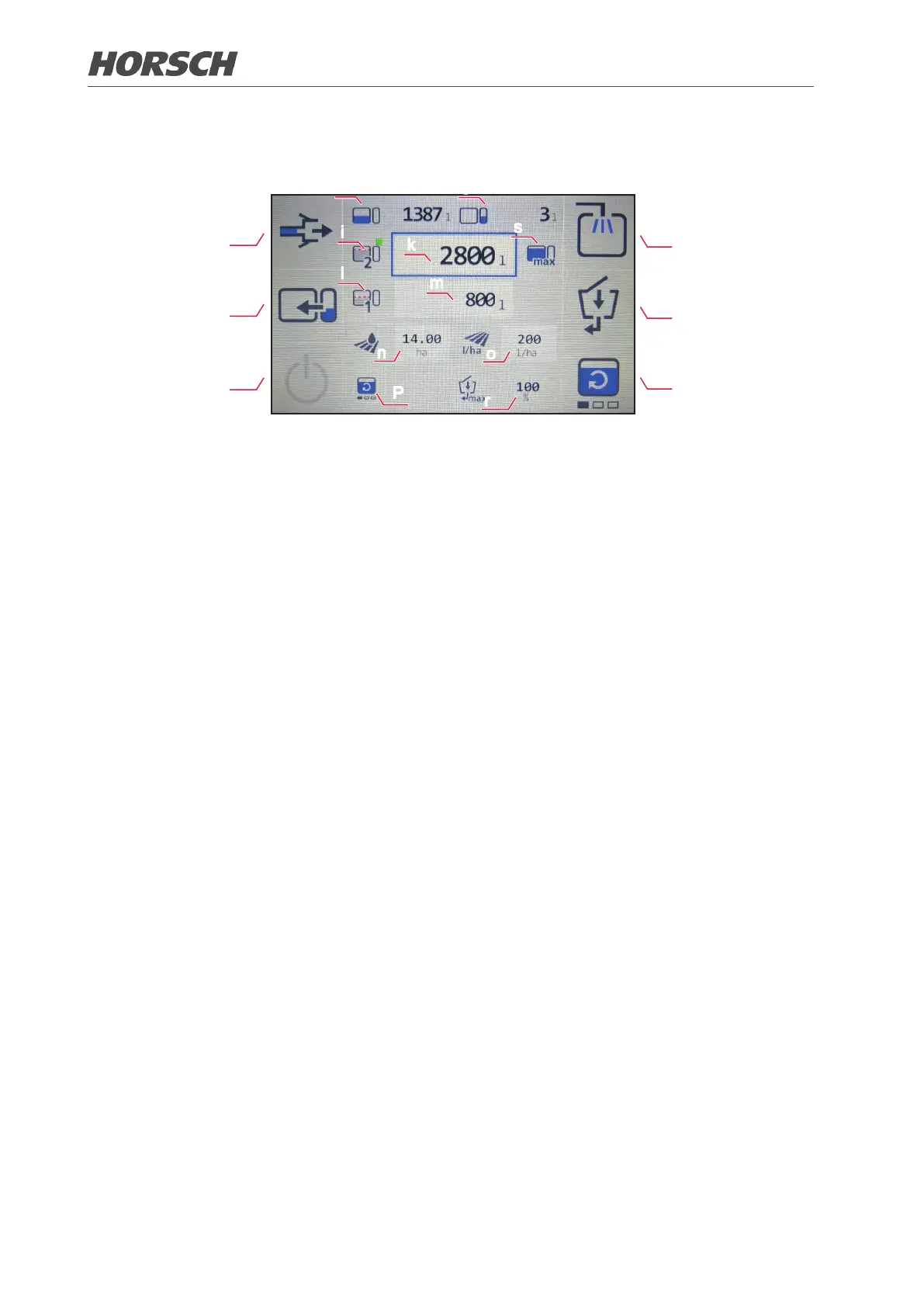
Determining the lling quantity:
d
e
f
a
b
c
h
g
l
m
n
o
P
r
i
k
s
(i) Enter lling limit 2 (automatic lling limit).
¾ The required lling quantity (k), which is calculated using the placing quantity (o) and the area
to be cultivated (n), is displayed.
¾ A manual value can also be entered here. The value of the area to be cultivated (n) is calculated.
¾ Use the buttons to navigate up and down. If the line into which the value shall be entered is
framed in red, select it with the ENTER button. The left and right buttons allow entering the
desired value in increments of 10, the up and down buttons allow entry in increments of 100.
Now conrm the value with the ENTER button.
(l) Enter lling limit 1 (manual lling limit).
¾ Select the button and enter the quantity in the input eld (m). This value is preserved after
a restart.
¾ Use the buttons to navigate up and down. If the line into which the value shall be entered is
framed in red, select it with the ENTER button. The left and right buttons allow entering the
desired value in increments of 10, the up and down buttons allow entry in increments of 100.
Now conrm the value with the ENTER button.
(s) The maximum possible lling quantity is selected.
¾ The lling quantity (k) is set to the rated volume and cannot be modied.
¾ The lling limit max refers to the lling limit 2 (i).
¾ If lling limit max is active, no entry can be made in the eld area to be cultivated (n) since this
value is calculated automatically. If the placing quantity (o) is changed, the value of the area to
be cultivated (n) also changes.
92 93











 To Next Page