FULLTEST3
EN - 63
1. Press the FUNC key and select the URES function. The following screen is
shown on the display
Fig. 57 : URES initial screen
2. Select the test parameters on the instrument (see Table 10) and carry out the
desired setup
Parameter Description Value
MODE Measurement mode
LIN (Linear), NONLIN (Non-
Linear)
CON Type of connection
INT (measure on internal
component), PLUG (measure on
1Phase/3Phase plug)
LIMIT t Limit time 1s, 5s
Table 10 : Setup parameters of URES function
3. Check selected mode and modify it if needed by pressing the MODE touch-
screen key first
4. Check selected connection and modify it if needed by pressing the CON touch-
screen key first
5. Check selected limit time and modify it if needed by pressing the LIMIT t touch-
screen key first
6. Select measurement screen by pressing the
touch-screen key and check all
settings again
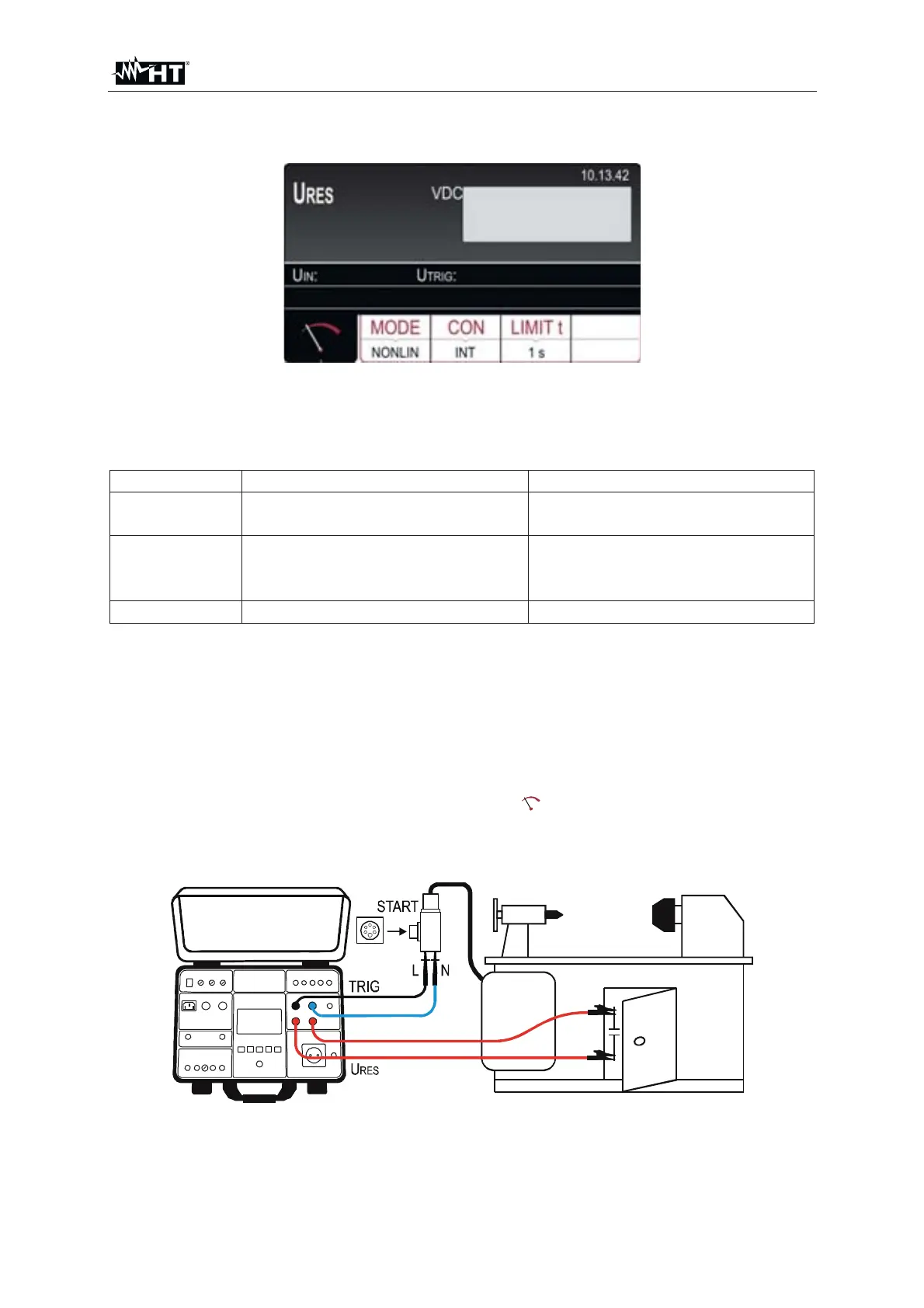
7. Connect test leads according to one of the below figures
Fig. 58 : Connection for U
RES INT measurement on 1P/3P plugged machines



 To Next Page