FULLTEST3
EN - 75
9. Save the test result by pressing the SAVE key (see § 7.1)
Use of test socket
3. Select SOCKET mode by pressing the MODE touch-screen key first
4. Check selected limit leakage current by pressing the LIMIT touch-screen key first.
Four independent limit values are available for quicker operations. Select the
closest one and modify it by using the + and ʊ touch screen keys if needed
5. Check selected position of phase terminal on schuko socket by pressing the L
POS touch-screen key. If LEFT position is selected then phase potential is
connected to left terminal of schuko socket and vice versa
6. Select measurement screen by pressing the
touch-screen key and check all
settings again
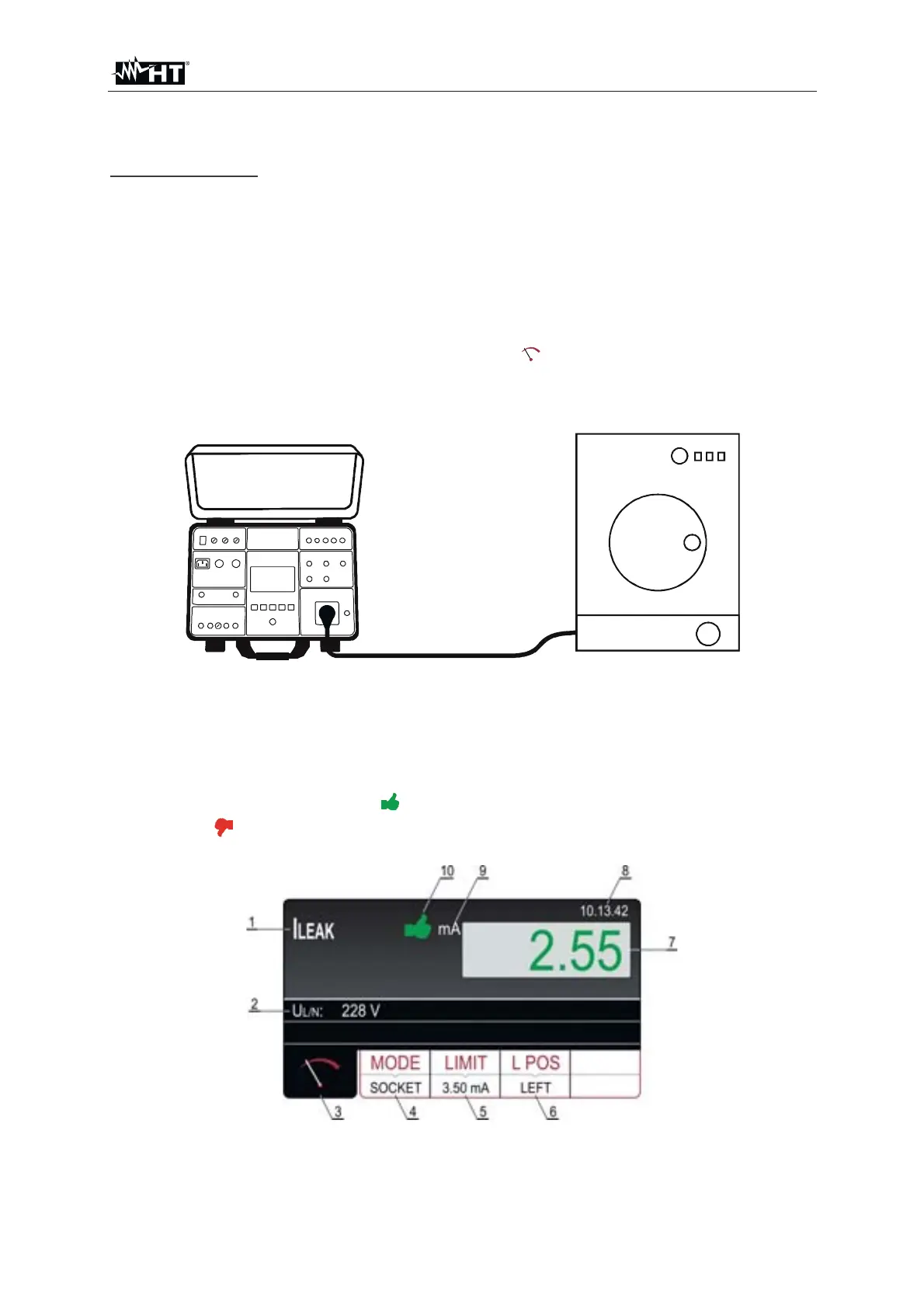
7. Connect the UUT to schuko socket according to the Fig. 74
Fig. 74 : Connection of current clamp in I
LEAK measurement – SOCKET mode
8. Start the measurement by pressing the START/STOP key. The measurement will
start to run and will be stopped after pressing the START/STOP key again.
Measurement result will be currently displayed in green color if it is lower than or
equal to set limit value or in red color if it is higher than set limit value. Final result
will be equipped with green
symbol and with beep-beep sound if it is OK or
with red
symbol and with longer beep sound if it is not OK. See the display
outlook with test result in Fig. 75
Fig. 75 : Visualization of ILEAK test result – SOCKET mode



 To Next Page