Procedure
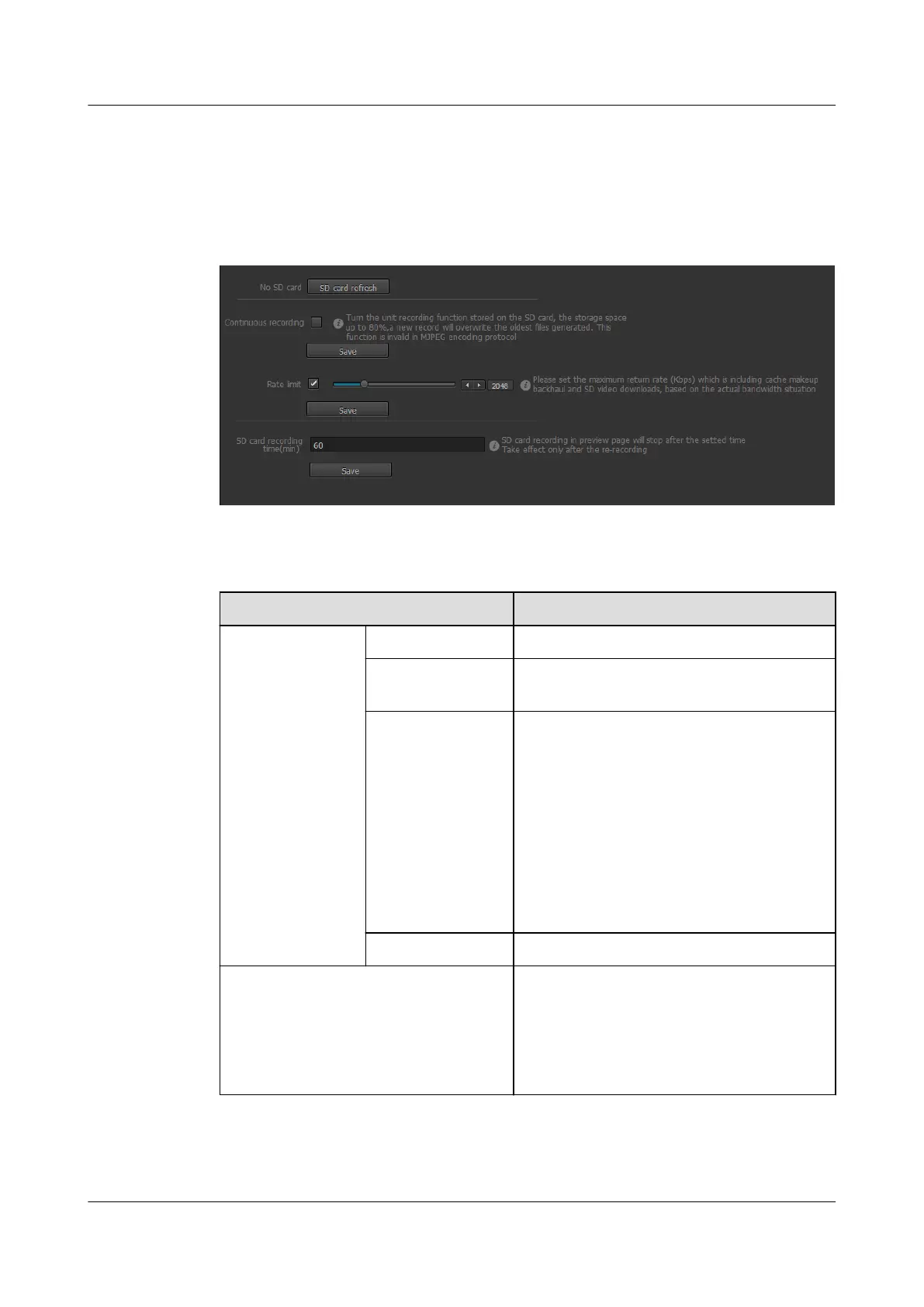
Step 1 Choose Settings > System Configuration > Storage Management.
The Storage Management page is displayed, as shown in Figure 13-11.
Figure 13-11 Storage Management tab page
Step 2 Set parameters. For detailed parameter description, see Table 13-3.
Table 13-3 Parameter description
Parameter
Description
Storage
management
No SD card Indicates there is no SD card on the IPC.
SD card status Displays the total capacity and occupied space
of an SD card.
Instant formatting Formats an SD card.
NOTE
l Before using an SD card, format it.
l Back up data before formatting an SD card.
l All data will be lost after an SD card is
formatted. Exercise caution when performing
this operation.
l Do not remove an SD card when it is being
formatted or data-written.
l Format an SD card during off-peak hours.
SD card refresh Obtains the latest SD card status.
Continuous recording Enables or disables the continuous video
recording function. The recorded video is
stored in the SD card.
NOTE
You can format the SD card when Continuous
recording is enabled.
IPC6221-VRZ-SP
Configuration Guide
13 Managing the System
Issue 02 (2016-04-06) Huawei Proprietary and Confidential
Copyright © Huawei Technologies Co., Ltd.
93



 To Next Page