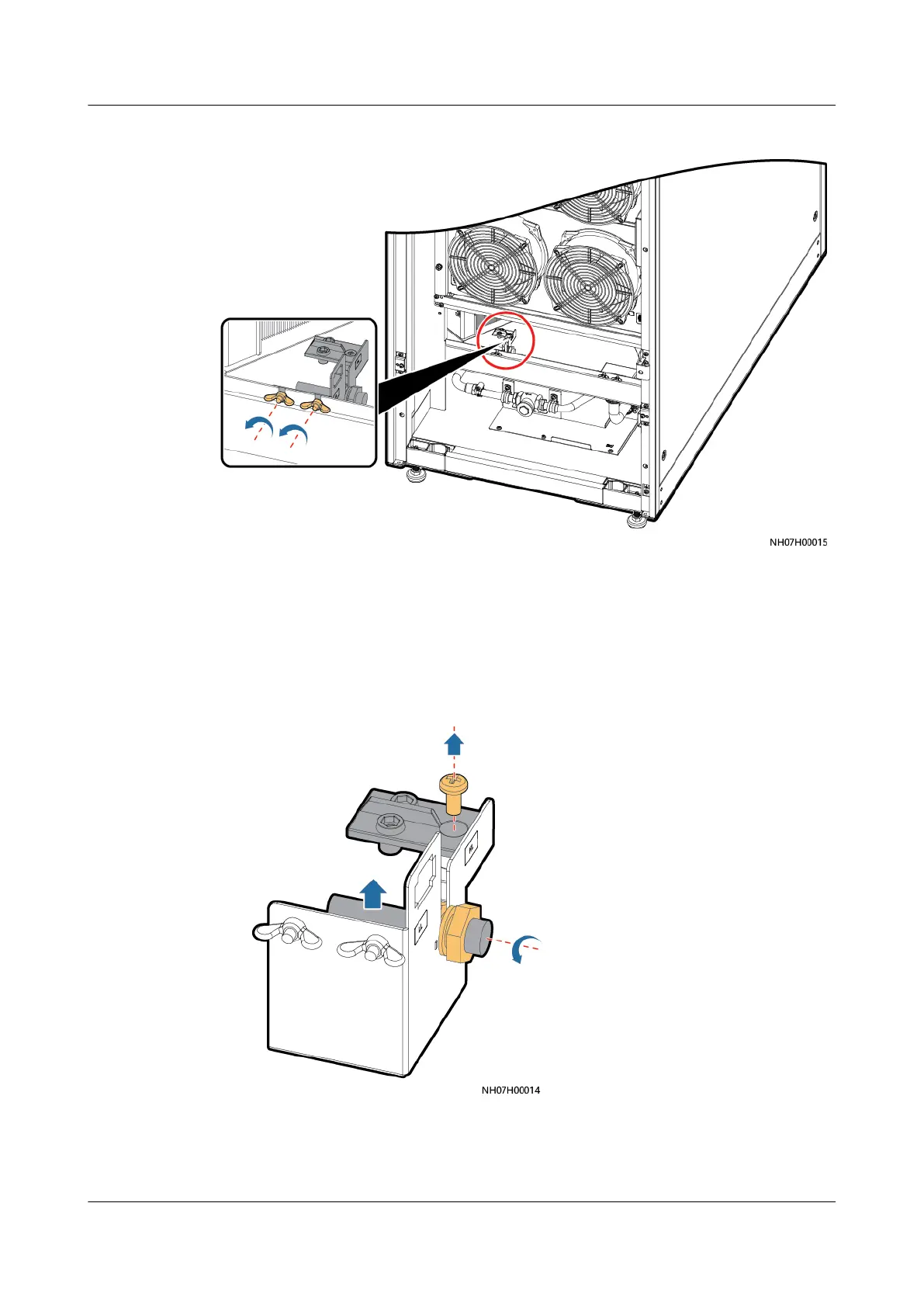
Figure 11-33 Removing a liquid level detector fastener
Step 5 Remove the liquid level detector, as shown in Figure 11-34.
● Remove screws from the high liquid level detector using a Phillips screwdriver,
and remove the high liquid level detector.
● Loosen the nuts on the low liquid level detector, and move the low liquid level
detector upwards to remove it.
Figure 11-34 Removing a liquid level detector
Step 6 Install the new liquid level detector and properly connect its terminals.
NetCol5000-A050 In-row Air Cooled Smart Cooling
Product
User Manual 11 Parts Replacement
Issue 08 (2021-09-17) Copyright © Huawei Technologies Co., Ltd. 278



 To Next Page