75
fi g. 5.3
fi g. 5.4
5 - C P
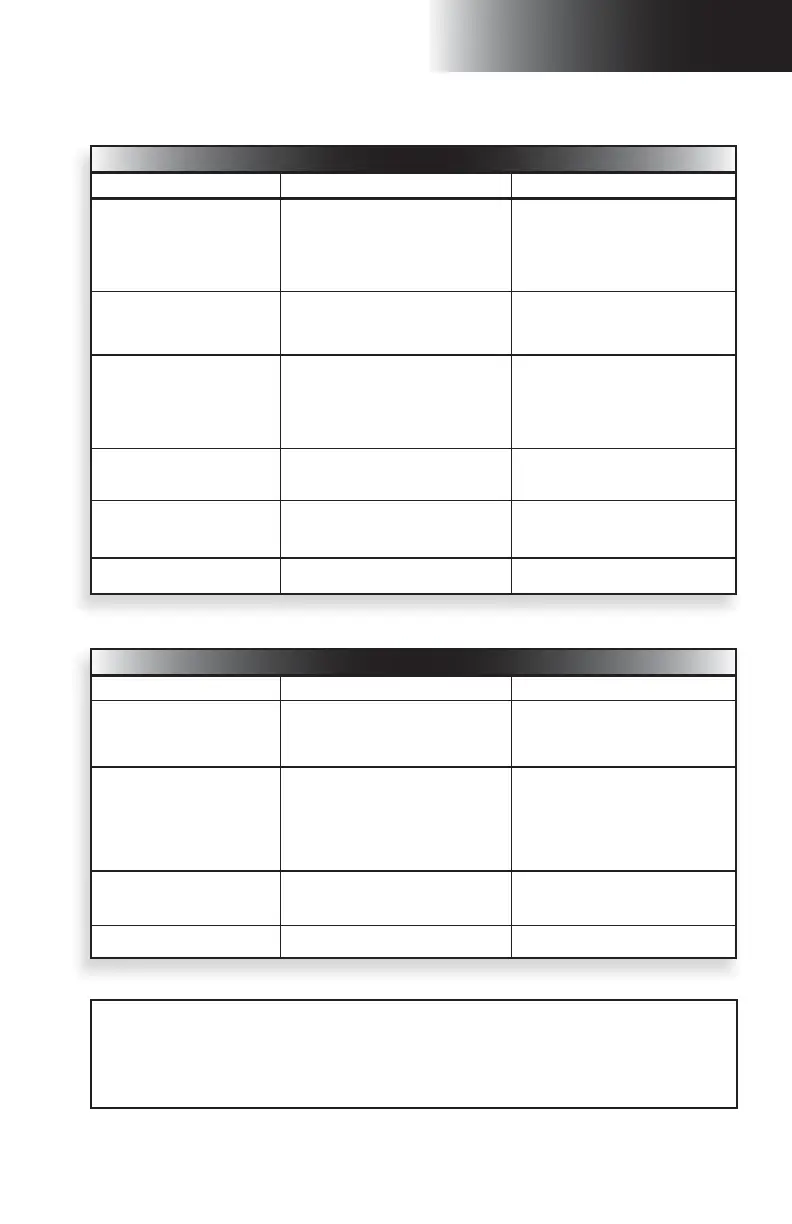
Control panel controls – gas-powered motorized unit
Control Description Action to be performed
Throttle control lever Controls the engine speed.
Pull down 3/4 of the way to start engine.
Pull down all the way at full throttle for
operation.
Pull all the way up at idle before shutting
down the engine; engine must be left at
idle for at least 1 minute before shutdown.
Speed selector Controls the speed of the motorized unit.
On unit model F300, select 1 for fi rst (low)
speed or 2 for second (high) speed.
On unit model F200, speed selector is
disabled.
Travel direction selector
Controls the travel direction of the motorized
unit.
Select and hold the selector toward the up
arrow to raise the motorized unit.
Select and hold the selector toward the
down arrow to lower the motorized unit.
The selector is in the neutral position
by default.
Emergency stop button
Powers on the control panel when pulled.
Shuts down the engine and turns off the
control panel when pushed.
Pull to power on or push to shut down.
Engine start button Starts the engine.
Push and hold to start up the engine (hold
for no more than 10 seconds at a time).
Release once engine has started.
Choke Activates the choke.
If the engine is cold, push in and hold while
starting the engine.
Control panel controls – electrical motorized unit
Control Description Action to be performed
Speed selector Controls the speed of the motorized unit.
On unit model F300, select 1 for fi rst (low)
speed or 2 for second (high) speed.
On unit model F200, speed selector is
disabled.
Travel direction selector
Controls the travel direction of the motorized
unit.
Select and hold the selector toward the up
arrow to raise the motorized unit.
Select and hold the selector toward the
down arrow to lower the motorized unit.
The selector is in the neutral position
by default.
Emergency stop button
Powers on the control panel when pulled.
Shuts down the motor and turns off the
control panel when pushed.
Pull to power on or push to shut down.
Motor start button Starts the motor. Push to start up the motor.
On an F300 unit model used in a linked confi guration, with both engines or motors at full operating
speed, the control panel will automatically analyze and balance the hydraulic pressure values on both
sides of the mast by reducing the oil pressure on the “faster” side. This could translate into slight jolts
that may be experienced by the operator or the workers and is no cause for alarm. If there is still concern,
seek advice from a qualifi ed technician. For the defi nition of a qualifi ed technician, refer to p. 7 of the
Performance and Safety Rules section.
Control Panel



 To Next Page