101
9
MEMORY/CALL CHANNELS
1
2
3
4
5
6
7
8
9
10
11
12
13
14
15
16
17
18
19
N Erasing/transferring bank contents
The bank contents of programmed memory channels can be
cleared or reassigned to another memory bank.
INFORMATION: Even if the memory bank contents are
cleared, the memory channel contents still remain
programmed.
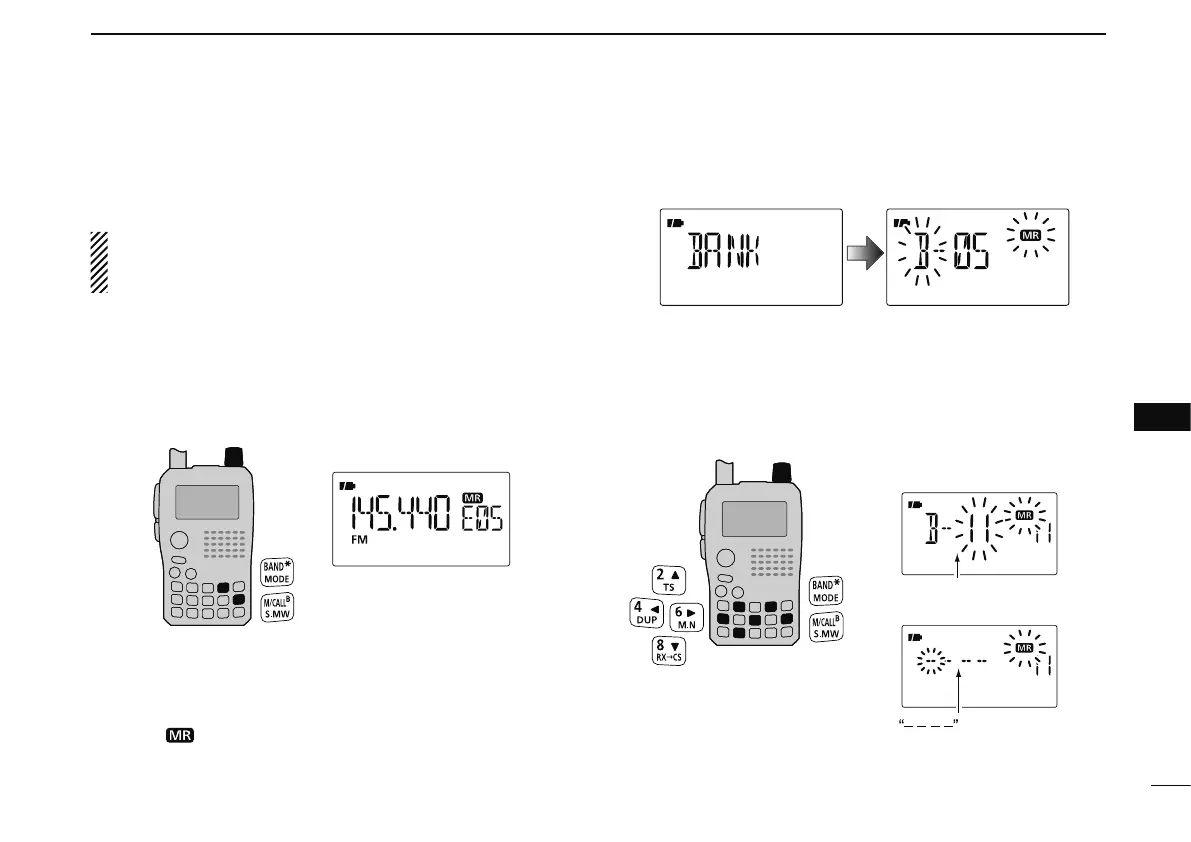
q Select the desired bank contents to be transferred or
erased from the bank.
(p. 96)
± Push [BAND] to enter memory bank selection state.
± Rotate [DIAL] to select the desired memory bank group,
then push [BAND].
± Rotate [DIAL] to select the bank channel.
w Push [S.MW](M/CALL) for 1 sec. to enter select memory
write mode.
• 1 short and 1 long beeps sound.
• Displays the original memory channel number automatically, and
then “
” indication and memory channel number blink.
• Do not hold [S.MW](M/CALL) for more than 2 sec., otherwise
the memory contents will be copied to VFO.
e Push [](2) or [](8) several times to select “BANK.”
r Push [](6) to select the bank channels selection or push
[ ](4) to select the bank group selection to be trans-
ferred.
t Rotate [DIAL] to select the desired bank group or channel.
• Select “– – – –” indication when erasing the contents from the
bank.
[DIAL]
To transfer the bank contents
to ch 11 in Bank B.
To erase
Bank channel is displayed.
is displayed.
y Push [S.MW](M/CALL) for 1 sec. to erase/transfer the bank
contents.



 To Next Page