70
7
DV MODE OPERATION
D RX message indication
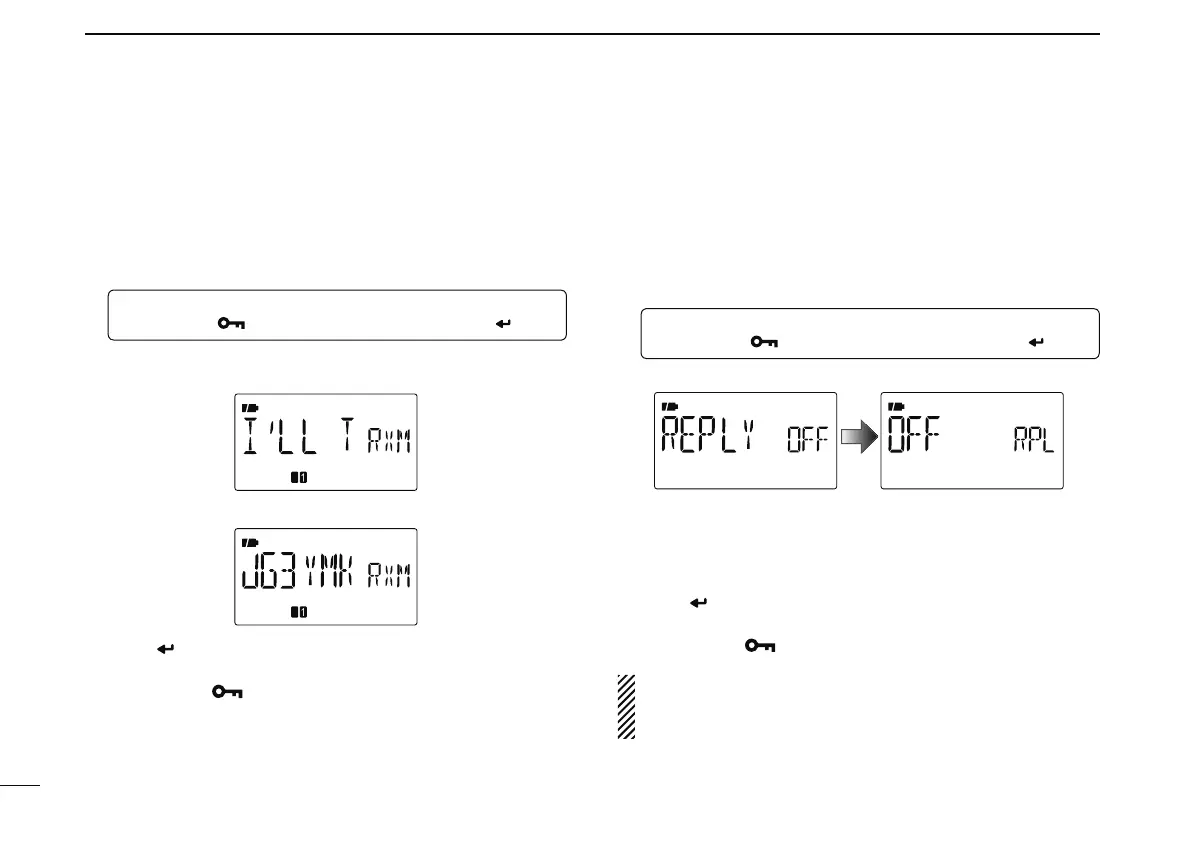
The received message can also be checked in MESSAG
(message) screen.
q Select “RX MSG” in MESSAG (message) screen.
MENU ¶ MESSAG ¶ RX MSG
(Push [MENU ]), (Push [](2)/[](8), then push [ ](5).)
• The received message is displayed.
• Push [](6) or [](4) to scroll the message.
w Push [](8) to display the station call sign (caller).
e Push [ ](5) several times to return to RX MSG screen.
• Push [](6) or [](4) to scroll the call sign.
r Push [MENU ] to return to the frequency screen.
N Automatic reply function
The automatic reply function replies to calls by a station that
specified your call sign.
D Automatic reply function setting
q Enter “REPLY” in DV SET mode.
MENU ¶ DV SET ¶ REPLY
(p. 132)
(Push [MENU ]), (Push [](2)/[](8), then push [ ](5).)
• REPLY (auto reply) screen is displayed.
w Push [](2) or [](8) to turn the automatic reply function
ON and OFF.
OFF : Deactivate the automatic reply function.
(default)
ON : Reply to the call with your own call sign.
e Push [
](5).
• Returns to DV SET mode automatically.
r Push [MENU ] to return to the frequency screen.
The Automatic replay function is turned OFF
automatically, when a manual transmission (pushing
[PTT]) is performed.



 To Next Page