80
8
GPS/GPS-A OPERATION
D Received GPS message indication
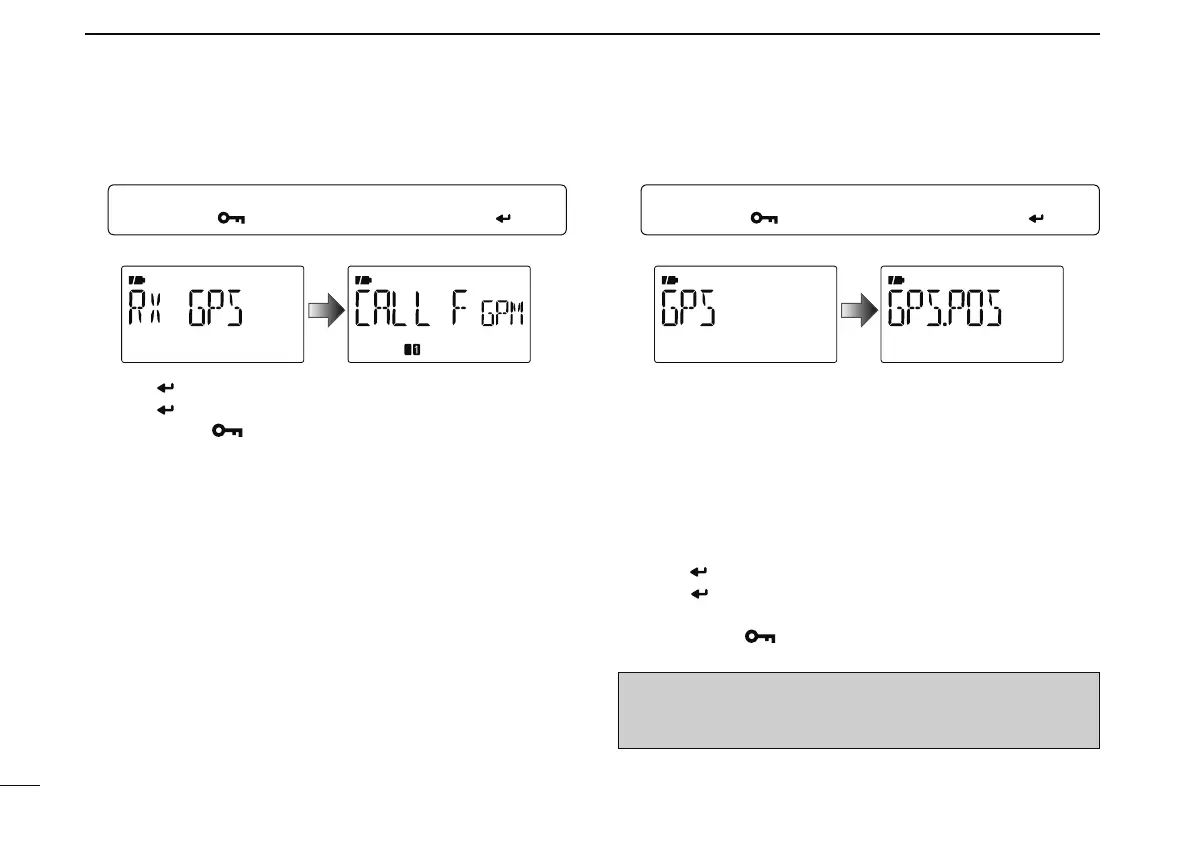
q Enter “RX GPS” in MESSAG screen.
MENU ¶ MESSAG ¶ RX GPS
(Push [MENU ]), (Push [](2)/[](8), then push [ ](5).)
• RX GPS screen is displayed.
w Push [ ](5) several times to scroll the message.
e Push [
](5) to return to the MESSAG screen.
r Push
[MENU ] to return to the frequency screen.
D Position indication
q Enter “GPS.POS” in GPS mode.
MENU ¶ GPS ¶ GPS.POS
(Push [MENU ]), (Push [](2)/[](8), then push [ ](5).)
• GPS POS screen is displayed.
w Push [](2) or [](8) to select the position data indica-
tion.
• MY POS : Displaying own latitude and longitude.
• RX POS : Displaying (caller) other station latitude and longi-
tude.
• ELEVAT : Displaying own elevation.
• TIME : Displaying the time.
• DISTAN : Displaying distance from (caller) other station.
• CALLER : Displaying the call sign of (caller) other station.
e Push [ ](5) to enter the selection.
r Push [
](5) to return to the “GPS.POS” screen. See “MY
POS” and “RX POS” operations at next page.
t Push
[MENU ] to return to the frequency screen.
NOTE: Depending on the receiving conditions of the GPS
signals, your elevation may change even though
you are stationary.



 To Next Page