33
5
REPEATER AND DUPLEX OPERATIONS
1
2
3
4
5
6
7
8
9
10
11
12
13
14
15
16
17
18
19
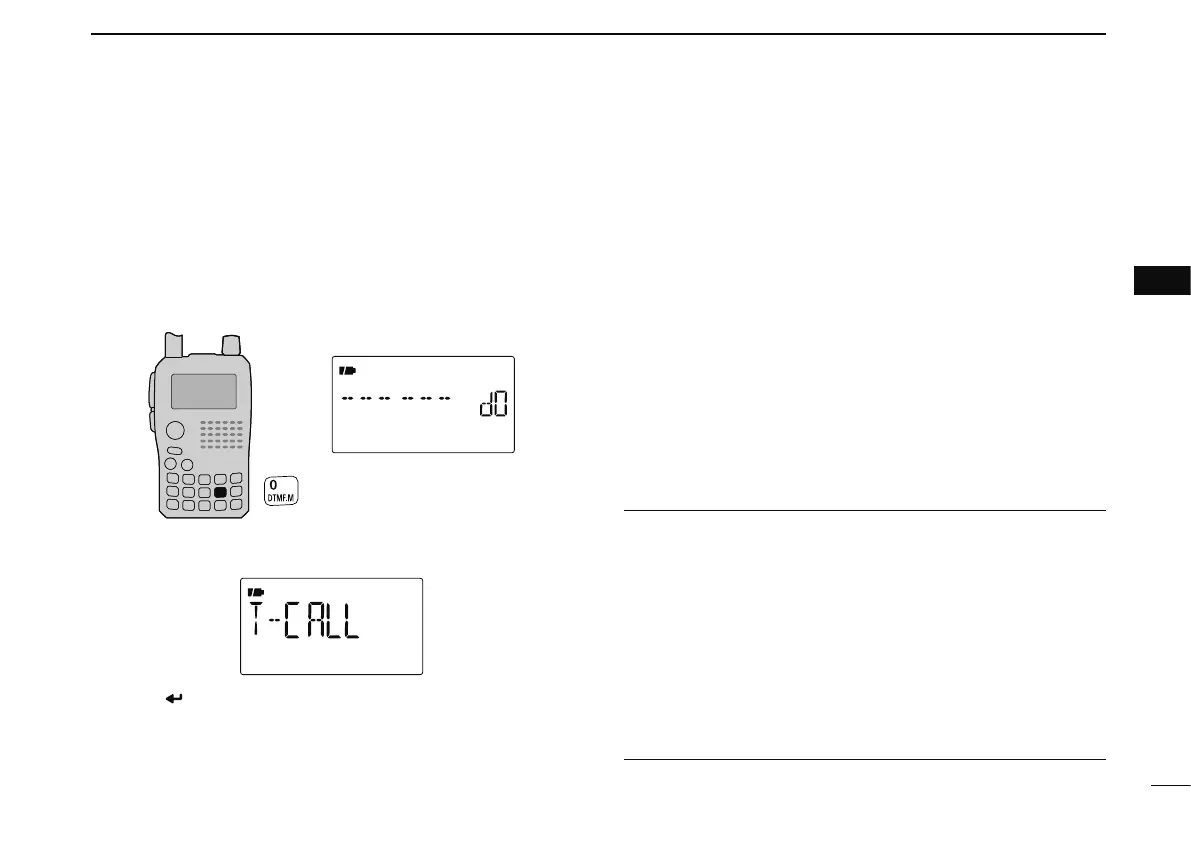
N 1750 Hz tone
To access some European repeaters, the transceiver must
transmit a 1750 Hz tone burst. For such European repeaters,
perform the following.
• This tone can be use as a ‘Call signal’ in countries out of Europe.
q Push and hold [DTMF.M](0) for 1 sec. to select DTMF
memory.
w Push [](8) several times (or rotate [DIAL] counter-clock-
wise) until “T-CALL” appears.
e Push [ ](5) to set.
r Push [V/MHz] to exit DTMF memory.
t Set the receive frequency (repeater output frequency).
y Set the shift direction of the transmit frequency.
(–DUP or
+DUP; see p. 32 for details.)
u While pushing [PTT], push [SQL] to transmit a 1750 Hz
tone burst signal.
• If “OFF” appears, check the frequency offset or shift direction.
(p. 32)
• The displayed frequency automatically changes to the transmit
frequency (repeater input frequency).
i Push and hold [PTT] to transmit.
o Release [PTT] to receive.
!0 Push and hold [SQL] to check whether the other station’s
transmit signal can be received directly or not, by listening
on the repeater input frequency.
CONVENIENT!
q Set the receive frequency
(repeater output frequency).
w Set the shift direction of the transmit frequency.
(–DUP or
+DUP; see p. 32 for details.)
e Push [PTT] briefly, then push and hold [PTT] again for 1 to
2 sec. to transmit a 1750 Hz tone burst signal.
• If “OFF” appears, check the frequency offset or shift direction.
(p. 32)
• The displayed frequency automatically changes to the transmit
frequency (repeater input frequency).
r Push and hold [PTT] to transmit; release to receive.



 To Next Page