32
5
REPEATER AND DUPLEX OPERATIONS
N Duplex operation
D Setting frequency offset
q
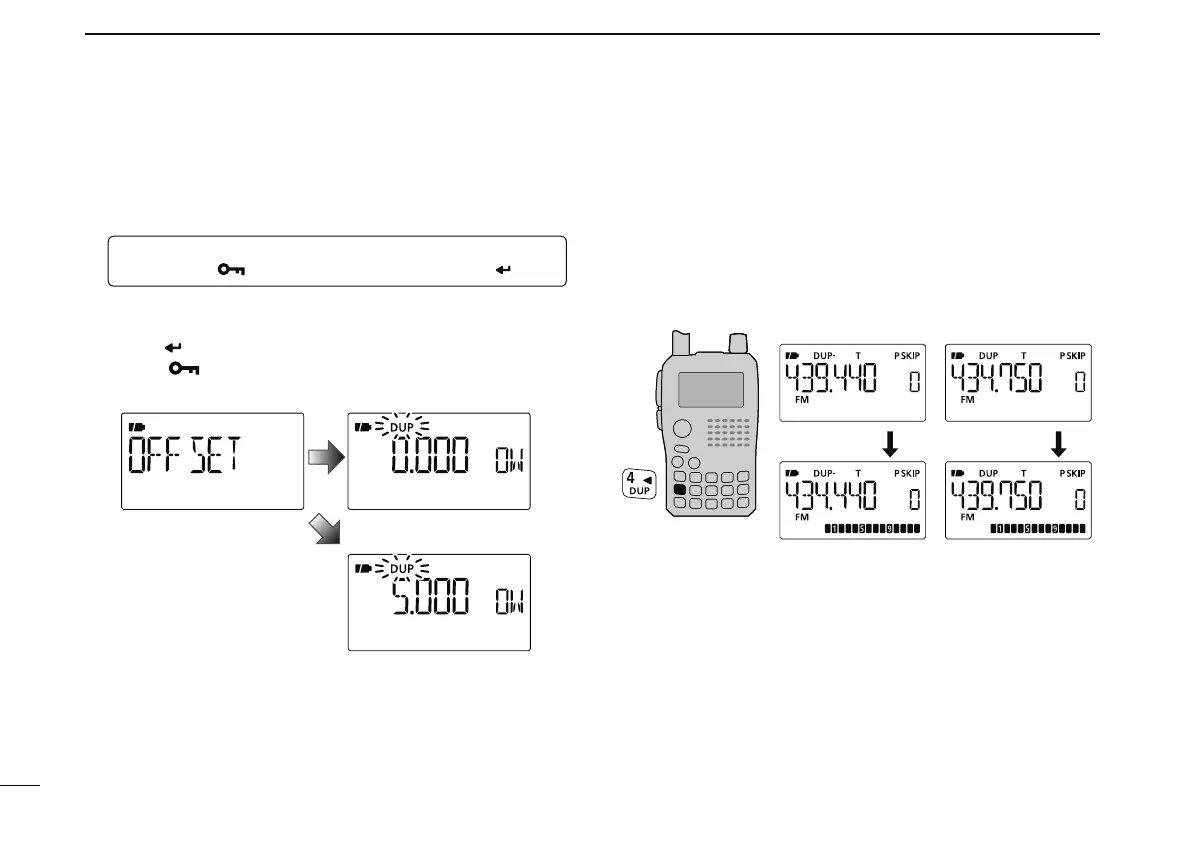
Enter “OFFSET” in DUP.T menu.
MENU ¶ DUP.T ¶ OFFSET
(p. 119)
(Push [MENU ]), (Push [](2)/[](8), then push [ ](5).)
w Push []/[] (or rotate [DIAL]) to set the frequency off-
set.
e Push [
](5) to return to DUP.T menu, and then push
[MENU ] to return to the frequency screen.
5 MHz offset
No frequency offsetFrequency offset setting
D Setting duplex direction
± Push and hold [DUP](4) for 1 sec. to select “DUP–” (nega-
tive offset) or “DUP” (positive offset).
• “DUP–” or “DUP” indicates the transmit frequency for minus
shift or plus shift, respectively.
• When frequency offset is 5 MHz
–Duplex example
Receiving
Transmitting
+Duplex example
Receiving
Transmitting



 To Next Page