72
7
DV MODE OPERATION
N Break-in communication
The break-in function allows you to break into a conversa-
tion, where the two original stations are communicating with
call sign squelch enabled.
q While receiving an another station’s communication, push
and hold [RX
©
CS](8) for 1 sec. to set the communicating
station’s call sign.
• When a call sign has not been received correctly, error beeps
sound and no call sign is set. Try to set the call sign of a com-
municating signal again, or set the call sign manually.
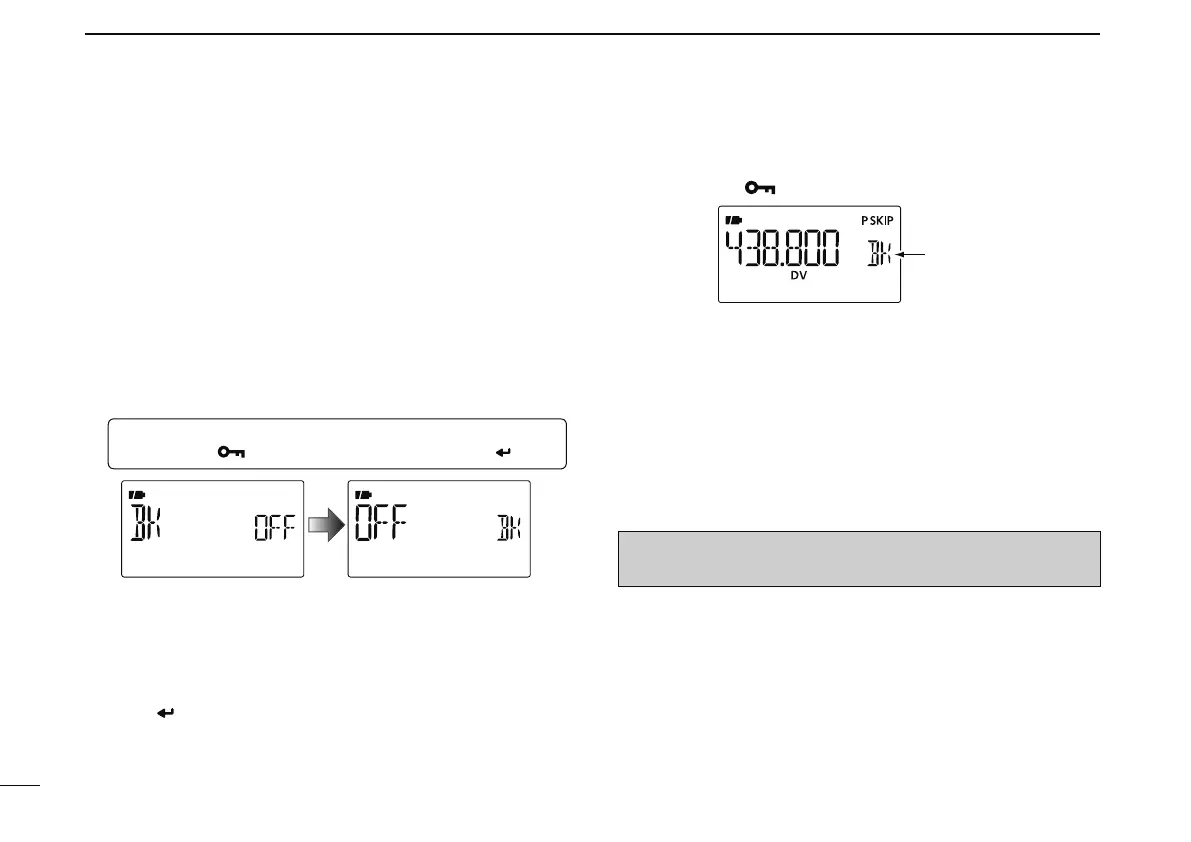
w Enter “BK” in DV SET mode.
MENU ¶ DV SET ¶ BK
(Push [MENU ]), (Push [](2)/[](8), then push [ ](5).)
• BK screen is displayed.
e Push [](2) or [](8) to turn the Break-in function ON and
OFF.
• When "ON" is selected, “BK” appears instead of memory chan-
nel indication
r Push [ ](5).
• Returns to DV SET mode.
t Push [MENU ] to return to the frequency screen.
y When both stations are in standby, push [PTT] to transmit
a break-in call.
• The programmed call sign station receives the break-in call as
well as your call sign.
u Wait for the reply call from the station who receives the
break-in call.
i After receiving the reply call, communicate normally.
o To cancel the break-in function, turn the Break-in function
OFF in the DV SET mode as steps w to t.
NOTE: The break-in function is turned OFF automatically
when turning transceiver’s power OFF



 To Next Page