84
8
GPS/GPS-A OPERATION
D GPS data addition
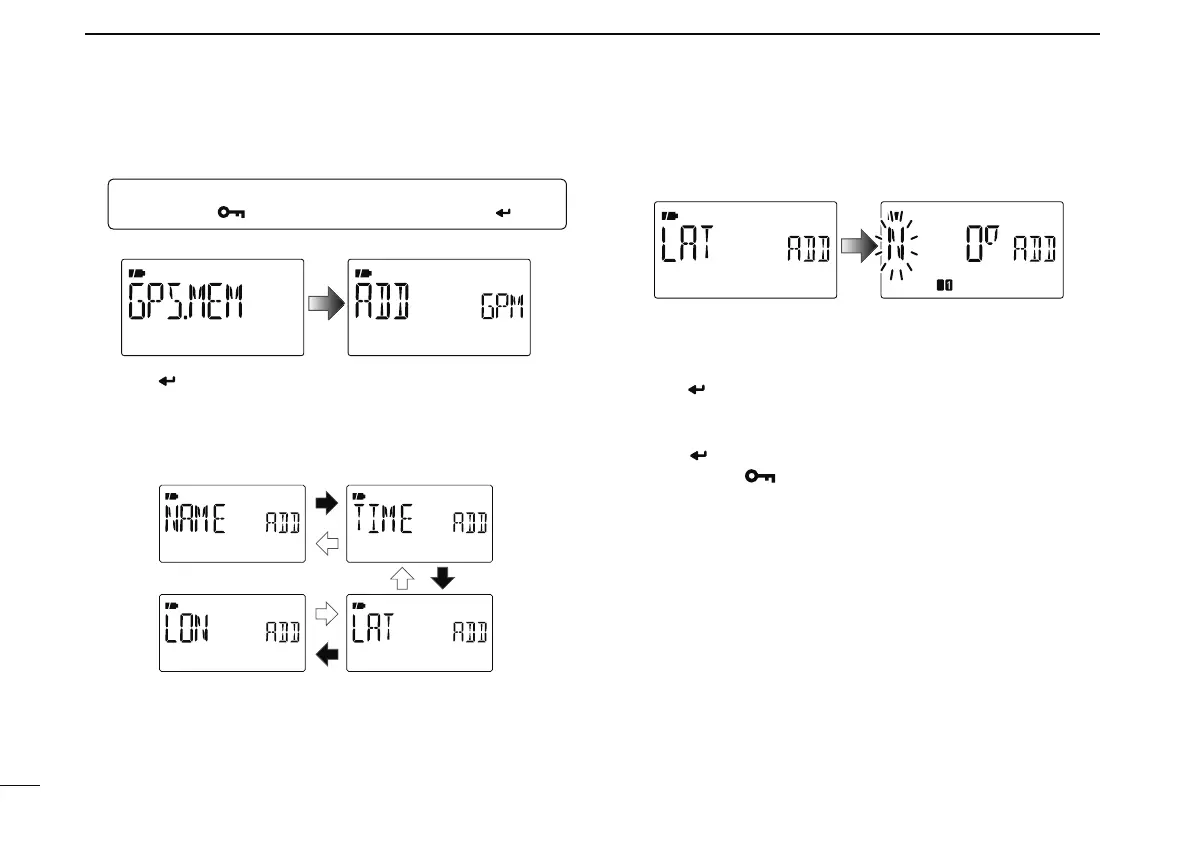
q Enter “GPS.MEM” (GPS memory) in GPS mode.
MENU ¶ GPS ¶ GPS.MEM
(Push [MENU ]), (Push [](2)/[](8), then push [ ](5).)
• GPS memory selection screen is displayed.
w Push [ ](5) to enter the new GPS memory channel pro-
gramming state.
e Push [](2) or [](8) to select the desired items, “NAME,”
“TIME,” “LAT” (LATITUDE) or “LON” (LONGITUDE), then
push [](6) to edit the selected item.
r Push [ ](2) or [](8) to select the desired character or
number.
• Push [](6) to move the cursor right; push [](4) to move the
cursor left.
t Repeat step r to enter the desired latitude data, then
push [
](5) to program the item.
y Repeat steps e to t to program the other items.
• Up to a 6 character name can be programmed.
u Push [ ](5) to store the GPS data.
i Push
[MENU ] to return to the frequency screen.



 To Next Page