44
6
DV MODE PROGRAMMING
Repeater name programming (R-NAME)
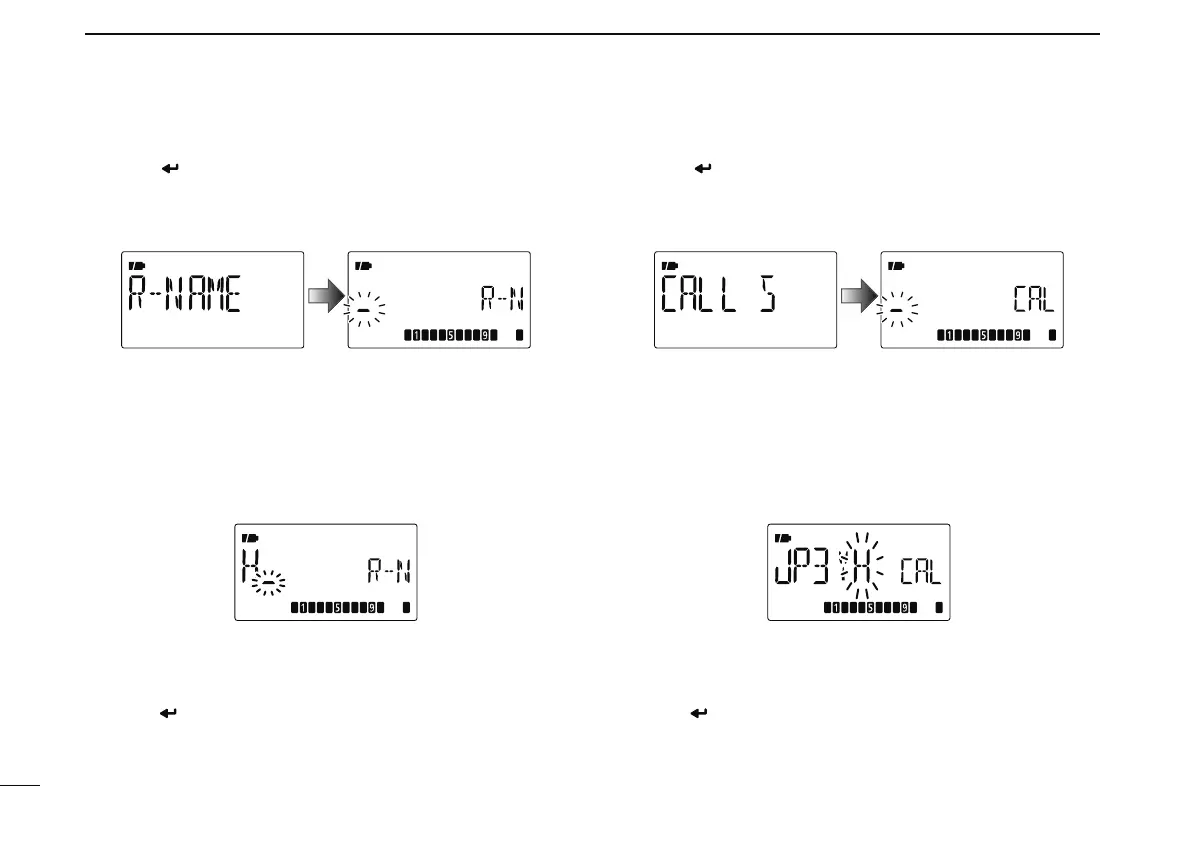
q Push [ ](5) to enter the repeater name programming
state.
• Repeater name programming screen is displayed.
• The 1st digit blinks.
w Push [](2) or [](8) to select the desired character, num-
ber, symbol or space.
• The selected character blinks.
• Push [](6) to move the cursor right; push [](4) to move the
cursor left.
• Push [CLR](1) to erase the selected character, or push and hold
[CLR](1) for 1 sec. to erase all characters following the cursor.
e Repeat step w until the desired repeater name is pro-
grammed.
• Up to an 8 digit name can be set.
r Push [ ](5) to program the repeater name and exit the
state.
Repeater call sign programming (CALL S)
q Push [ ](5) to enter the repeater call sign programming
state.
• Repeater call sign programming screen is displayed.
• The 1st digit blinks.
w Push [](2) or [](8) to select the desired character, num-
ber or symbol (‘/’ only).
• The selected character blinks.
• Push [](6) to move the cursor right; push [](4) to move the
cursor left.
• Push [CLR](1) to erase the selected character, or push and hold
[CLR](1) for 1 sec. to erase all characters following the cursor.
e Repeat step w until the desired repeater call sign is pro-
grammed.
• Up to an 8 digit call sign can be set.
r Push [ ](5) to program the repeater call sign and exit the
state.



 To Next Page