7
User Guide
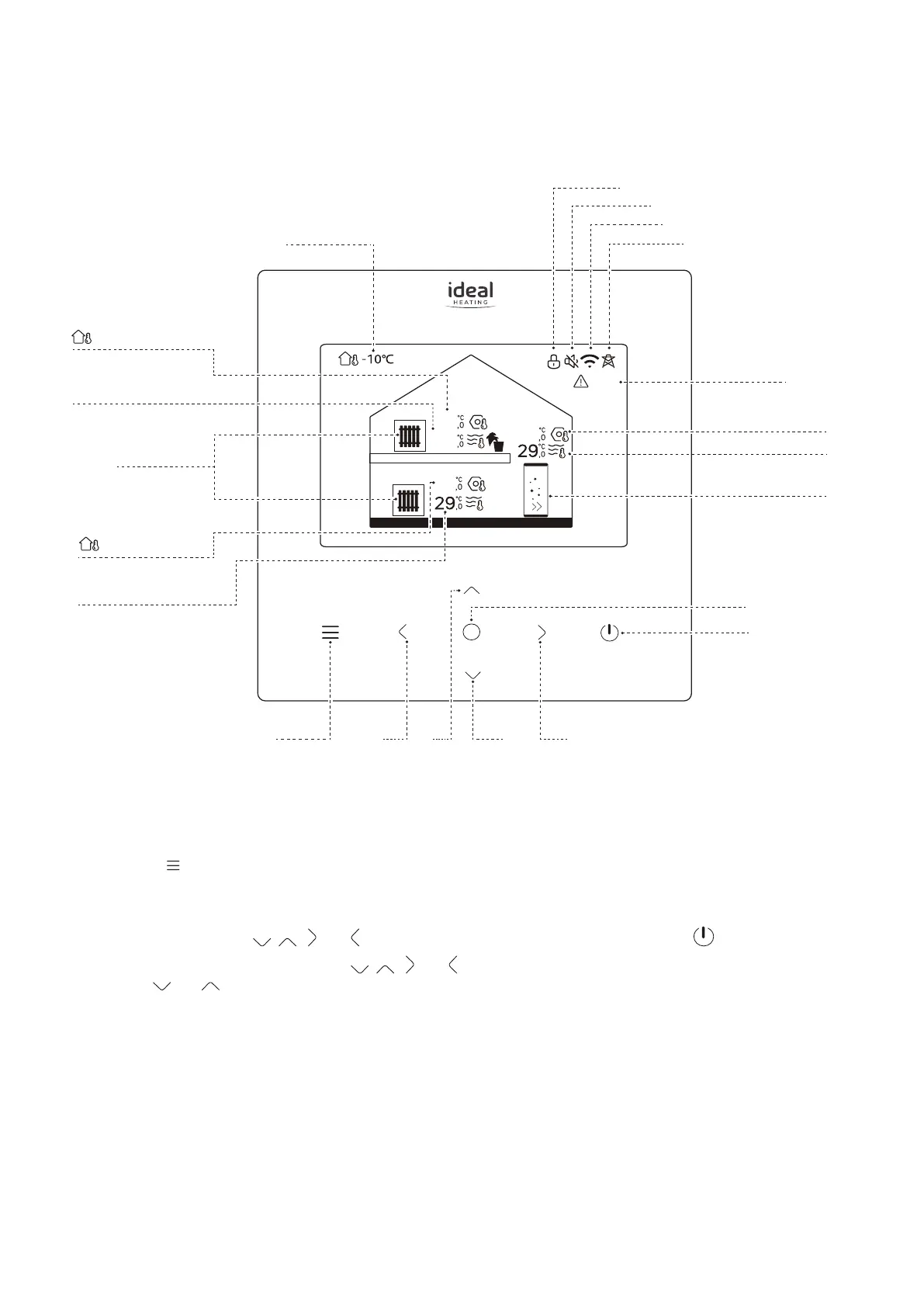
For Operating Status press O.
For Menu press
(refer to Figure 4).
Press any touch-button to re-activate the screen.
To enable/disable DHW press
, , and until the DHW tank symbol is illuminated. Then press .
To change the DHW target temperature press , , and until the DHW tank symbol is illuminated. Then press
O, then press and .
Zone1
25
40
40
40
Zone2
E01
Smart Grid Active
Fault Indication
DHW Target Temperature
DHW Actual Temperature
Orange for Heating,
Grey when Off
On/Off
Enter
Right
Outside Temperature
Zone 2 Actual Temperature
Zone 1 Actual Temperature
Orange for Heating
Blue for Cooling
Grey when Off
Screen Locked
Zone 2 Target Temperature
(lights when Zone 2 On,
grey when Zone 2 Off)
Shown if controllled by
Room Temperature
Zone 2 Target Temperature
(lights when Zone 2 On,
grey when Zone 2 Off)
Shown if controllled by
Room Temperature
Down
LeftMenu/Back Up
Wi-Fi Connected
Silent Mode Active
Figure 4. Control Box Homepage display



 To Next Page